Gear & guides
Plan your topic, title, and trailer, then work through recording, hosting, and publishing your first episodes.
Some links in this story are affiliate links. If you buy through them, we may earn a commission at no extra cost to you.
Define who the show is for and the value of a typical episode.
Pick a name people can say, remember, and search.
Record a short trailer, then test the full publishing process.
Starting a podcast doesn’t have to be complicated. You don’t need a fancy studio, high-end equipment, some groundbreaking idea, or even to be an expert to start your show. Every podcaster, no matter how big they are now, started at zero, with zero listeners, zero confidence, and often zero clue what they were doing.
What separates those who make it from those who don’t is simple: they started. Clarity, confidence, and skill come through the process.
So if starting is all it takes, why do so many of us never get our show off the ground? We might sit on an idea for years, buy equipment, even record practice episodes, yet never hit publish.
Why is taking that first step so hard?!?
At PSS Creative Media, we see this all the time. Helping people push past overthinking and finally get in front of the mic to create real episodes is what we do best. So trust me, you’re in the right place.
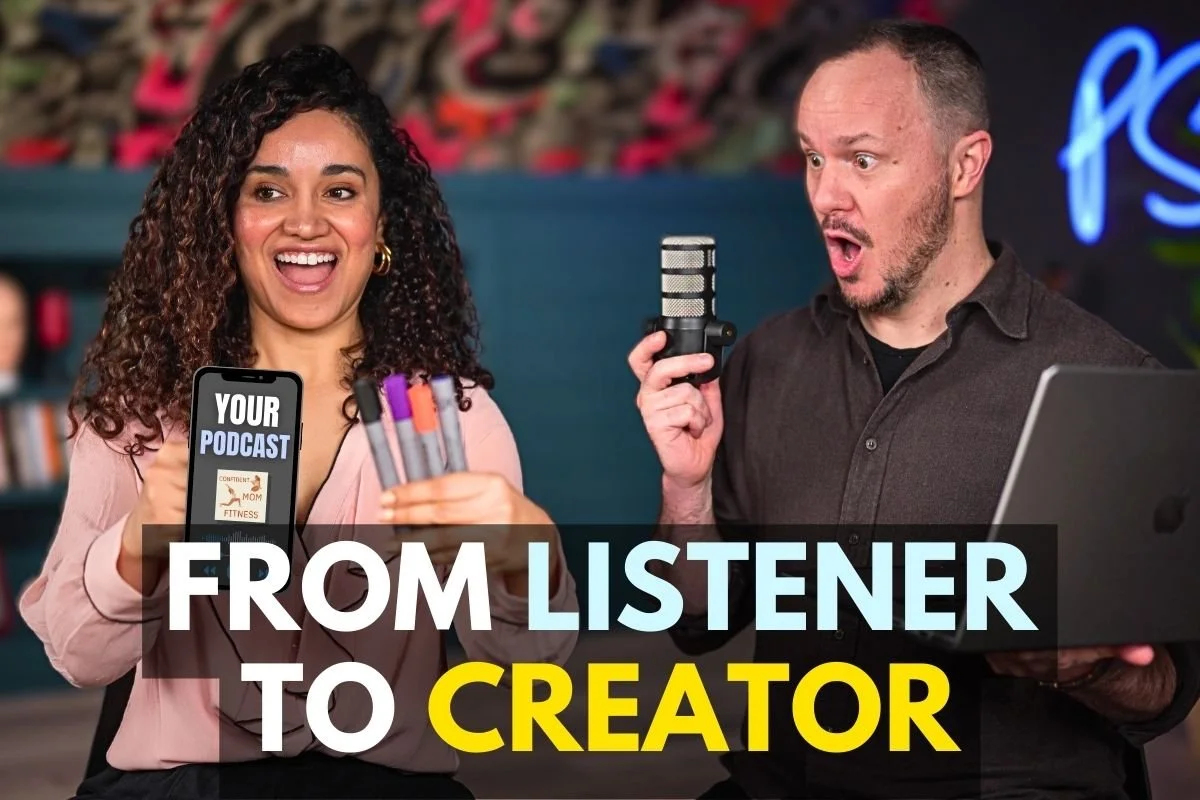
In this guide, I’ll take you through a proven, five-step method to start your podcast in 2025.
From picking the right podcast host to designing cover art and recording your first episode, you’ll learn exactly what to do, and by the end, your show will be live on Spotify, Buzzsprout, Apple Podcasts, and the other podcast players.
Plus, Veronica will share her 3T framework, a powerful tool for finding your podcast topic, choosing a title, and crafting an engaging trailer that grabs listeners from day one.
If you’ve ever thought about starting a podcast, this guide is your perfect starting point.
Let’s be real, starting a podcast feels intimidating because there are so many unknowns. So why do most people never get past the idea stage?
That’s what we’re going to tackle first.
Most people don’t start a podcast because they overthink the process, getting caught up in analysis paralysis and self-doubt before they ever hit record.
If you don’t tackle that problem right now, then you can't move forward in this process.
Our solution?
Simplify your goals and shorten your time commitment. Inspired by The 12 Week Year: Get More Done in 12 Weeks than Others Do in 12 Months, we recommend planning your podcast in 12-episode or 12-week chunks. By committing to just the next 12 episodes, you reduce the overwhelm and shift your focus from dreaming to doing.
Forget about getting famous two years from now. Right now, it's all about creating those first 12 episodes.
Now, let’s get started and bring your podcast to life.
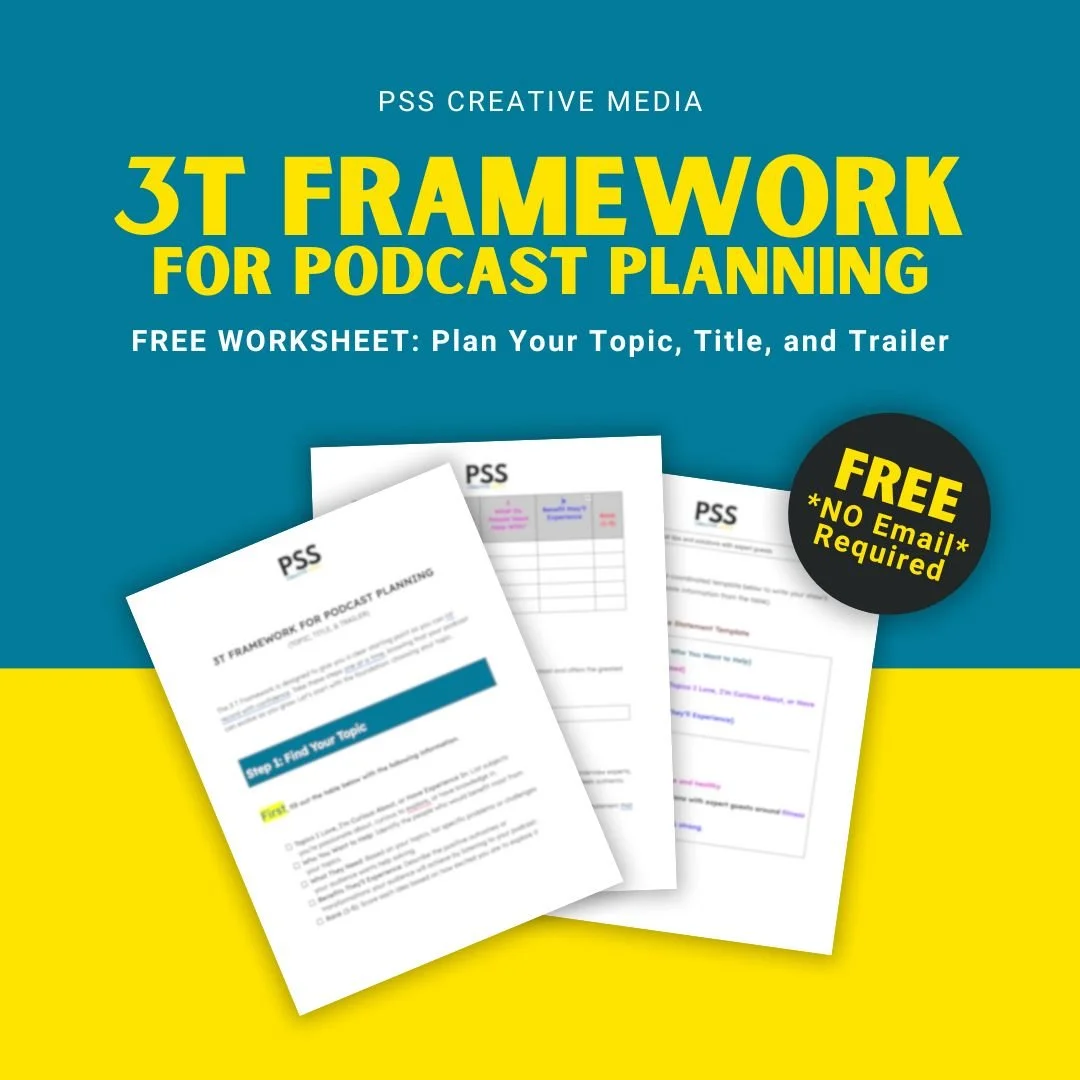
Use a document or notebook to work through the 3T framework: topic, title, and trailer. Record your decisions as you go.
No sign-up required, just download it and get started!
Once you’ve completed the steps, share your trailer with someone in your intended audience. Ask whether your topic is clear, your audio is easy to follow, and they know what to expect from the show.
Feeling nervous about sharing? That’s a good sign, it means you’re on the right track. You’re making a podcast today!
Buzzsprout is our top choice for podcast hosting solutions, and it has been for many years now at PSS.
They have a slick, easy-to-follow interface that actually walks you through this five-step process of building your show, as well as industry-leading features for every stage of your podcast growth.
And if that wasn't enough, Buzzsprout also sponsored this video for you so you can look over our shoulder as we walk you through the five steps to start a podcast in 2025.
Now, if you're bummed out that step number one isn't equipment, or you're thinking, there's no way he's going to get me to start a podcast because I don't have any equipment or I do have equipment, but I don't know how it works, use whatever you have to record a simple trailer.
No editing is needed.
Stick around till the end. After finishing the five steps, I'll share my gear recommendations so you can upgrade when you're ready. We wouldn't leave you hanging.
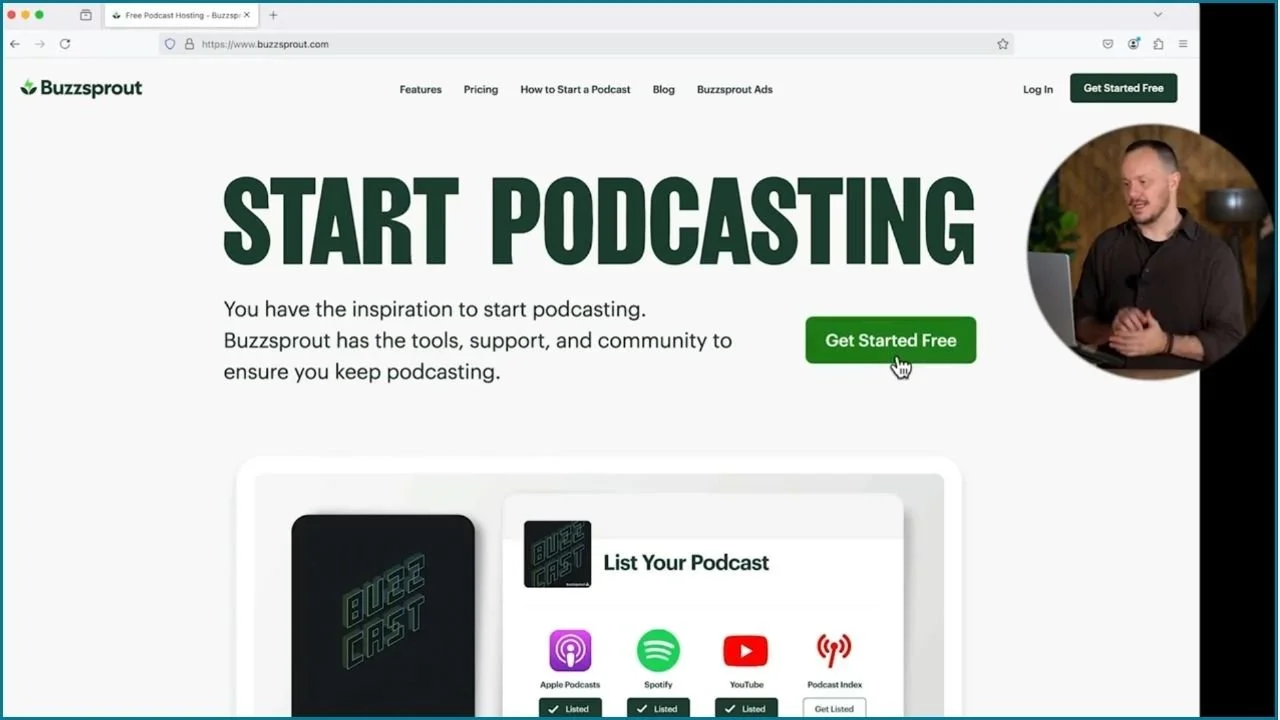
Go to Buzzsprout.com
Click the Get Started Free button
The only information you'll need to give them is your name and email
Then you create your password
I'm going to choose I'm a New Podcaster
And right off the bat, we are taken to a page, that is technically the first two steps of your podcast: your podcast title and description
The podcast description is your podcast topic or an elevator pitch for your show
Those are the first important decisions you’re going to need to make.
For help doing that, I'll pass you off to Veronica for some exciting show development.
When you're done with her, you will have a title and a podcast description that you can enter into Buzzsprout.
✋ Here's a great place to pause, ensure that you get set up for Buzzsprout, and then come right back to work with Veronica.
All right, step one is complete. Let's move on to step two, show development.
Most people think they need to have everything perfectly planned before starting a podcast, but that’s simply not true.
Podcasting is a journey, and the most important step is to get started, but with a little preparation, you can avoid common pitfalls.
The 3T framework gives those decisions a simple order: Topic, Title, and Trailer.
Create three sections in your own document: Topic, Title, and Trailer.
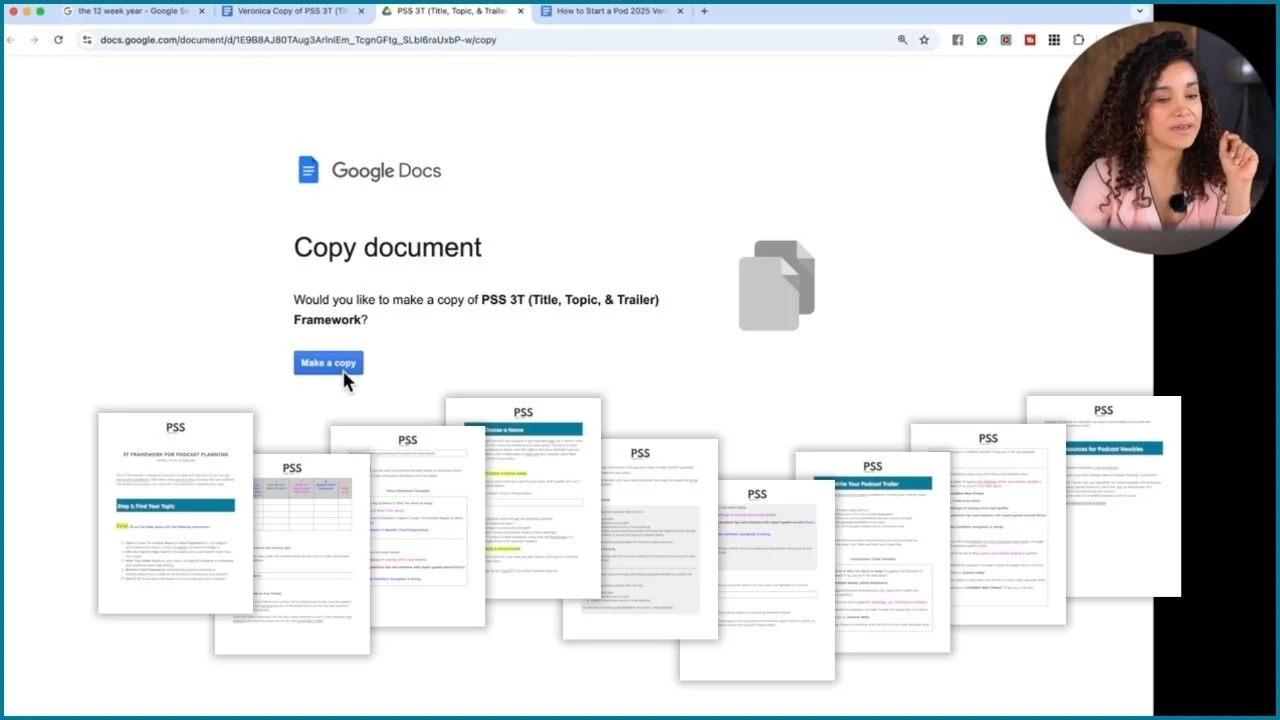
The 3T Framework is designed to tackle the biggest obstacles new podcasters face:
choosing a topic
picking a name
and figuring out what to talk about in their first episode
It’s packed with everything you need, clear steps, helpful prompts, and a colorful layout to guide you through the process.
Ready? Let’s dive in.
Choosing a topic can feel overwhelming, but here's the good news: you already have everything you need.
This step is about taking what you love, what you're curious about, what you already know, and matching it with the people you want to help and the problems that you want to solve for them.
Here’s how to fill out the table:
Column 1
List 5 topics you love, are curious about, or have experience in.
Column 2
For each topic, list who you want to help.
Column 3
For each topic, list the challenges they're currently facing.
Column 4
Lastly, list the benefits they will get from listening to your podcast.
EXAMPLE
Column 1: Let's say that I am really into fitness and wellness. Which I am.
Column 2: And then, let's say that I really want to help busy moms. I am a busy mom. I know how it feels to juggle many things and not prioritize wellness and fitness.
Column 3: Let's say that they need help staying healthy and active despite their packed schedules.
Column 4: List the benefits busy moms will experience when they listen to your podcast or one of your episodes. What are the feelings, takeaways, or actionable tips they'll walk away with after they listen to your episode? Let's say I want them to feel confident, energized, and strong so they can provide for those babies.
Column 4 is the most touching one because imagine someone listening to your podcast and taking action after hearing your words. That's pretty powerful!
RANK (1-5)
Using the column on the far right, rank your five ideas from one to five.
1 = the topic you like the MOST
5 = the topic you like the LEAST
Choose your winning idea, and write it in the box on page 2.
The information we’re gathering will be used to piece together your show’s value statement and trailer.
So simply follow along and trust me, this is going to make sense and in the end, you're going to love me for this.
EXAMPLE WINNING IDEA
Fitness and Wellness , we're going to keep using this as an example
The next thing for you to decide is the format of your show, meaning how you will deliver the content.
How will you record your episodes?
SOLO
GUEST INTERVIEWS
INCLUDE A CO-HOST
SHARING TIPS & STRATEGIES
SHARING A STORY
The format you’re the most excited to use
Type your show’s format(s) into the box on page 3.
But once again, don’t overthink this.
You may incorporate multiple formats or just one.
Focus on getting started.
And then if you don't like it, you can change.
EXAMPLE PODCAST FORMAT
Exploring practical tips and solutions with expert guests
Now it’s time to create your show’s value statement.
I color-coordinated the value statement template to match the chart you filled in first.
copy your answers from the topic ideas chart
paste them into the color-matching placeholders
EXAMPLE VALUE STATEMENT
On this podcast, I help busy moms tackle the challenge of staying active and healthy by exploring practical tips and solutions with expert guests around fitness and wellness so they can feel confident, energized, and strong.
Now, it’s time to choose the right name for your podcast.
DON’T. OVERTHINK. THE NAME.
Your name is not set in stone; it can evolve as your podcast grows.
Right now, create a name that:
feels good
reflects your value statement
resonates with your audience
☑️ Is it simple and clear?
☑️ Is it easy to pronounce and spell?
☑️ Does it avoid complicated words or tricky spellings?
☑️ Is it unique?
Check availability using tools like BrandSnag or a Google search with “podcast” added to the name.
WHY TEST THE NAME?
A clear, easy-to-remember name is key for growing your podcast through word of mouth. Here’s why testing the name matters:
Make it easy for people to recommend your show.
If your name is 🚫 complicated, 🚫 hard to pronounce, or 🚫 tricky to spell, potential listeners may struggle to find it when someone recommends it.
Ensure your audience can find you online.
A simple, memorable name makes it easier for people to locate your podcast on platforms, websites, and social media.
🚫 Avoid names that require too much explanation
🚫 Or have personal meaning only you understand
Avoid legal and branding issues.
Make sure your name isn’t 🚫 already in use by another podcast or brand.
Search podcast directories (Apple Podcasts, Spotify).
Do a Google search with “podcast” added to your name.
Check for trademarks to avoid future legal problems, especially if your podcast grows and becomes a source of income.
By testing your podcast name, you can avoid confusion, build a strong brand, and make it easier for listeners to find and share your show.
If you don't have a name, don't freak out. I've got you covered, and you're going to love this because you are going to use ChatGPT to help you generate a name for your podcast.
I created a ChatGPT prompt template for you.
EXAMPLE CHATGPT PROMPT FOR THE FITNESS AND WELLNESS PODCAST
Generate five potential podcast titles that are:
Simple and clear
Easy to pronounce and spell
Free of complicated words or tricky spellings
Podcast’s value statement:
On this podcast, I help busy moms tackle the challenge of staying active and healthy by exploring practical tips and solutions with expert guests around fitness and wellness so they can feel confident, energized, & strong.
The titles should align with the focus and audience of the podcast and convey its core message effectively.
EXAMPLE PODCAST NAME IDEAS FROM CHATGPT
Strong and Confident Moms
Wellness Made Simple for Moms
Fit and Energized Mom Life
The Active Mom Blueprint
Healthy, Happy, and Strong Moms
EXAMPLE WINNING PODCAST NAME
Confident Mom Fitness
Ensure the podcast name isn’t already taken.
Check against the podcast directories
Run a Google search, when you run a Google search, make sure you add the word “podcast” after the name
Check for trademarks to avoid future legal problems
BrandSnag, USPTO TESS Search, WIPO Brand Database (for international podcasts)
Yeah, you found the right podcast name. Congratulations!
Use the plug-and-play trailer template on page 7 to create a professional "Coming Soon" trailer for your podcast.
copy your answers from the topic ideas chart
paste them into the color-matching placeholders
HOW THE TRAILER TEMPLATE FLOWS
Start with a hook to grab the listener's attention from the very beginning.
Give a clear introduction to your show and its value proposition.
Set expectations by outlining the format and what listeners will gain.
Share a brief, personal connection to the topic, this is where you talk about why you are podcasting about your topic
Wrap up with a strong call to action and an enthusiastic close.
Your coming soon podcast trailer doesn’t need to be perfect; you just need to be real.
It gives you the chance to:
connect with your audience
let them know what your show is about
ask them to subscribe on YouTube or follow your podcast on their favorite podcast player
EXAMPLE “COMING SOON” PODCAST TRAILER
Here’s how the template works using the “Fitness and Wellness” example podcast.
Are you a busy mom struggling with staying active and healthy despite a packed schedule? If so, you’re in the right place!
Welcome to Confident Mom Fitness!
On this podcast, I help busy moms tackle the challenge of staying active and healthy by exploring practical tips and solutions with expert guests around fitness and wellness so they can feel confident, energized, and strong.
As a busy mama with three kiddoes who runs a business from home, I struggle to exercise and maintain healthy habits. I know how hard it can be to stay active and healthy despite a packed schedule. That’s why I created this podcast, to make it easier for people like us to thrive.
The show launches on [Launch Date]. In the meantime, follow or subscribe to be the first to know when episodes drop. Thanks for checking out Confident Mom Fitness! I’ll see you in the next episode!
MORE TIPS
I gave you the basic elements that should go in your podcast trailer but you can…
add your name
personalize it
write it the way you talk
experiment
switch things around
Again, avoid overthinking your trailer. Keep it short and simple.
Congrats! You now have all the information that you need to continue setting up your show on Buzzsprout with Stephen.
Hey, you just made it past the point where most people never do: that’s show development. Great job!
Use your Topic, Title, and Trailer notes to complete the podcast details in your hosting account.
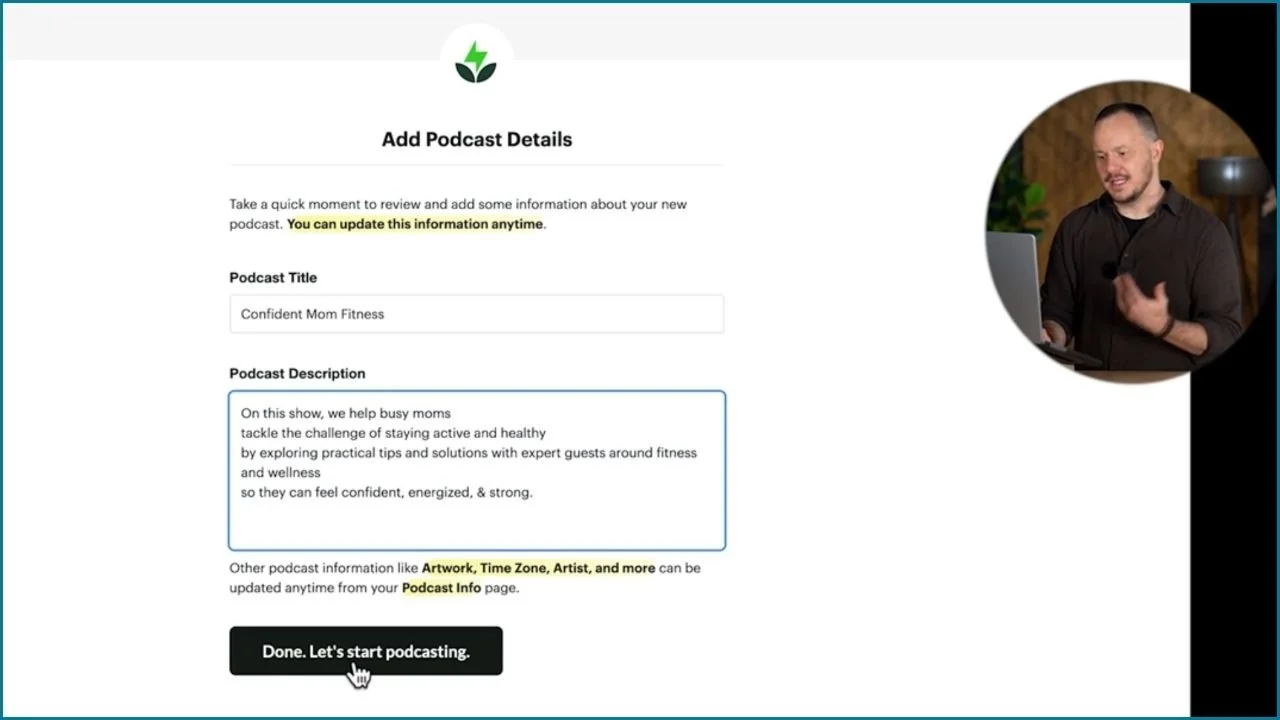
In the “Podcast Title” box:
Enter your “Podcast Name”
Example: Confident Mom Fitness
In the “Podcast Description” box:
Copy your podcast’s value statement and paste it here
Example: On this podcast, I help busy moms tackle the challenge of staying active and healthy by exploring practical tips and solutions with expert guests around fitness and wellness so they can feel confident, energized, and strong.
Now you can click the Done. Let’s start podcasting. button!
Check it out. Buzzsprout will automatically set up your podcast for you.
You’re now on the “home” tab where Buzzsprout will walk you through the next setup steps.
Creating eye-catching cover art is an important step in launching your podcast. Here’s how to design a simple, professional-looking cover using Canva, even if you have no graphic design experience.
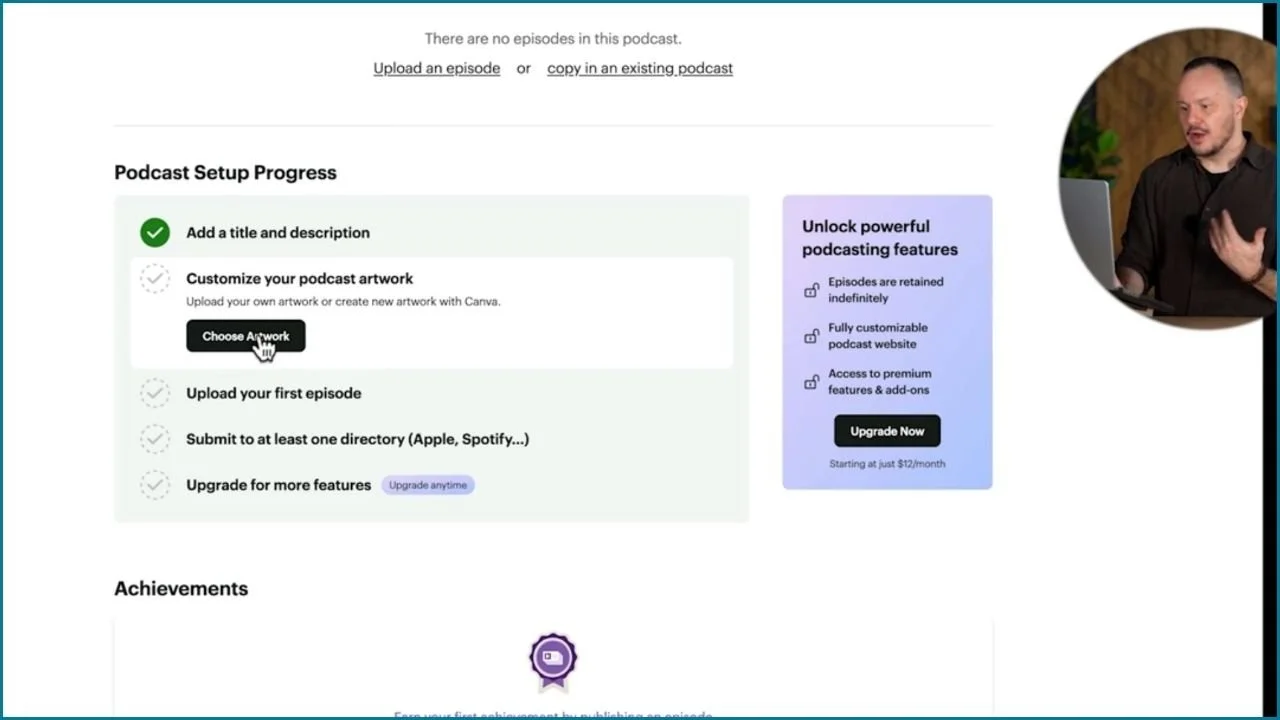
1. Access the Podcast Artwork section in Buzzsprout
In the “Home” tab in Buzzsprout, scroll down to the “Podcast Setup Progress” checklist.
Click “Choose Artwork” to go to the “General Info” area in the “Podcast Info” tab in Buzzsprout.
Scroll down to the “Podcast Artwork” section.
Click “Design with Canva” to create your podcast cover using Canva.
2. Open Canva’s podcast cover template
If you already have a Canva account, log in. If not, sign up, it only takes a few seconds.
Once you’re logged in, Buzzsprout will take you directly to a pre-sized podcast cover template.
Browse through Canva’s templates, or use the search bar to find a design that fits your podcast’s theme (e.g. “fitness”).
3. Customize your podcast cover
Replace placeholder text with your podcast title.
Adjust fonts, colors, and layout to match the vibe of your podcast.
Optional: Add a photo of yourself or your podcast host to personalize the cover further.
Tips:
Free templates are great for a simple look, but Canva Pro offers additional design options if needed.
A podcast cover is something you can update as your show evolves, but for now, keep it simple.
Stick to bold, readable fonts and vibrant colors that stand out, especially in small sizes.
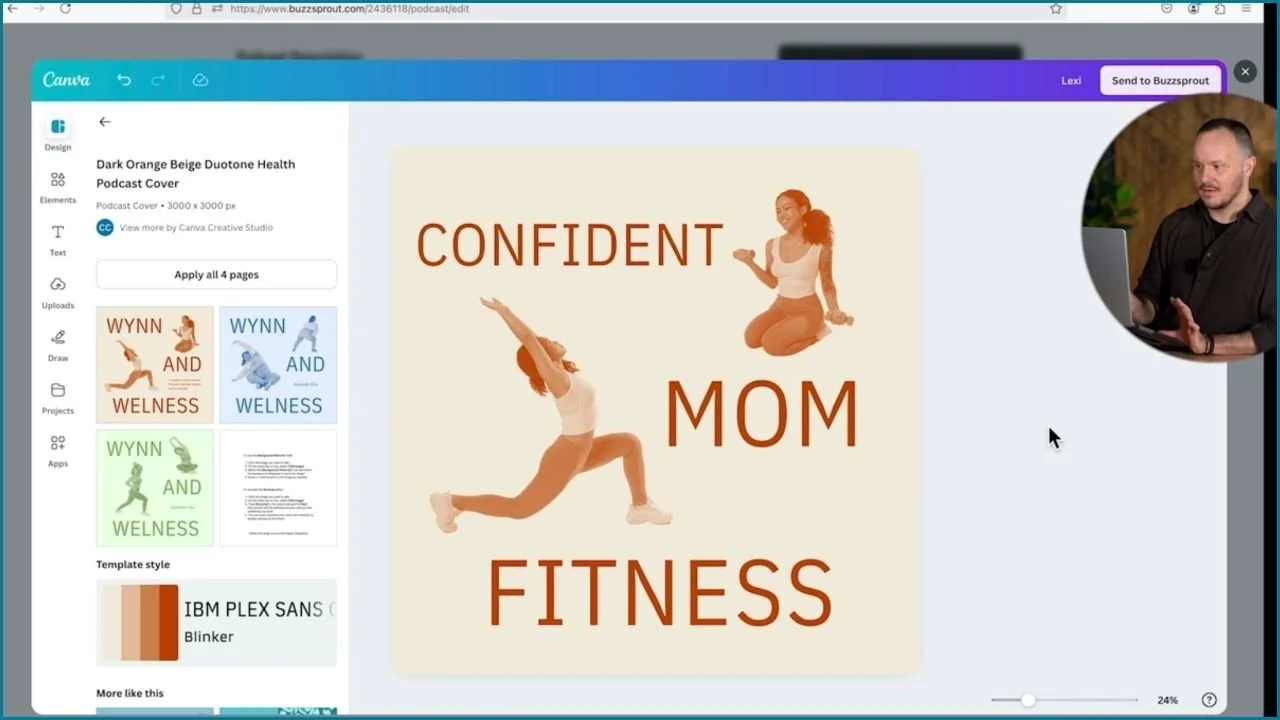
4. Save and upload your cover to Buzzsprout
When you're happy with the design, click the “Send to Buzzsprout” button directly from Canva (upper right corner).
Click the “Save Podcast Info” button to save your podcast cover in Buzzsprout.
In the “Podcast Info” tab, scroll down to review your podcast details:
Podcast Category: Choose the right category (e.g. Health & Fitness) to make sure our podcast populates in the proper podcast categories, which can help discoverability.
Host/Artist Name: Add your name and/or your co-host’s name.
Language & Time Zone: Adjust if necessary.
Save your podcast info when done.
Click the “Save Podcast Info” button when done.
You’re going to record your “coming soon” podcast trailer in one chunk.
❌ You're not going to do any editing
✔️ You’ll use this recording as your first episode.
1. Before you hit record
Read through your trailer script a few times until you’re familiar with every word.
2. Record your trailer
Use whatever equipment you have: a USB microphone, podcasting gear, or even your laptop’s built-in mic.
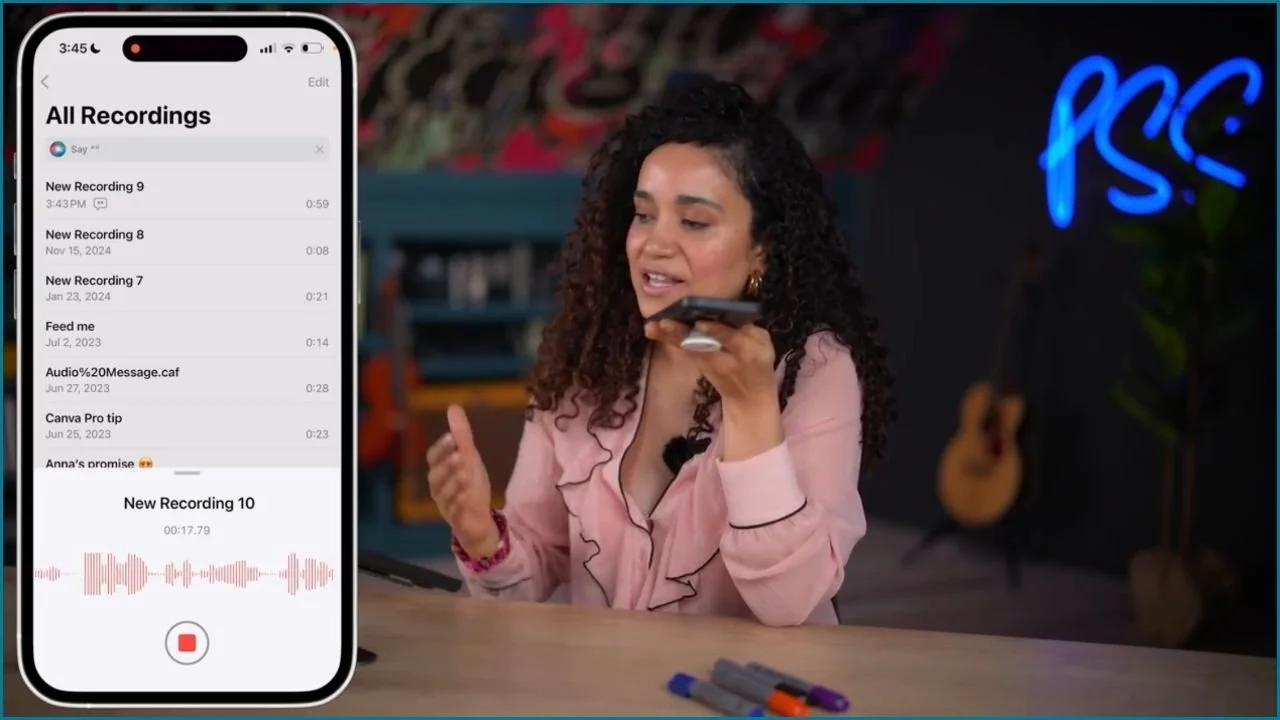
The iPhone’s Voice Memo app works great, you'll be surprised with the results you can get.
Record in one chunk without editing.
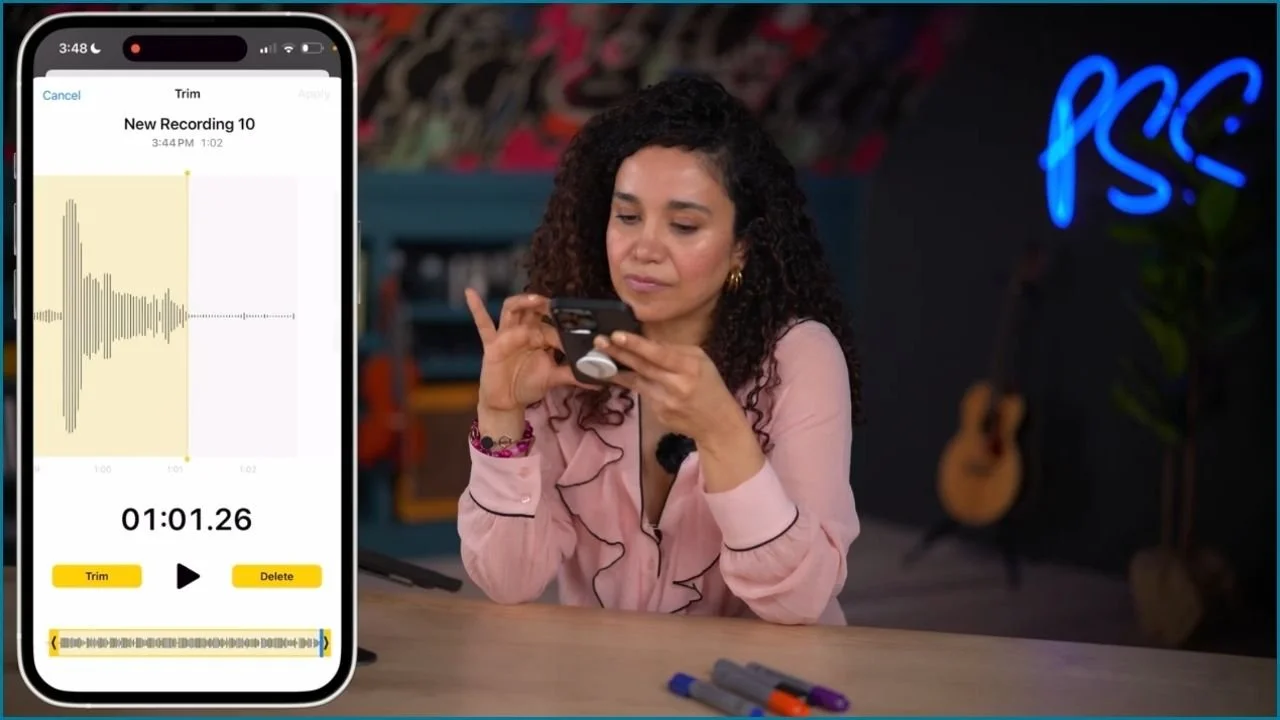
3. Trim the recording (if needed)
Most voice memo apps allow you to trim the beginning or end if there’s extra silence.
Keep it simple and clean, no fancy edits required.
4. Save and share the file
Once you’re happy with the recording, save it and share the file to your computer for uploading.
Tips for success:
Aim for a clear, energetic delivery, your enthusiasm will draw in listeners.
Don’t overthink it! The goal is to introduce your podcast and get started. You can always improve future episodes as you gain experience.
To get your podcast live, start by uploading your trailer to Buzzsprout, distribute it across major platforms like Spotify, and Apple Podcasts, and share it with us.
Oh boy, it's getting real. You've recorded your first episode, a coming soon trailer. Now all you have to do is pick up right where you left off in Buzzsprout.
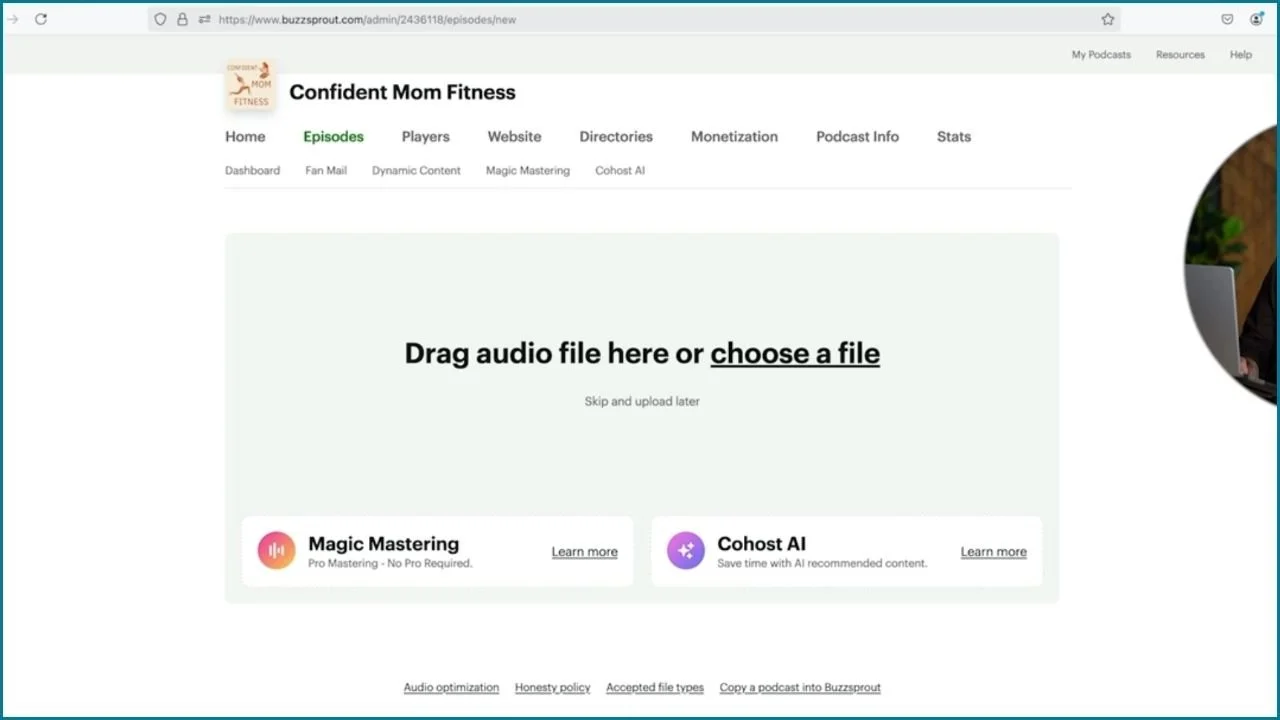
1. Upload your trailer
Go to the “Home” tab of your Buzzsprout dashboard.
Click “Upload an Episode” in the “Podcast Setup Progress” checklist.
Drag and drop your audio file (or browse to upload it).
2. Add episode details
Episode Title: Enter a title like “Trailer” or “Coming Soon.”
Optional fields:
Leave the Season Number and Episode Number blank; Buzzsprout will handle these automatically.
Change Episode Type from “Full” to “Trailer” so your audience knows what to expect.
If you dropped any F-bombs in your trailer or got really raunchy, check the “Explicit Material” box.
3. Save and publish your episode
Click “Save Episode Details” to preview your trailer.
Once you’re happy with the preview, click “Publish”.
Your podcast is now live on your Buzzsprout website, RSS feed, and playable in your embedded players. 🎉
It will be available in podcast directories within 24 hours.
You can safely click “Close Window” to close the pop-up.
Creating a simple website for your podcast makes it easier for listeners to find and subscribe. Follow these steps to set up your Buzzsprout podcast website:
1. Choose a website plan
Navigate to the “Website” tab in your Buzzsprout dashboard or from Buzzsprout’s home page, click the “Pricing” tab.
Choose a paid plan to get a podcast website (which I recommend).
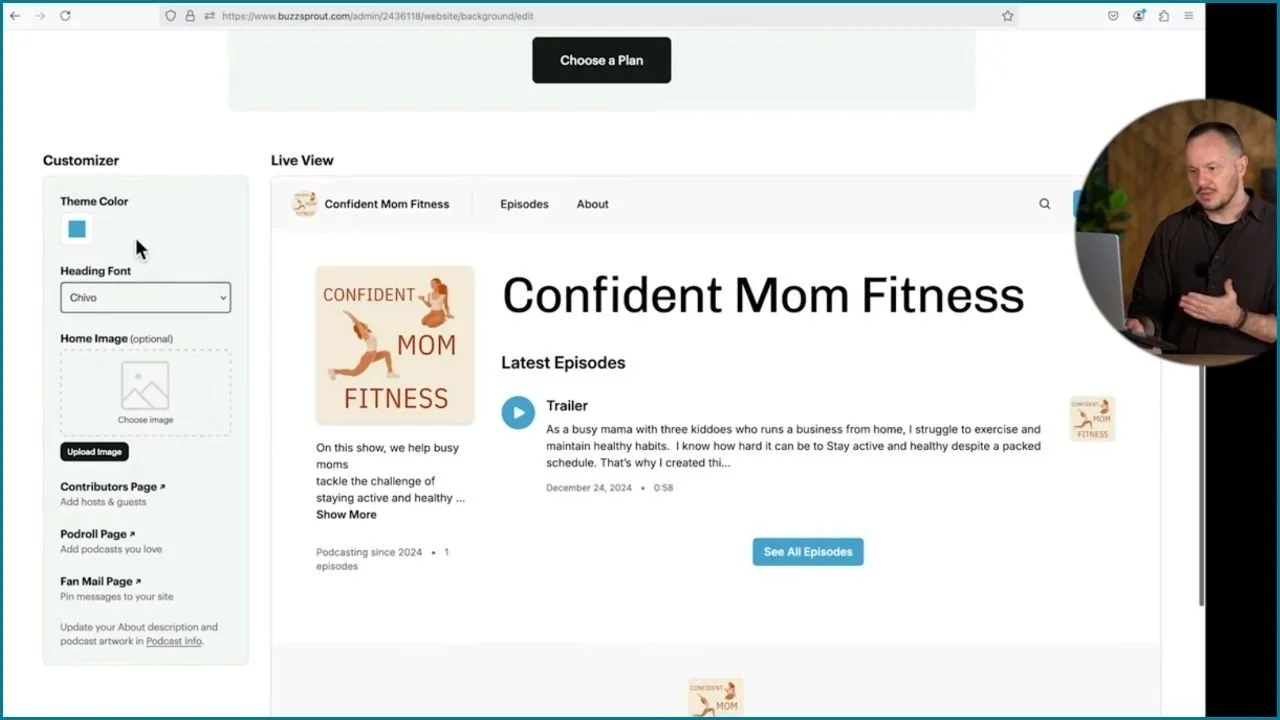
2. Customize your website
Add theme colors and a home page image to reflect your podcast’s branding.
Personalize your podcast’s description and include a call-to-action (CTA) encouraging visitors to subscribe.
Tips:
A dedicated website enhances your podcast’s online presence and can help attract new listeners.
If you don’t want to invest in a full website right away, you can always start with Buzzsprout’s free podcast page.
Buzzsprout makes it easy to distribute your podcast across major platforms. Here’s how:
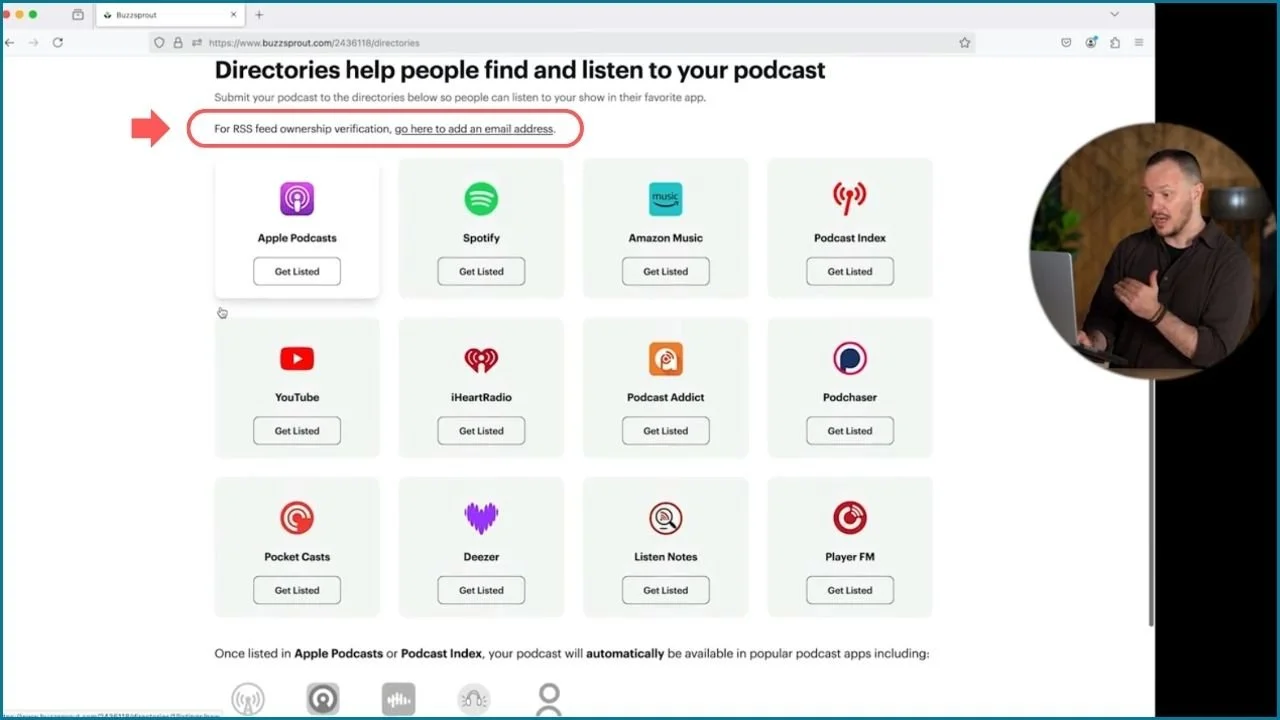
1. Go to the “Directories” tab
Buzzsprout provides quick links to major platforms like Apple Podcasts, Spotify, Amazon Music, YouTube, and iHeartRadio, and more.
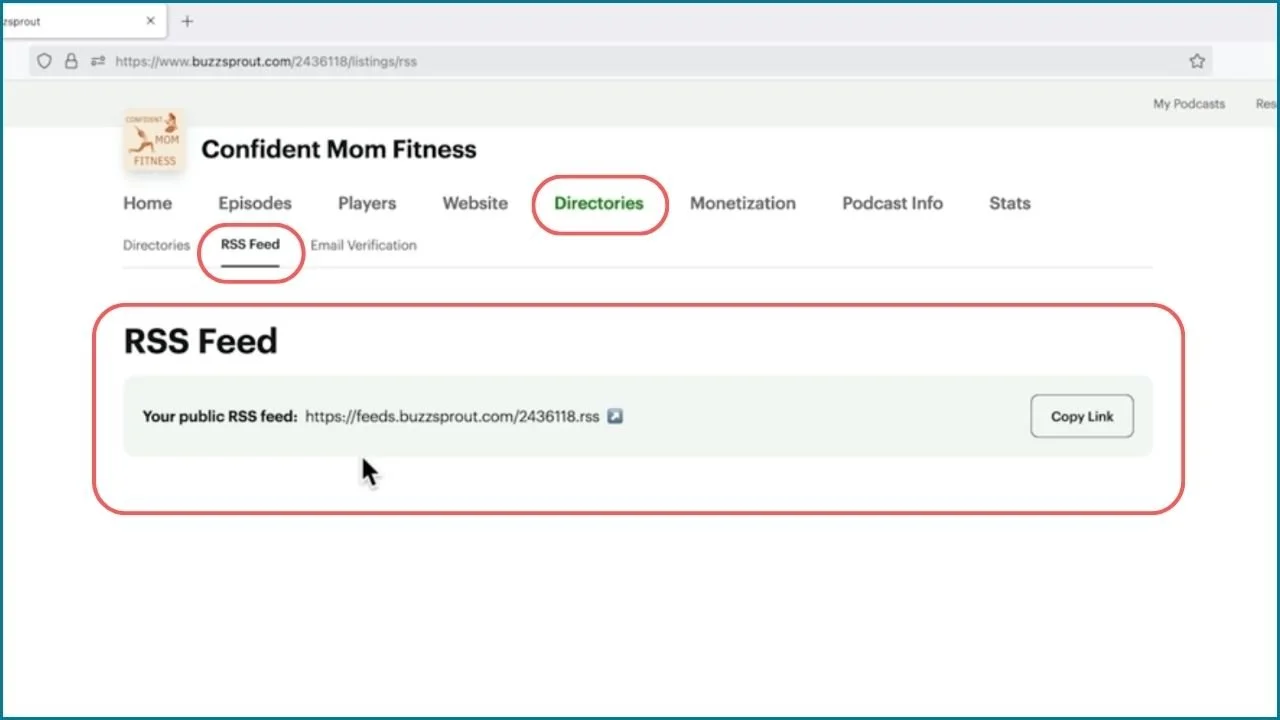
2. Verify your RSS feed
Find and click the link “For RSS feed ownership verification, go here to add an email address.” near the top of the “Directories” tab.
Add your email address to your RSS feed for ownership verification, you’ll need to do this to get your RSS feed approved by the podcast directories.
Be aware that your email address will now be available to those who want to find it in the podcast directories, but you can remove your email later if privacy is a concern.
Tips:
Make sure your podcast cover art and description are finalized before submitting to directories.
Each directory has its own approval process, but Buzzsprout helps streamline it.
Spotify is one of the most popular platforms for podcasts! Follow these super easy steps to get listed:
1. Submit your podcast to Spotify
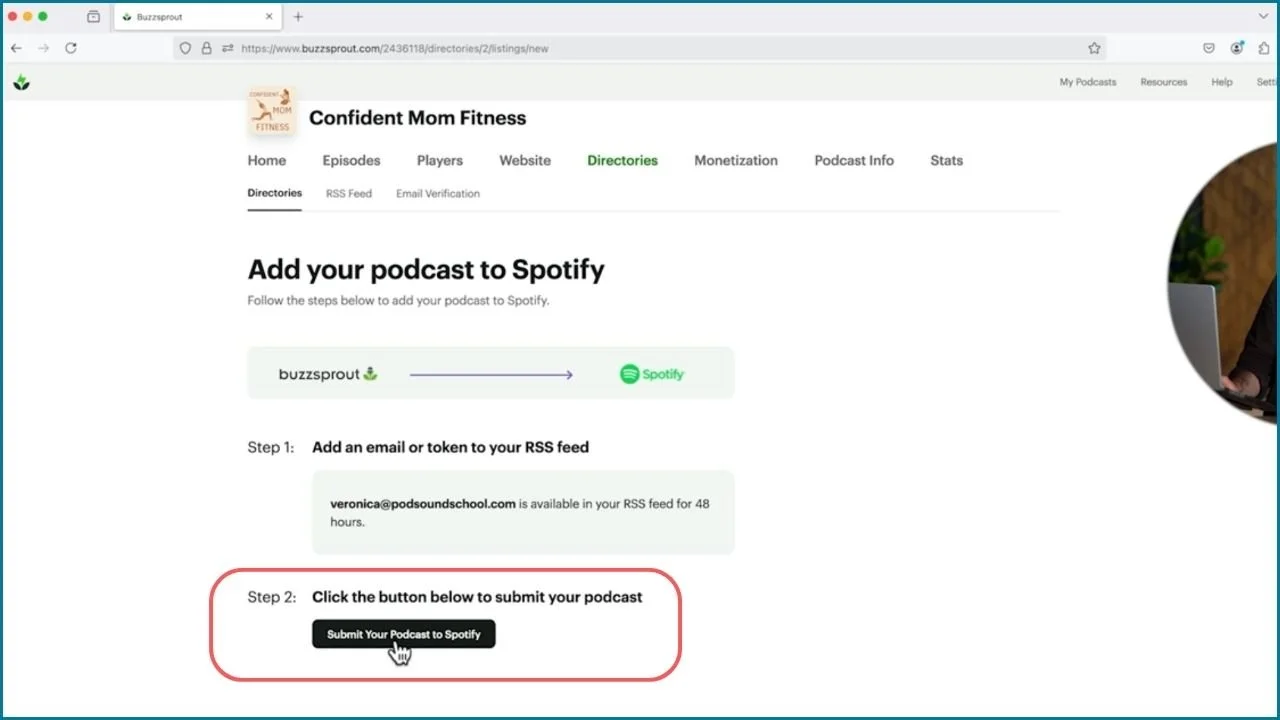
In the Directories tab, click the “Get Listed” button for Spotify.
Next, all you need to do is click the “Submit Your Podcast to Spotify” button.
Your listing has been submitted! And that's it, Buzzsprout handles the rest.
2. Wait for confirmation
Your podcast should appear on Spotify within 24 hours, though it’s often faster.
I went and made a cup of tea, and by the time I returned 20 minutes later, my podcast was already live on Spotify.
Once live, you’ll receive a confirmation, and your podcast will be available to Spotify users.
Tips:
Regularly check your Buzzsprout dashboard for updates on your podcast’s status across platforms.
Share your Spotify link with your audience once it’s live.
Open your show in the directories you submitted to and check the title, artwork, description, and playback.
As your podcast grows, Buzzsprout offers several features to help you monetize and enhance your episodes. Here’s a quick guide to exploring those tools:
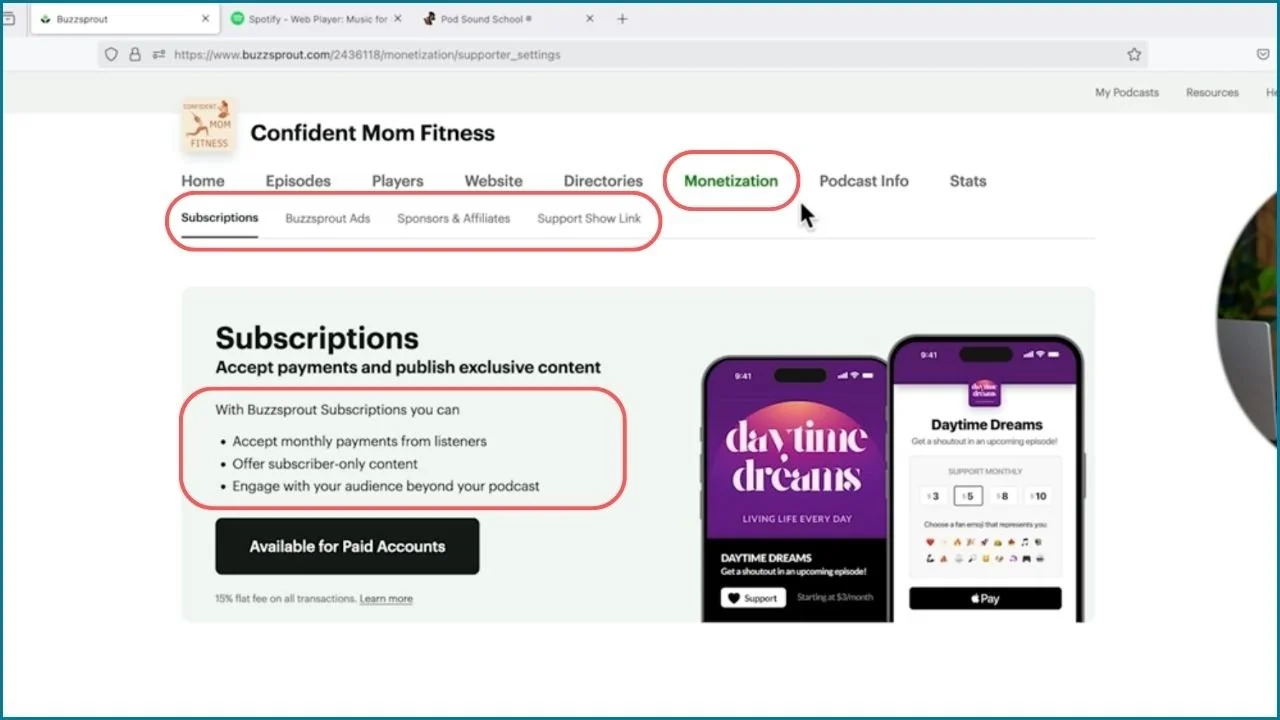
1. Monetization Tab: Start Making Money from Your Podcast
After your first 12 episodes, check out the Monetization tab in Buzzsprout.
Buzzsprout provides tools to help you start earning through sponsorships and listener support.
Monetization Tips:
Focus on growing a consistent listener base before diving into monetization. Sponsors are more likely to work with shows that have steady engagement.
On the other hand, sometimes all you have to do is ask like our client Ryan Denis, who scored a huge sponsorship deal with John Deere even though his podcast had a tiny audience on YouTube at the time.
2. Dynamic Content: Insert Ads and Updates Automatically
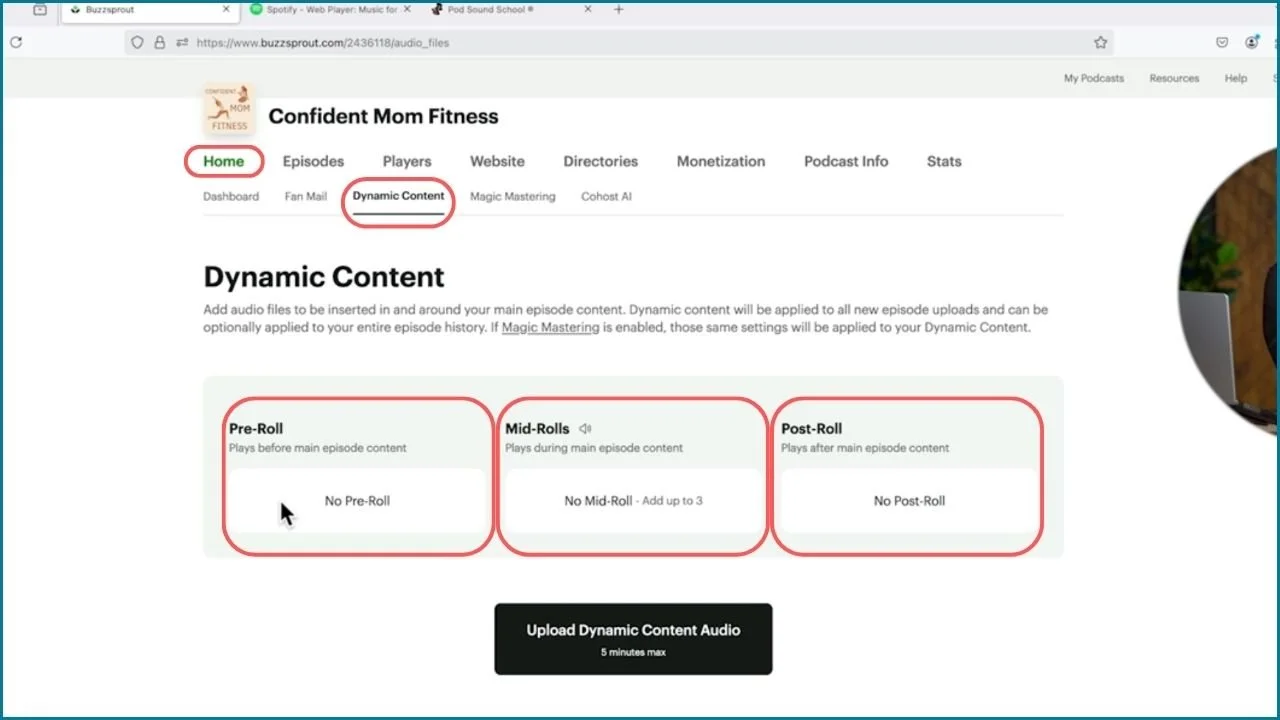
Use the amazing Dynamic Content feature (found under the Home tab) to insert audio clips like ads or announcements at the:
Beginning (pre-roll)
Middle (mid-roll)
End (post-roll) of your episodes.
When you’re ready to remove an old ad or add a new ad, this tool can dynamically insert or remove audio clips across your entire episode catalog without needing to re-edit or re-upload your episode files.
Tips:
Sell ad spots to sponsors or use pre-rolls to promote your own products, events, or lead magnets, all episodes in your catalog will get automatically updated with the new ad.
Need to remove an old ad? Simply delete it, and it’s automatically removed from all episodes.
3. Additional Features: Fan Mail and Magic Mastering
Fan Mail: Engage with listeners by allowing them to send feedback directly.
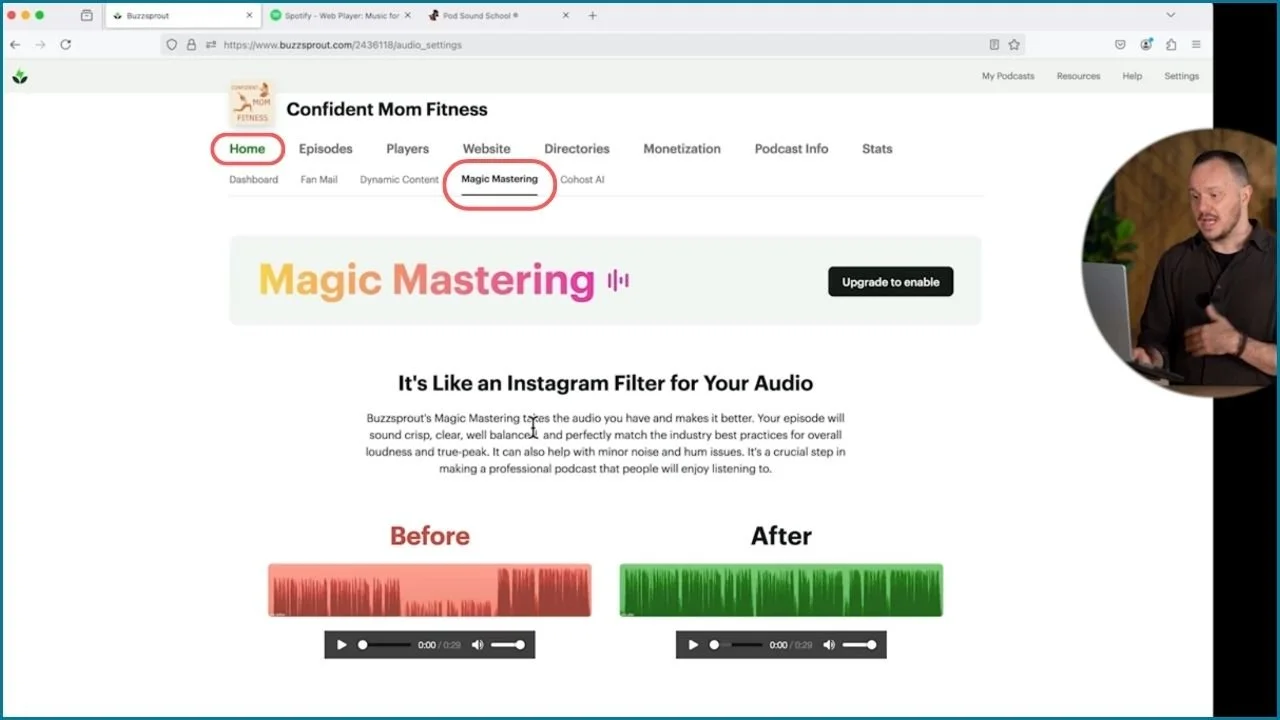
Magic Mastering: An easy way to improve the sound quality of your episodes, especially helpful when recording with basic gear like your phone.
Tip:
Use Magic Mastering if you’re recording episodes on the go or with minimal equipment, it helps balance audio levels for a professional finish.
We are so proud of you! 🎤
You followed the steps and finished your podcast.
Give it one more listen.
Listen to your trailer on headphones and a phone speaker. Check the volume, clarity, and pacing before you publish it.
We're very, very excited for you. You got started; you did it!
All right, now that you've got your show set up, it's time to get to work planning your first episodes and deciding where you are in this first stage of your podcast.
Is it in your budget to get some podcast equipment right now?
A hosting tool can help with loudness and basic processing, but it cannot turn every poor recording into a good one. Capture the cleanest audio you can.
But as soon as it's possible, I highly recommend getting a podcast microphone.
I have this blog post and video right here where I talk about how to choose the best podcast microphone, but if you're looking for my all-around go-to, it's this one: the RØDE USB PodMic. It’s 200 US dollars right now.
The best part is that it's a USB microphone so all you have to do is plug one cable into your computer.
What's really cool about this microphone is it has a bunch of plugins and effects integrated into it, so it will add compression, EQ, and noise reduction to the microphone when you use it with the RØDE Central app, it’s a really cool microphone.
Explore Podcast YourWay Producer for the next step with your show.
All right, my friend. Until next time, happy casting.