Gear & guides
Compare the Shure SM7B, SM7dB, and original MV7, including the connections and supporting equipment each setup needs.
Some links in this story are affiliate links. If you buy through them, we may earn a commission at no extra cost to you.
SM7B needs an XLR interface with enough clean gain for your voice.
SM7dB adds a selectable built-in preamp, powered by the interface’s 48V phantom power.
The original MV7 offers a direct USB workflow as well as XLR.
| Microphone | Connection | Gain consideration |
|---|---|---|
| SM7B | XLR | Enough clean interface gain; a booster is situational |
| SM7dB | XLR | Built-in +18 or +28 dB preamp; 48V when engaged |
| MV7 (original) | USB or XLR | USB for direct computer use; XLR uses the external interface |
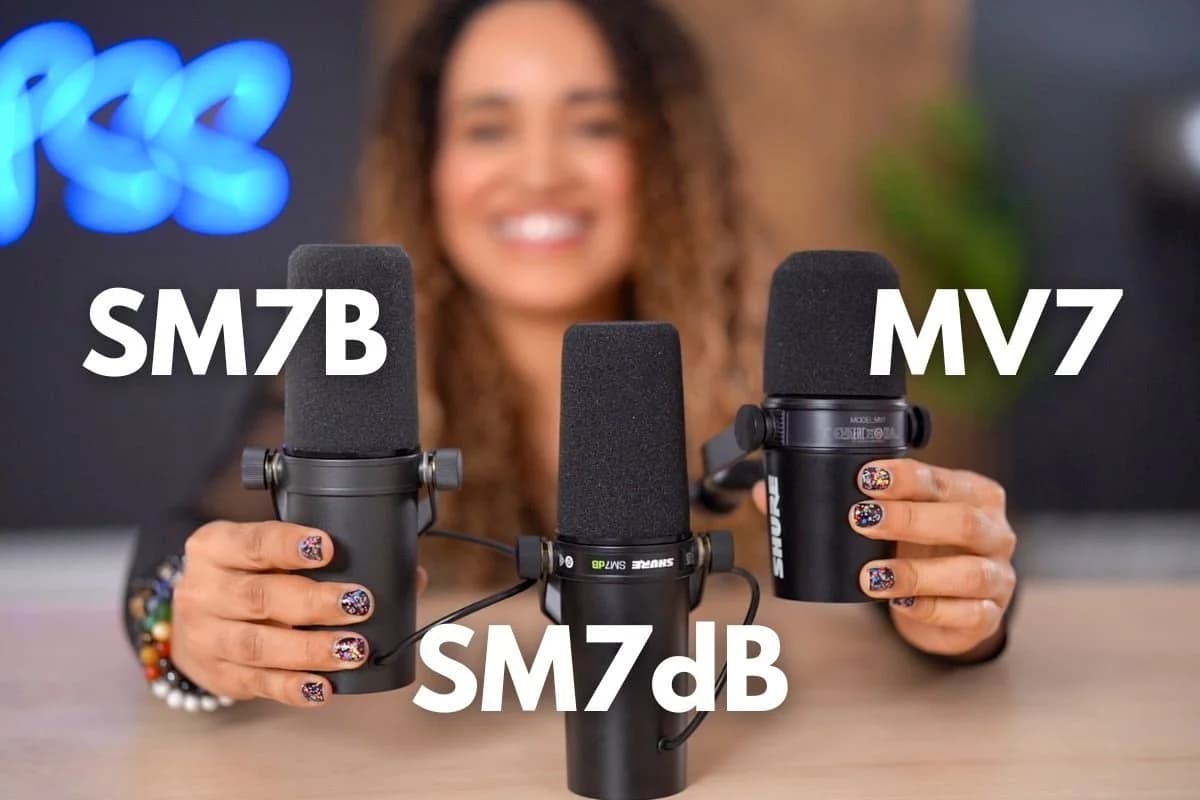
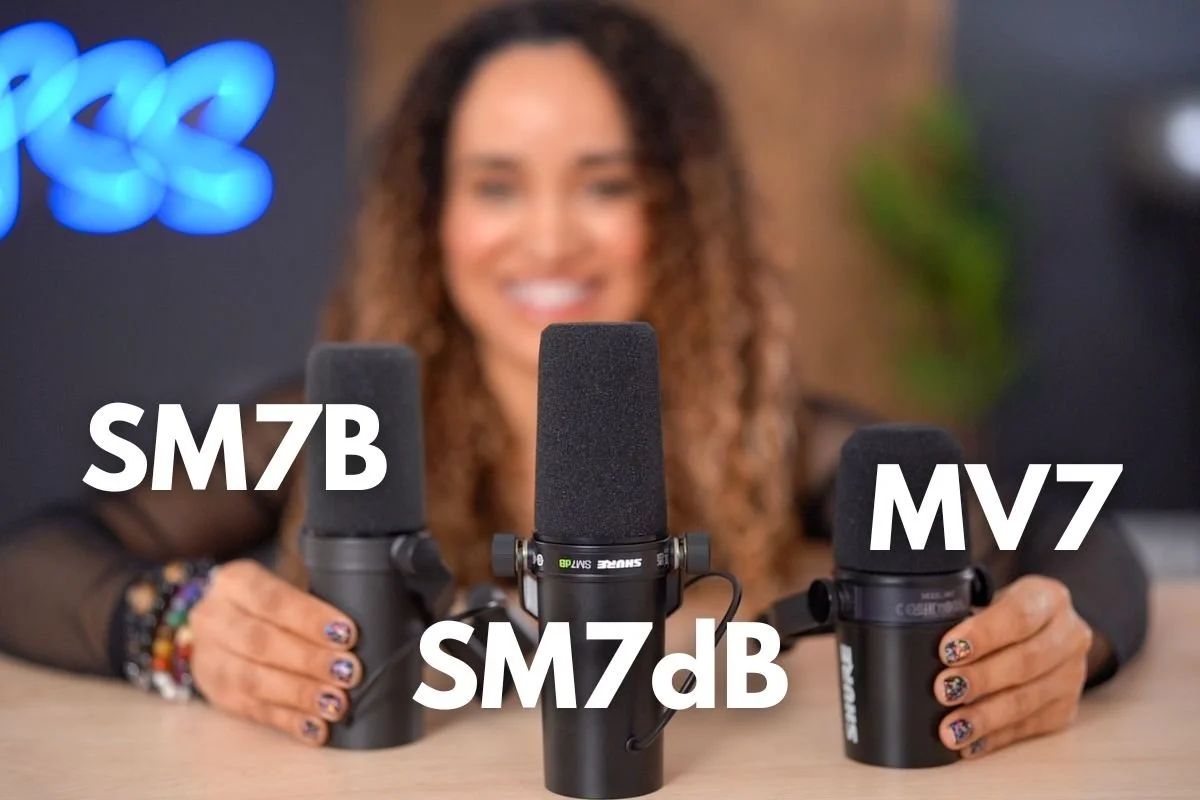
When comparing the Shure SM7dB, SM7B, and MV7 podcasting microphones, choosing the right one for you can be challenging because those three Shure mics look so similar!
I finally got my hands on the new Shure SM7dB. Girl’s been obsessed with getting new gear. Who knew?
We already have two Shure microphones in our studio, the MV7 and the SM7B. And if you've been watching my videos, you know that I'm obsessed with my SM7B.
But wait, before you add the NEW Shure SM7dB microphone to your Amazon shopping cart, let's test it out and see if it's a good investment.
In this guide, I’m going to break down these three popular microphones, from audio quality to functionality, to help you decide which is best for your setup.
In true PSS Creative Media style, I tested each microphone back-to-back, no audio processing, to give you an unfiltered comparison.
Whether you’re a beginner or a seasoned podcaster, this guide will help you find the microphone that will make your voice sound rich, warm, and professional, without any unnecessary fuss or expense.
Keep reading as I dive into each model’s performance, price, and quirks, giving you all the info you need to pick the best Shure microphone for your podcast.
We're not easily impressed with only looks. We care about performance and price. We're no pendejos.
I help students and clients create exceptional and engaging podcasts that sound delicious, and I'm excited to do that with you in this guide.
When it comes to finding the perfect microphone for podcasting, Shure microphones are a trusted choice, known for their warm, natural sound and versatility.
A major reason for Shure's prominence in the podcasting world is the Shure SM7 series, particularly the SM7B, an iconic microphone that has earned a legendary status.
The story of the SM7 began in 1973 when Shure released it as a broadcast microphone, aiming to meet the audio needs of radio and voiceover professionals. Its balanced, smooth, rich sound and ability to reject ambient noise quickly made it a favorite in radio studios.
The SM7’s reputation for quality skyrocketed when it became the mic of choice for recording most of Michael Jackson’s vocals on the Thriller album in 1982, proving it could deliver clean, natural sound even in high-stakes recording environments.
In 1999, Shure introduced the SM7B as an upgraded version of the original SM7. As you can see below, they look almost identical!
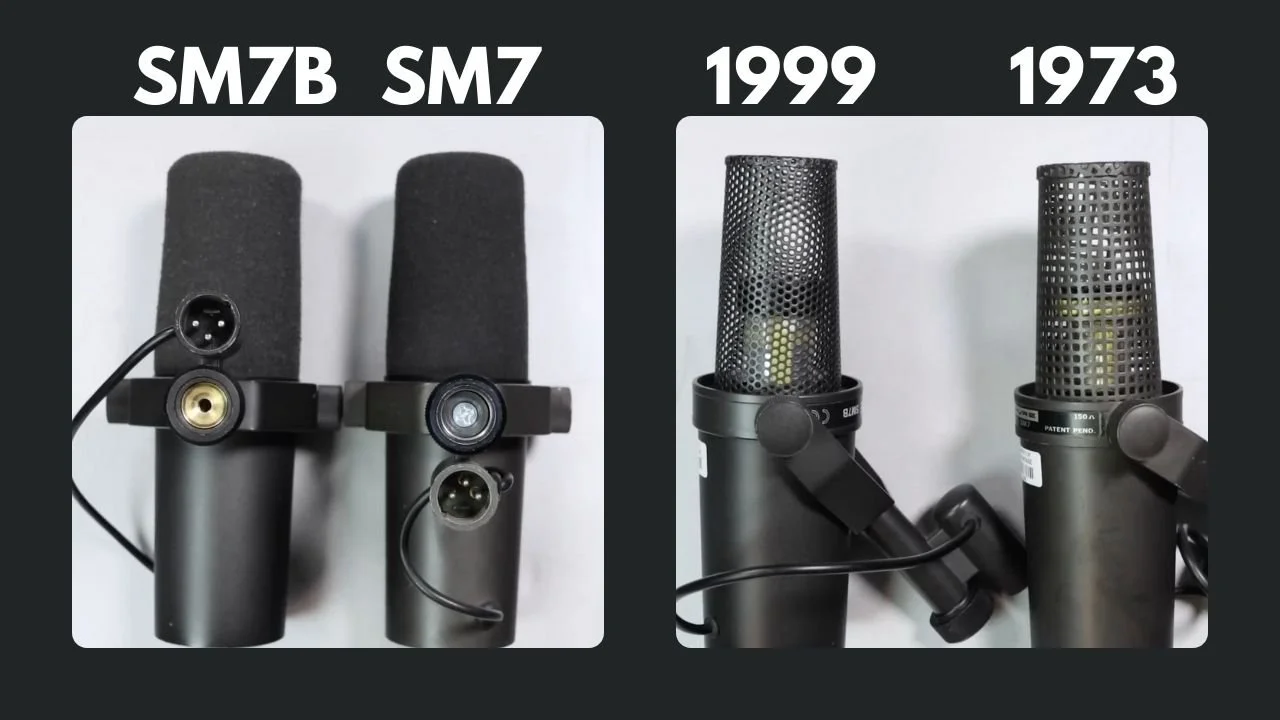
The SM7B featured enhancements like improved shielding against electromagnetic hum, a revised internal mounting system for better isolation, and minor design tweaks.
This “B” designation simply indicated it was a “better” or updated version of the SM7, rather than a complete overhaul. The microphone maintained its classic look and sound while gaining the reliability needed for both studio and home recording.
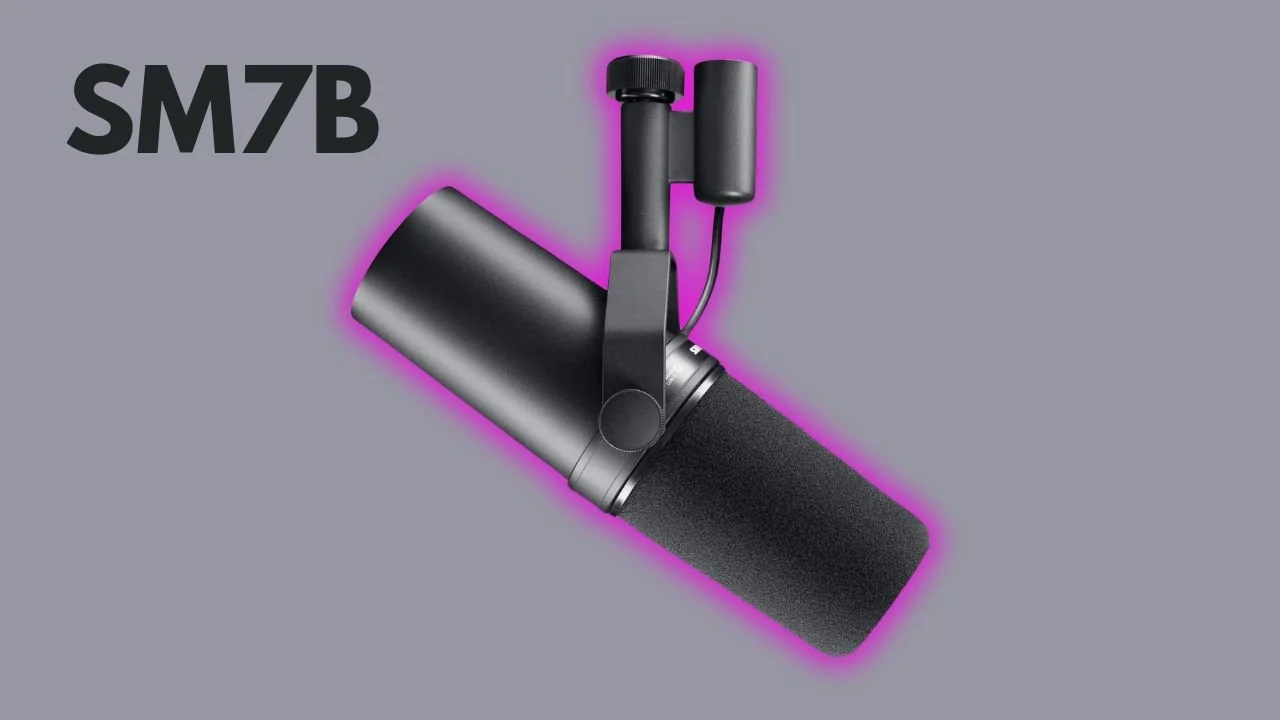
The SM7B’s popularity exploded with the rise of podcasting and video content, as its dynamic range and ability to eliminate background noise made it ideal for untreated home studios.
Unlike many condenser mics, which can pick up even the faintest background hum, the SM7B’s directional cardioid pattern captures a clear, intimate vocal sound without the extra noise, a huge advantage for podcasters working in less-than-ideal sound environments.
Today, the SM7B is a go-to for prominent podcasters, creators, and YouTubers, including Joe Rogan (The Joe Rogan Experience), Mel Robbins (The Mel Robbins Podcast), and Logan Paul (Impaulsive).

Its durability, professional-grade sound quality, and ability to minimize unwanted sounds have made it an industry standard for podcasters looking to produce professional audio with minimal setup fuss.
As we dive into the differences in functionality and price between the SM7B, the new SM7dB, and the MV7, you’ll see why the SM7B remains a classic yet why the SM7dB and MV7 offer innovative solutions for podcasters with different needs and setups.
Each mic delivers that classic Shure warmth and clarity, but understanding their unique features can help you choose the one that’s just right for your studio.
With the SM7B and the SM7dB, you need to use an audio interface.
Unfortunately, when you purchase your SM7B from Amazon, Amazon recommends this ugly blue box. that ruins your entire cool-looking podcast setup.
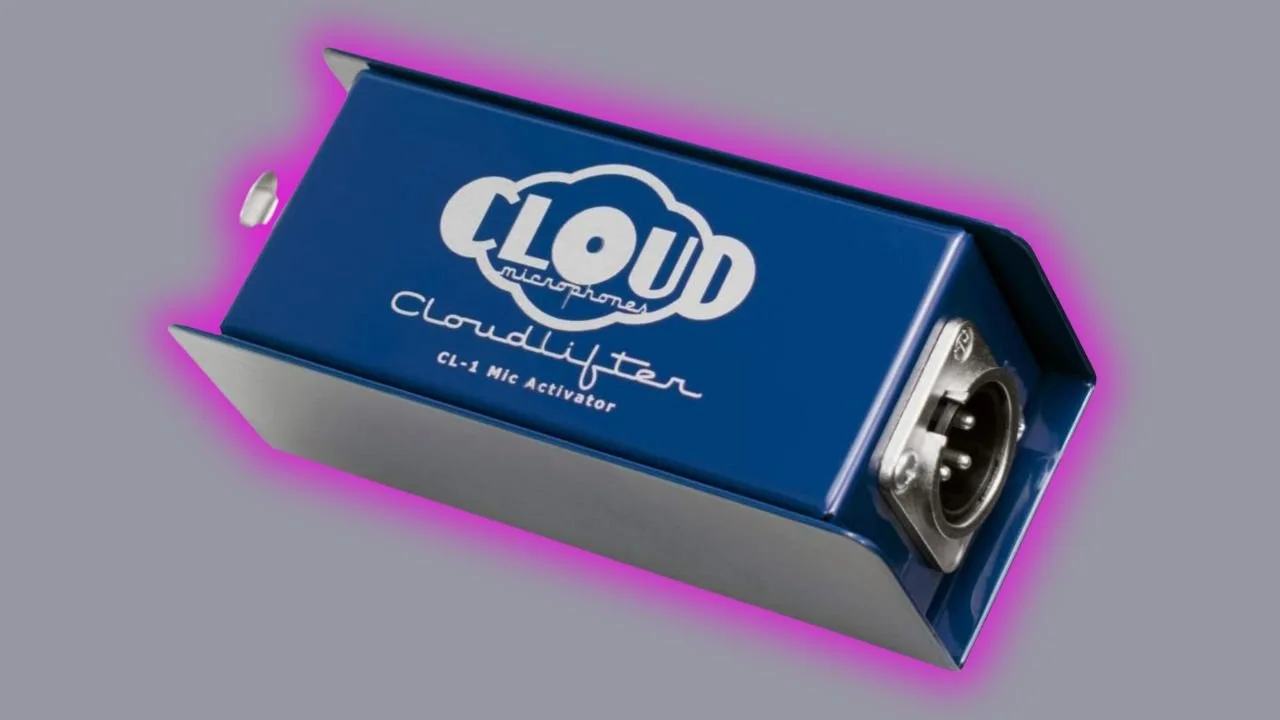
It's called a Cloudlifter that sends you into panic mode to research “What the hell is a Cloudlifter? Do I actually need it?!?” This video explains it all.
It turns out that this bad boy is gain-hungry or needs a LOT of power to sound good.
The Cloudlifter is a gain booster that goes between your microphone and your audio interface to increase the volume of the microphone.
Simultaneously, it reduces the signal noise if you're using a consumer-level, basic audio interface like the Focusrite Scarlett 2i2.
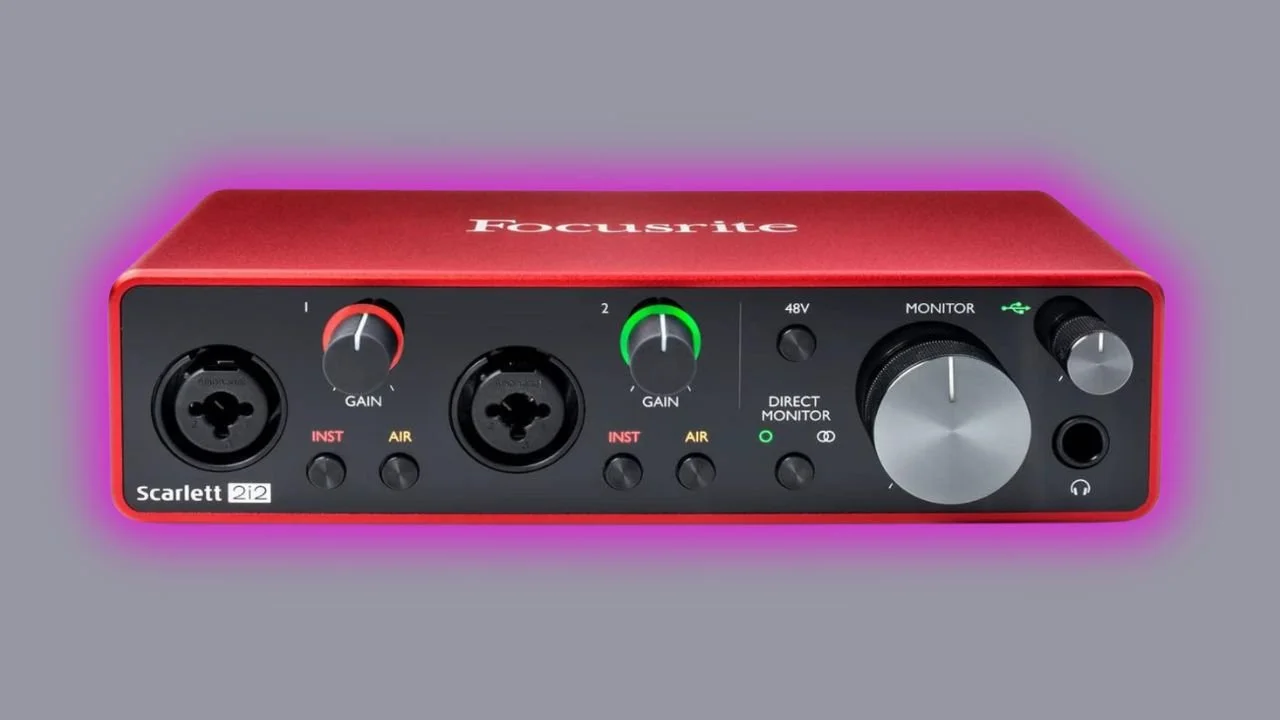
Typically, the preamps inside consumer audio interfaces are NOT powerful enough to meet the needs of the SM7B. Test your mic with and without the Cloudlifter to see if it’s what you need for your specific situation.
Be aware: the higher you set the gain on the Focusrite, the more signal noise you’ll hear in your recording.
With the Cloudlifter, you shouldn’t need to crank your audio interface’s preamp all the way up.
If you use your SM7B with a Cloudlifter and the Focusrite Scarlett 2i2 audio interface, your podcast setup will look like this 👇
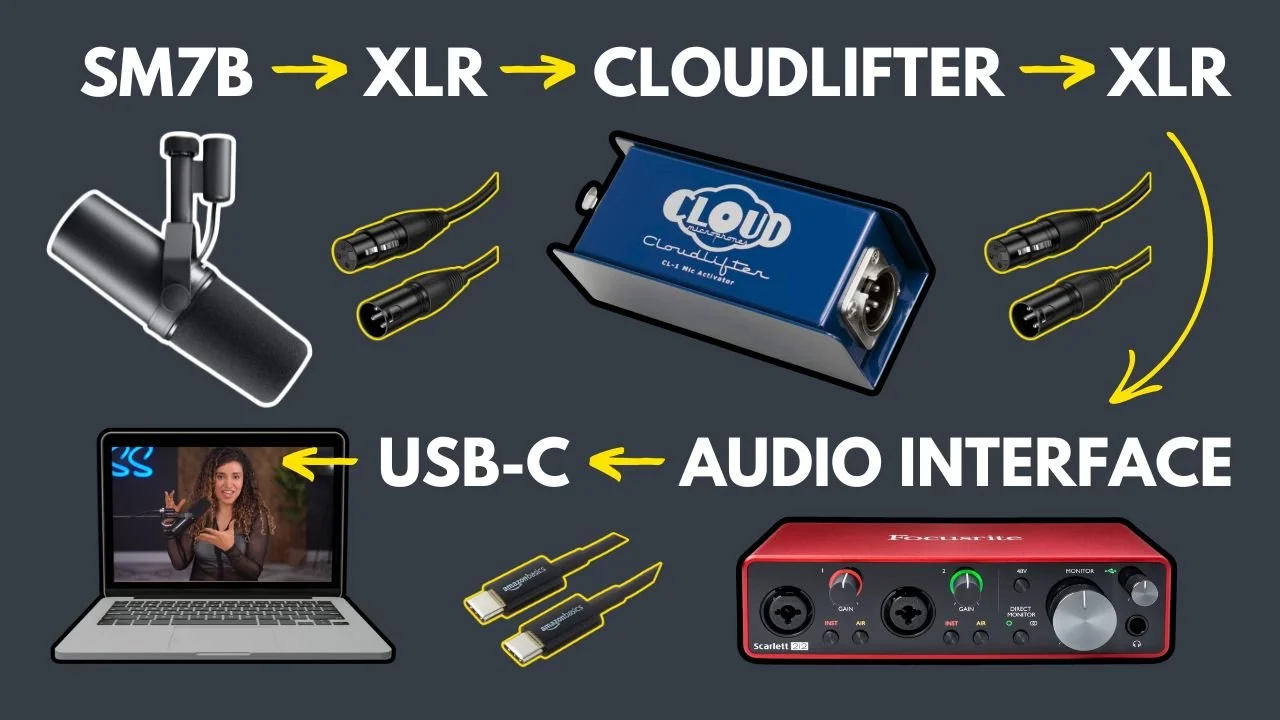
$359 US, Shure SM7B Microphone (List Price: $499)
$160 US, Focusrite Scarlett 2i2 3rd Gen Audio Interface (includes USB-C to USB-A cable only) (List Price: $200)
$129 US, Cloudlifter CL-1 Mic Activator (List Price: $149)
$15 US, Long XLR Cable (Microphone to Cloudlifer)
$10 US, Short XLR Cable (Cloudlifter to Focusrite)
$7 USB-C to USB-C Cable (Focusrite to Mac) *Apple users
*Prices are approximate and subject to change
NOTE: Amazon has a combo bundle with a Cloudlifter, the SM7B, and one XLR cable when you need two XLR cables, one to connect the microphone to the Cloudlifter and another one to connect the Cloudlifter to the audio interface, making this combo bundle useless. Thank you Amazon.
Here in our studio, we've been doing just fine without using a Cloudlifter because we use the SM7B with the SSL2+, a more powerful interface that includes a better preamp, and we crank it all the way up to nine.
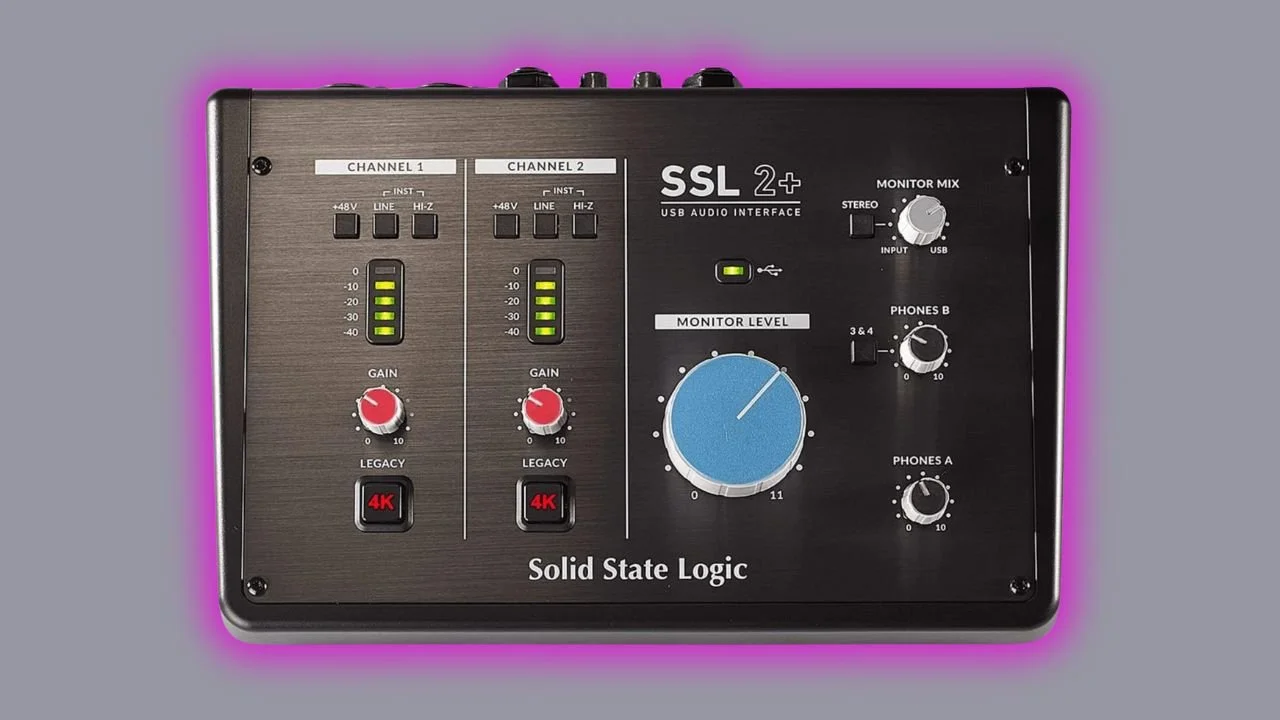
If you use your SM7B with the SSL2+ audio interface, your podcast setup will look like this 👇
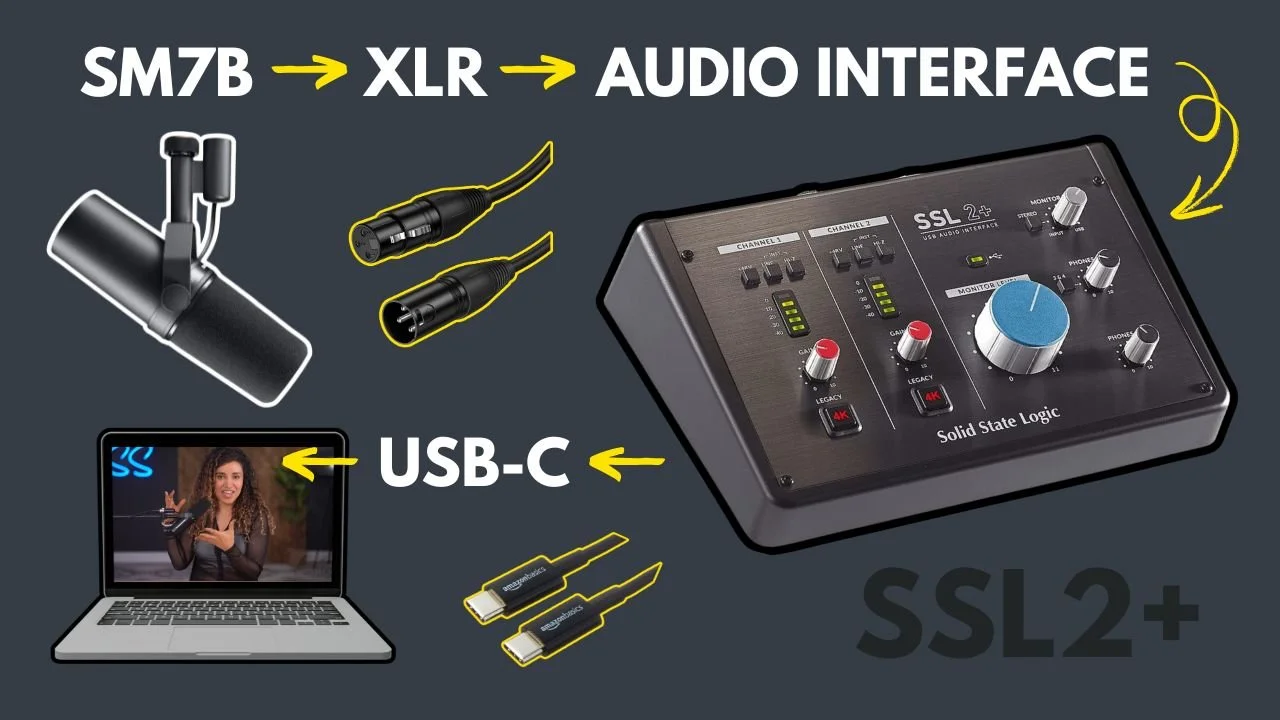
$359 US, Shure SM7B Microphone
$250 US, SSL2+ Audio Interface (includes both a USB-C to USB-A cable and a USB-C to USB-C cable)
$15 US, Long XLR Cable (Microphone to SSL2+)
*Prices are approximate and subject to change
Here's a problem that Shure solved for consumers with the SM7dB microphone: they wanted to eliminate the need for an external Cloudlifter or a more expensive preamp to make your voice sound as it should, smooth, warm, and rich, when using the SM7B.
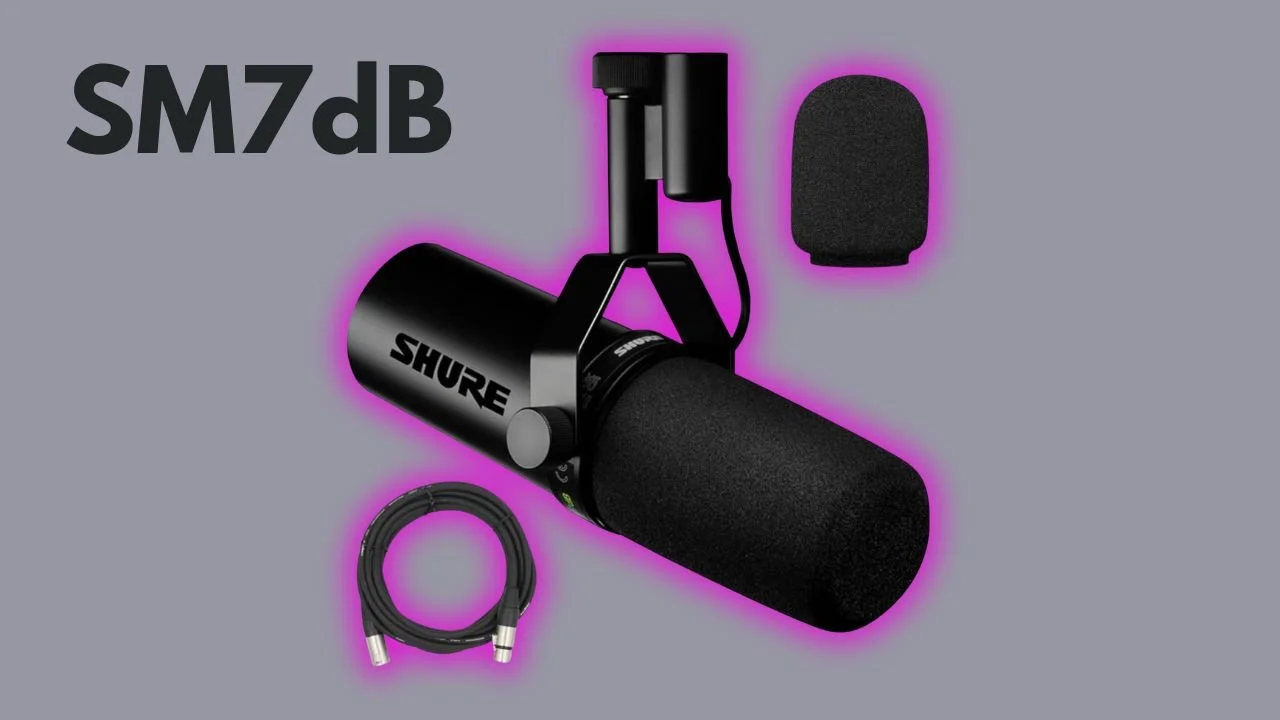
🚫 the ugly Cloudlifter
🚫 an extra XLR cable
🚫 cranking up your audio interface so high it might explode
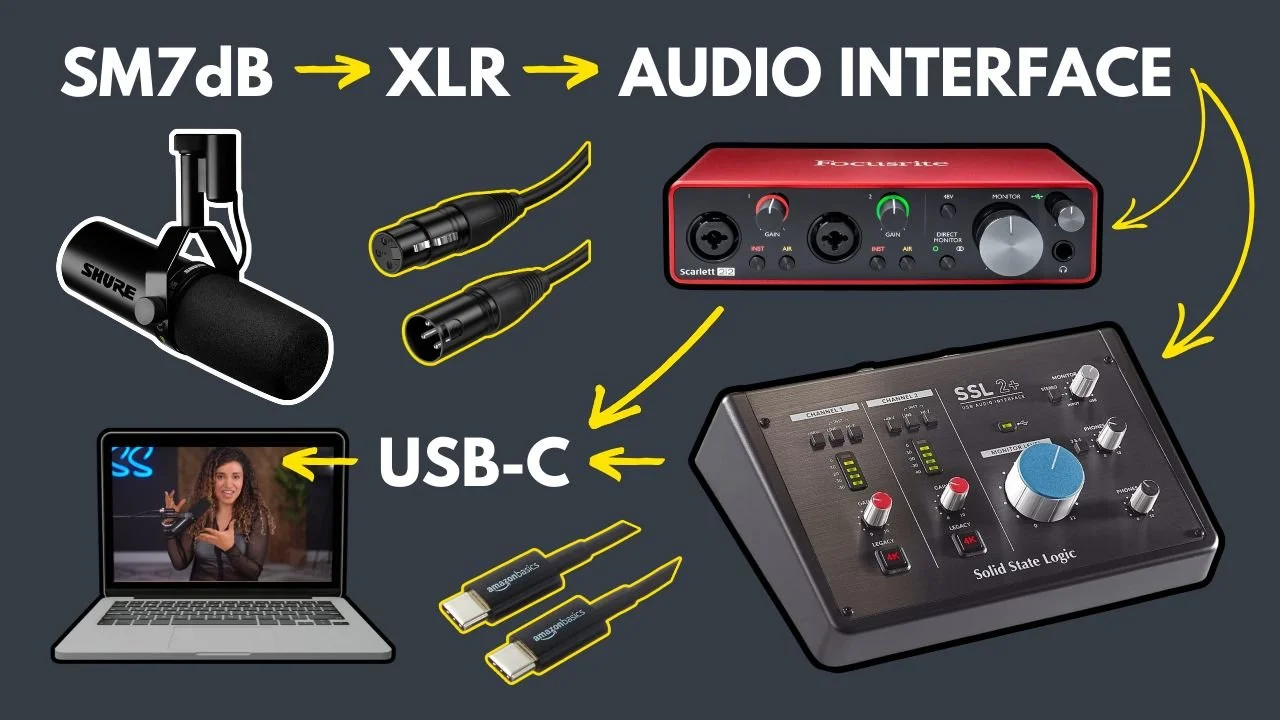
$459 US, Shure SM7dB Microphone (includes 20ft XLR cable) (List Price: $509)
$160 US, Focusrite Scarlett 2i2 3rd Gen Audio Interface (includes USB-C to USB-A cable only) (List Price: $200)
$7, USB-C to USB-C Cable (Focusrite to Mac) *Apple users
*Prices are approximate and subject to change
$459 US, Shure SM7dB Microphone (includes 20ft XLR cable) (List Price: $509)
$250 US, SSL2+ Audio Interface (includes both a USB-C to USB-A cable and a USB-C to USB-C cable)
*Prices are approximate and subject to change
On the back of this microphone, there are some switches that you should know how to use.
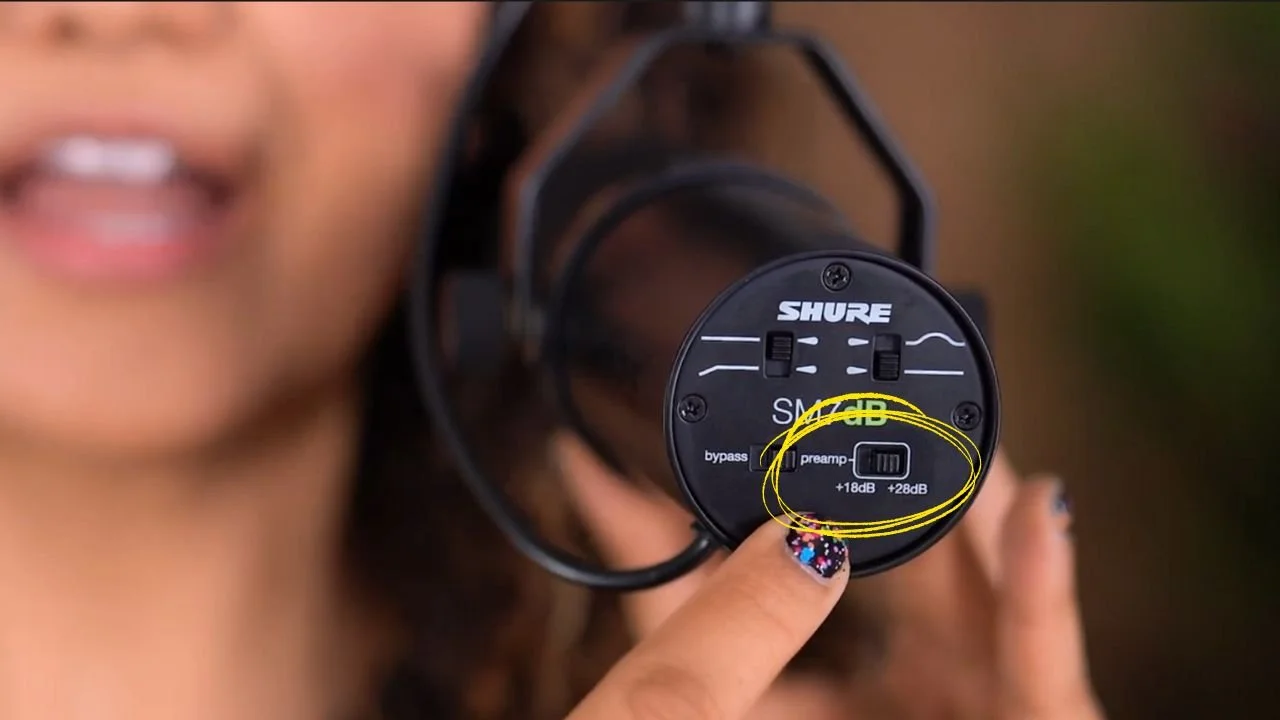
The first switch that you should know about is this switch right here. This one says bypass on one side and preamp on the other side.
When the bypass is selected, the SM7dB will work exactly as the SM7B which does NOT have a built-in preamp.
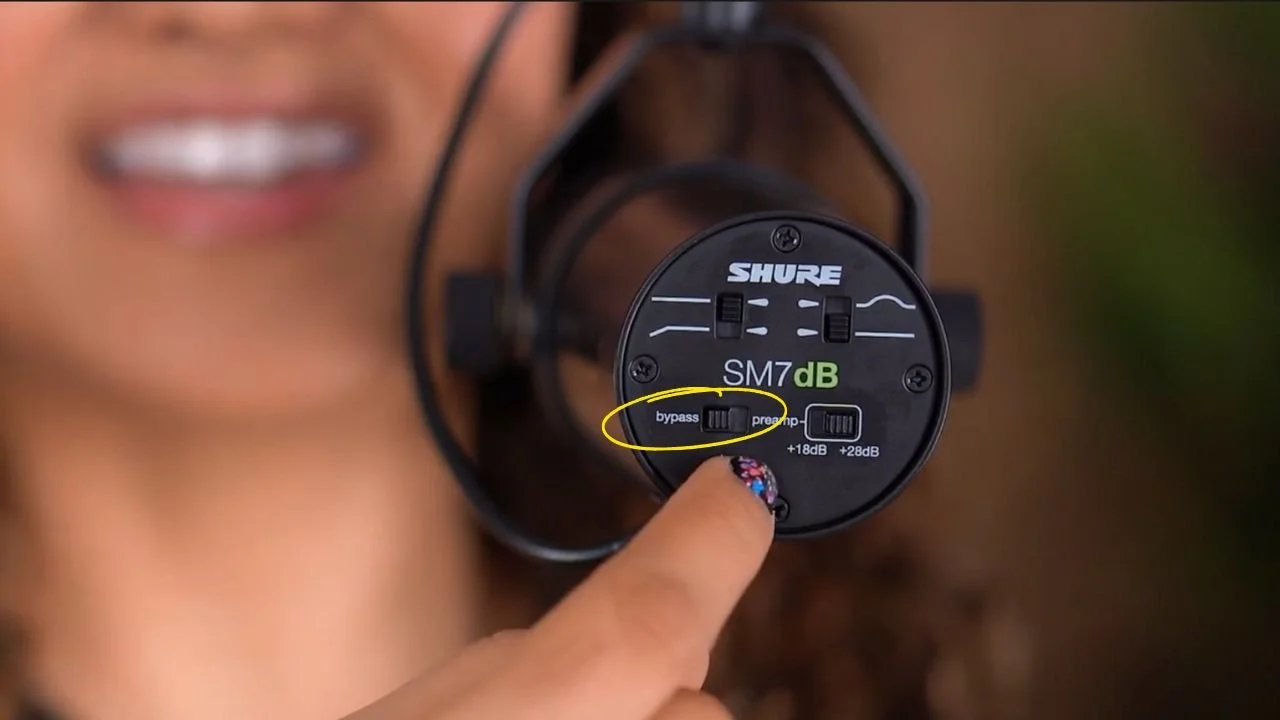
Notice that when I have the bypass ON, I have to turn the gain knob all the way up to get good audio levels.
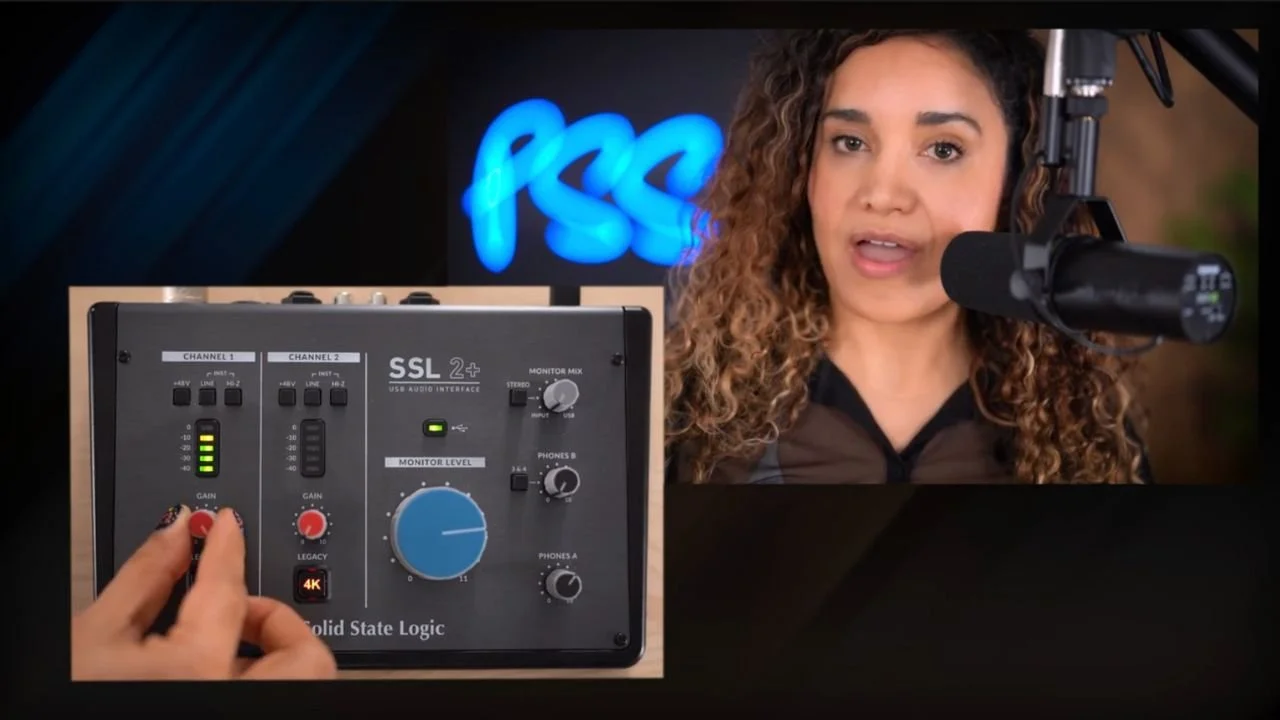
Notice when I switch the bypass OFF, I can turn the gain down to the halfway mark and get good audio levels.
From the halfway mark, I like to give it an extra little boost, and it's good to go.
Unlike the SM7B, the SM7dB does not require you to turn your gain up to a 9 or 10 to achieve good audio levels.
Why is this a good thing?
An inline booster can help when an interface does not provide enough usable gain for the voice and microphone position. It is not a noise-removal processor. Compare the whole signal chain at matched levels before deciding whether you need one.
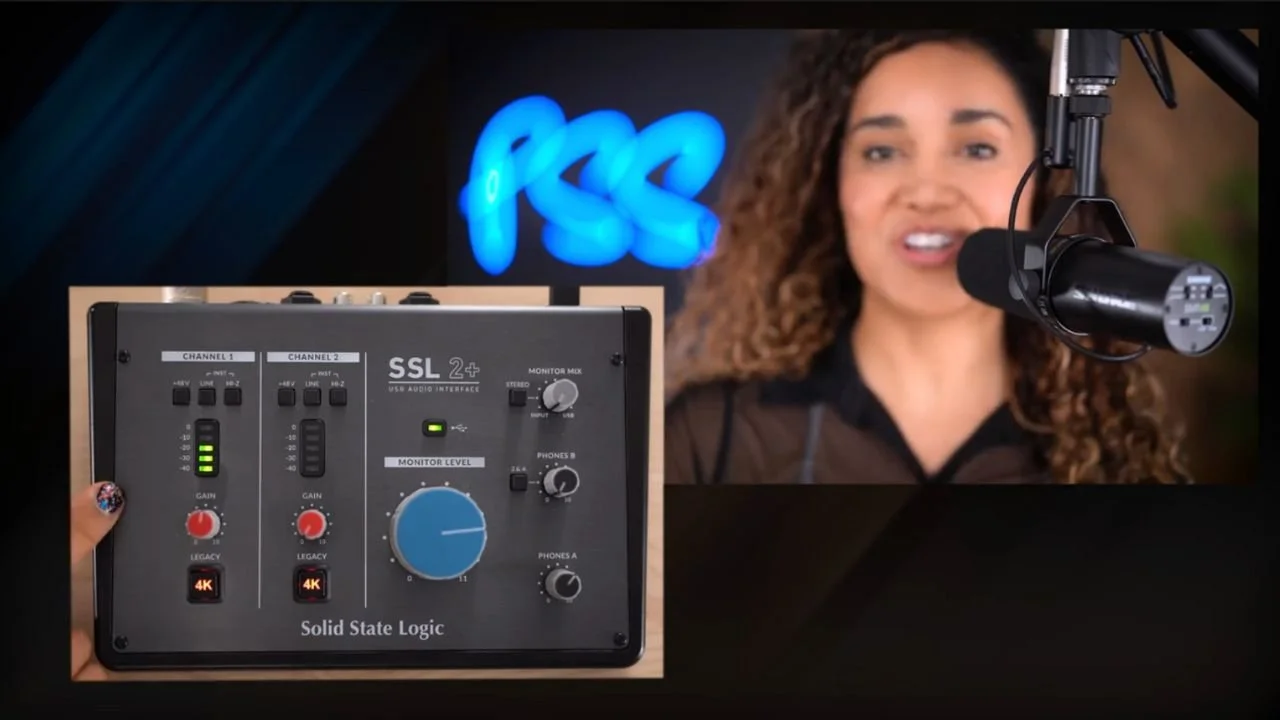
Notice here that there are two choices for the preamp setting:
The first one is plus 18 dB, which will boost your signal by 18 decibels.
The other one is plus 28 dB.
The two switches on the top will modify the EQ of your voice.
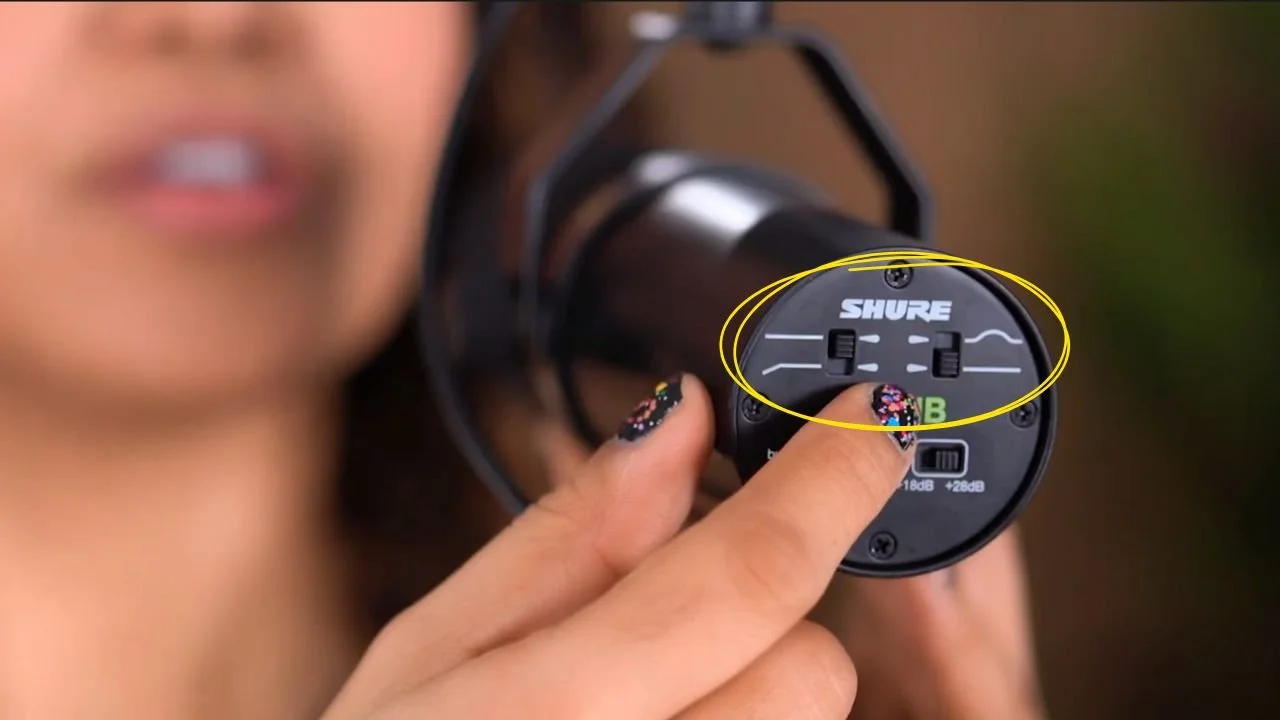
The switch on the left is a low roll-off, you know, those annoying pop noises? This right here will help you reduce those.
The switch on the right that looks like a bump is a mid-boost will give you a boost in the middle range of your voice.
The Shure SM7dB offers significant advantages over the SM7B, particularly when paired with the SSL2+ audio interface.
Reduced Gain Requirements
The SM7dB features a built-in preamp, providing an additional +18 or +28 dB of gain. This design allows for optimal audio levels without the need to max out the SSL2+'s gain settings, thereby minimizing the introduction of signal noise. While the SSL2+ boasts high-quality preamps capable of driving the SM7B without an external booster like the Cloudlifter, operating at maximum gain can still introduce unwanted noise. The SM7dB's internal preamp addresses this issue by delivering the necessary gain internally, resulting in a cleaner audio signal.
Increased Microphone Placement Flexibility
With the SM7dB's enhanced gain capabilities, you can position the microphone further from your mouth without sacrificing audio quality. This flexibility is particularly beneficial for content creators who prefer to keep the microphone out of the camera frame during video recordings. The built-in preamp ensures that even with increased distance, the microphone captures clear and robust sound, offering greater versatility in your recording setup.
Final Verdict
The SM7dB’s built-in preamp simplifies some XLR setups. Use 48V phantom power when its preamp is engaged, or bypass the preamp when your interface already supplies enough gain.
If you’ve watched my latest videos, you’ve probably seen me using this cute little guy, the Shure MV7 microphone, which is the younger brother of the SM7B, but don't get it twisted.
He may be short in size, but he doesn't disappoint.
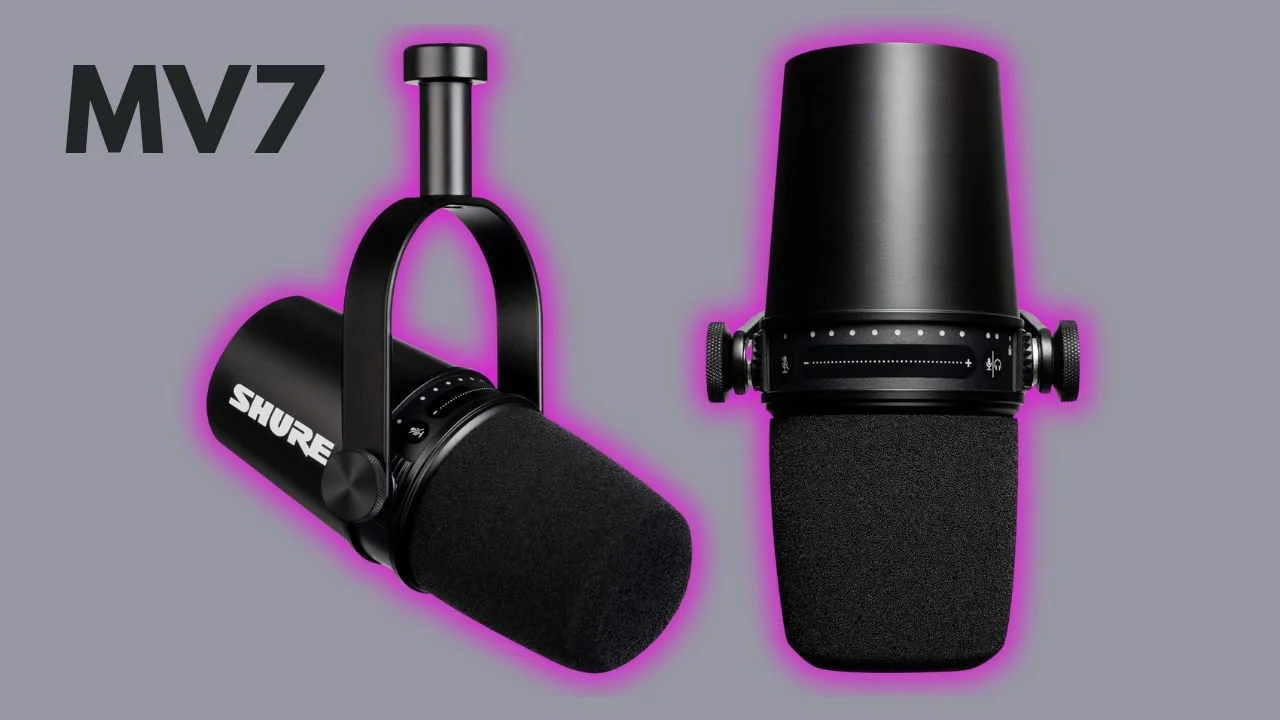
The MV7 was introduced in October 2020 as a hybrid microphone featuring both USB and XLR connectivity.
This means you can use it with an audio interface like the SM7B and SM7dB or as a USB microphone connected directly to your computer.
The microphone has a touch panel that lights up when you're using it with a USB cable and allows you to control the microphone gain and volume.
Whereas, the MV7’s bigger brothers, the SM7B and the SM7dB, both XLR-only microphones, don't come with a panel because you control the gain and volume using your audio interface.
You can plug in your headphones and easily control or mute the headphone volume. Just don't forget to unmute the microphone when you're about to record. Just a piece of advice, not that I've done that.
I like to use the MV7 in my home office to record content like tutorials, vertical videos, and impromptu podcast episodes because it doesn't take up a lot of space and plugs directly into my computer, making it quick to set up and press record.
Shure created the MV7 microphone to offer a versatile and user-friendly alternative to the SM7B, specifically designed for podcasters, content creators, and streamers who may not have professional audio equipment or extensive technical knowledge.
Here’s how it addresses key issues in the podcasting and content creation space:
Ease of Use with USB Connectivity: Unlike the SM7B, which requires an audio interface and potentially a preamp like a Cloudlifter, the MV7 can be plugged directly into a computer via USB. With built-in digital signal processing, it offers EQ, compression, and other adjustments via Shure’s MOTIV app, which helps creators get a pro sound with minimal setup. This makes it accessible to those who want high-quality sound without needing extra equipment or audio expertise.
Accessibility for Beginners: Many aspiring podcasters and content creators are new to audio production. The MV7 is designed to be more plug-and-play, offering simpler, user-friendly controls, including a touch panel for adjusting gain, volume, and muting. This makes it ideal for creators who may be intimidated by the more complex setup of professional-grade mics.
Versatile Setup Options: The MV7’s dual USB/XLR connectivity allows creators to grow with the microphone. Beginners can start using the USB mode, and as they advance, they can switch to an XLR setup to integrate with more professional audio equipment. This makes the MV7 a long-term investment that can adapt to different studio setups and skill levels.
Compact, Space-Saving Design: The MV7 is more compact than the SM7B, making it suitable for creators working in smaller spaces, such as home studios or desktop setups. It’s easy to mount on a small stand or boom arm, helping creators who need to optimize their workspace.
Overall, the MV7 solves the accessibility and setup challenges faced by content creators who want high-quality audio without the need for complex audio equipment, making it a flexible and approachable choice for a variety of recording environments.
$249 US, Shure MV7 Microphone (includes a 10 ft USB-A cable and 10 ft USB-C cable)
*Prices are approximate and subject to change
Are you ready? I took these three boys out on the town for a test drive.
So, this is the moment of truth. I left the audio untreated so you can be the judge.
To compare them, I repeated the same sentence using each microphone…
Estoy más perdido que un pulpo en un garaje intentando encontrar sus llaves para conducir en un coche invisible.
So what do you think? What's your favorite?
Also, I recorded a very short, silly episode titled “I Asked Him to Edit my Video and This is What He Did” for my video podcast Content Jefe using these three microphones.
So, go listen and watch that episode to get more insight into how the 3 Shure mics sound, and while you're there, subscribe to Content Jefe.
When choosing the right microphone that's going to make you sound warm, rich, and clear like you're whispering into your listeners’ ears, you can't go wrong with a Shure microphone.
With any of these three microphones, you’re investing in quality audio that will help you sound professional, whether you’re creating audio-only content or recording a video podcast.
Each of these mics brings something unique to the table:
the SM7B offers that classic, smooth Shure sound revered by industry pros
the SM7dB provides a built-in preamp solution to simplify setup
the MV7 combines quality with user-friendly USB connectivity, making it perfect for beginners and versatile enough to grow with you
The best part? All three microphones are excellent choices if you plan to add video to your podcast in the future. These mics transition seamlessly from audio-only to video setups, meaning you can upgrade your content without needing a new microphone.
However, remember that the microphone is just one piece of your podcasting investment.
Don’t just jump into buying new gear, take time to plan your podcast, understand the production process, and consider the time and resources needed to bring your vision to life.
A clear plan will help you choose the right gear for your goals and set you up for the best return on your investment.