Gear & guides
What Apple Podcasts video support means for your show, and why a workable distribution plan still matters.
Some links in this story are affiliate links. If you buy through them, we may earn a commission at no extra cost to you.
Use YouTube when discovery through video is central to your show.
Choose a podcast host for your audio feed, then submit that feed to each directory you want to reach.
Treat Apple’s video workflow as a separate compatibility decision—not a reason to abandon listeners on other apps.
Apple’s 2026 announcement expanded its video podcast experience using HTTP Live Streaming (HLS). That is a useful distribution development, but it does not replace the work of finding an audience and making a show worth returning to.
More ways to watch give creators more choices about where their show belongs.
Except they didn't.
My question is what those changes mean for a new creator’s actual workflow and discovery strategy.
Here is the distribution approach I recommend considering, including a hosting option that does not charge a hosting subscription.
Here's where I need to pump the brakes. Because there are things Apple did not do that nobody seems to be talking about.
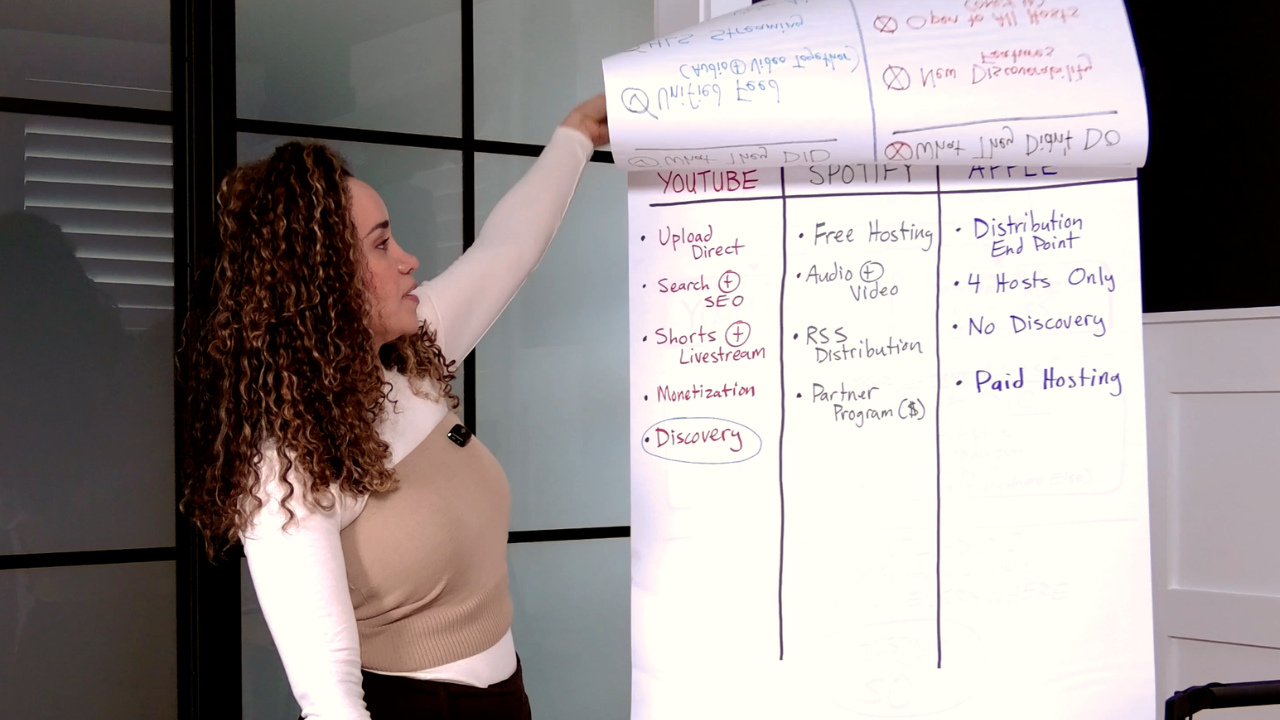
Apple didn't announce a single new feature to help people find your podcast. They said video episodes will integrate with "existing features," personalized recommendations, and editorial curation. Those are the same discovery tools they've had for years.
No algorithm pushing new creators to new audiences. No search improvements. No shorts. No recommendation engine like YouTube's.
If no one already knows your show exists, Apple Podcasts won't help them find it.
And that is the biggest challenge for new creators. Not distribution. Not video quality. Getting found.
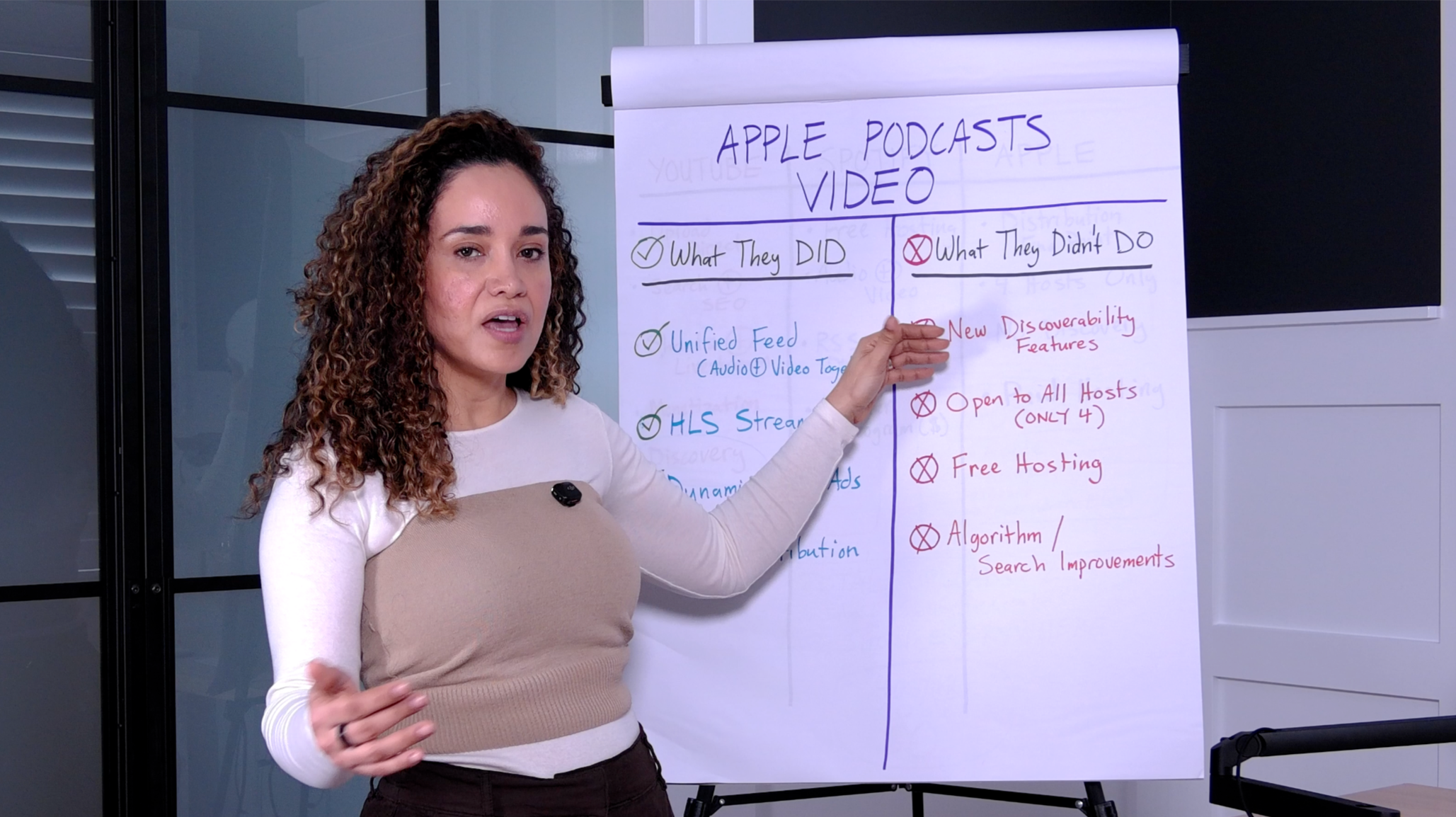
Acast, ART19, Omny Studio, and Simplecast were named in the original launch discussion. That is a snapshot, not a permanent limit: check Apple’s current participating-host information before making a hosting decision.
Separate Apple distribution costs from the plans and fees charged by your hosting provider.
They don't want creators to upload directly the way YouTube and Spotify do. They want to sit in the middle as the distribution layer. Which is fine for established creators. But for someone starting from scratch? It adds a step and a cost.
So when I see headlines saying Apple just changed everything, I think—changed what exactly? The viewing experience got better. The monetization options got better. But the thing that actually matters for new creators—getting discovered—didn't change at all.
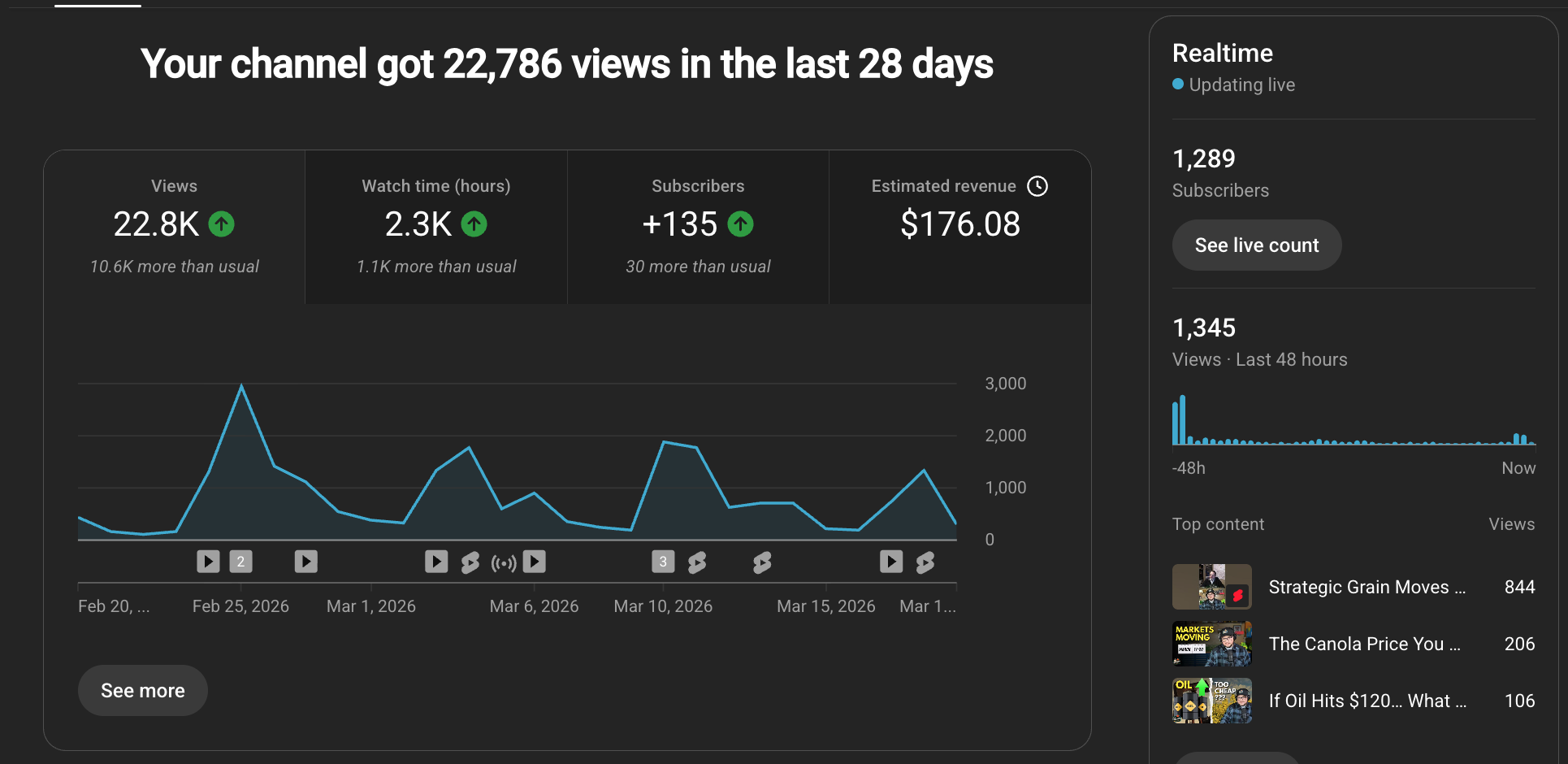
YouTube is one platform for everything. You upload your content directly to your channel. You get analytics, monetization, and features that grow with you as your views and subscribers grow.
Clear titles, useful descriptions, and thumbnails that match the episode help viewers decide to watch. They do not guarantee that a recommendation system will show your content to a particular audience.
You can also post different kinds of content on the same channel -- long-form episodes, YouTube Shorts, and livestreams. That variety gives you multiple entry points for new viewers.
I just had a client with a channel of only 1,200 subscribers hosting a livestream for 50 people. And he's already monetizing from YouTube. Think about that. 1,200 subscribers. Already making money.
Spotify for Creators (formerly Anchor) offers free podcast hosting. Free. Unlimited storage.
You upload your video podcast to the platform, and it shows up on Spotify as both audio and video. Listeners can switch back and forth, just like Apple is now offering.
And the audio portion of your show? Spotify for Creators will distribute it via RSS to Apple Podcasts, Amazon Music, iHeartRadio, and other platforms. So your audio is everywhere.
Important nuance: the video stays on Spotify. It does not distribute to other platforms. Your video lives on Spotify and YouTube, and your audio goes everywhere else.
Spotify Partner Program eligibility includes hosting, market, audience, consumption, and episode requirements. Meeting the thresholds allows you to apply; it does not guarantee acceptance or earnings. Check your Monetize dashboard and Spotify’s current eligibility page.
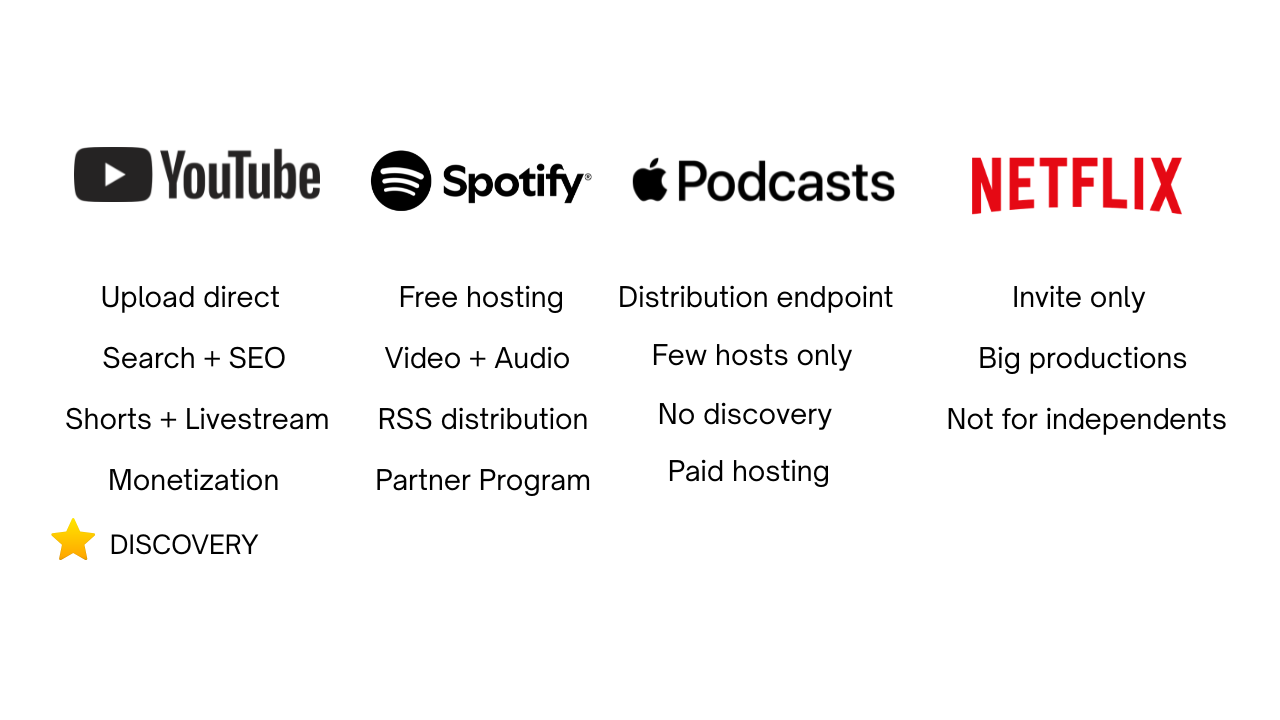
Apple Podcasts is a place your show appears. With the new video support, it's now a better place for your show to appear. But it's not where you grow.
If you use Spotify for Creators as your host, your audio already distributes to Apple Podcasts automatically. You're already on Apple. The new video features are a nice upgrade for people who already listen there. But Apple isn't going to drive new listeners to you the way YouTube will.
Apple Podcasts is a library. YouTube is a growth engine. They are not the same thing.
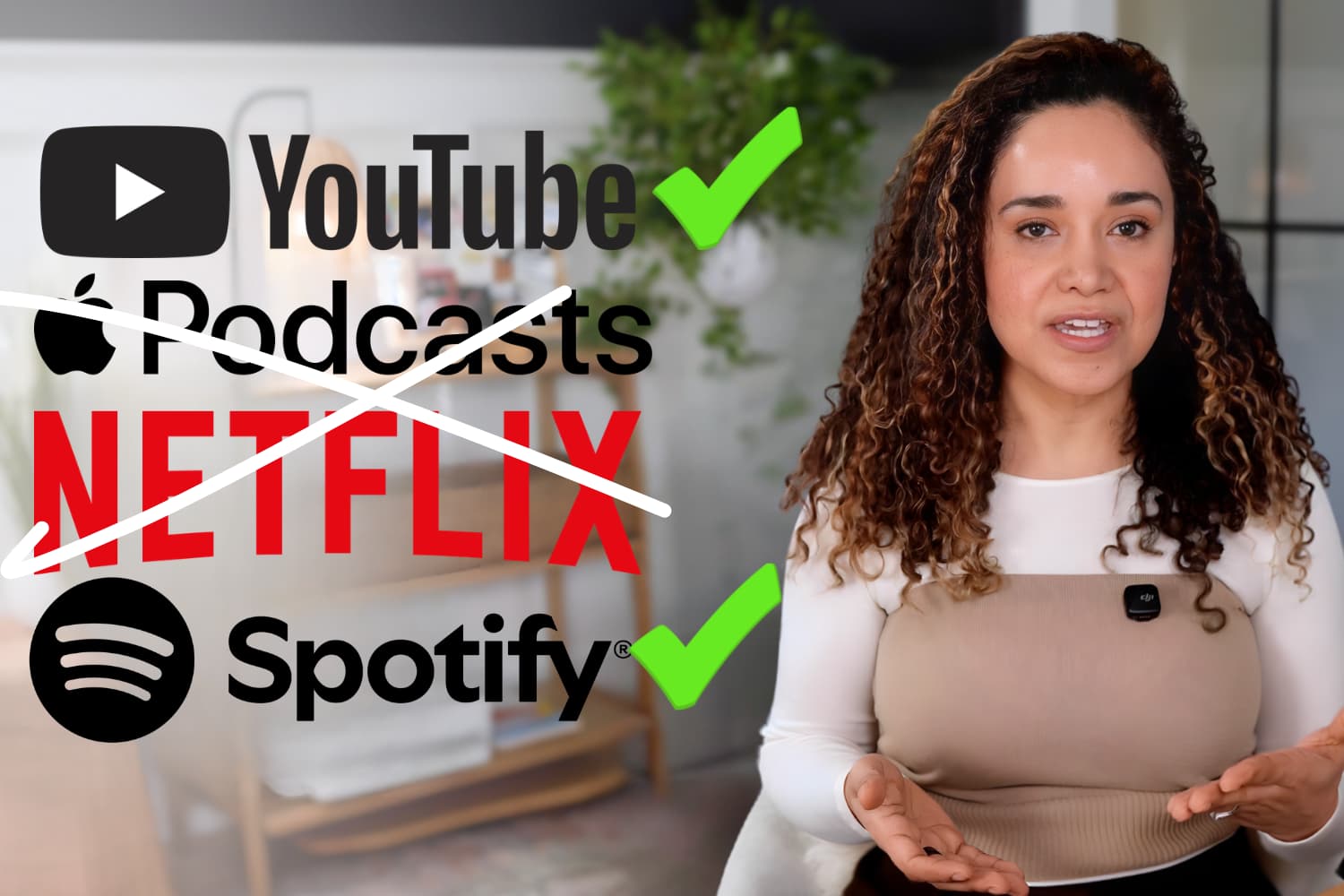
Netflix: Not Part of Your Strategy (Yet)
Netflix is doing its own thing entirely. They're hand-picking shows with large audiences and big productions -- Barstool, The Ringer, iHeart shows. They are not opening this up to independent creators. Netflix is not part of your distribution strategy right now.
If you're starting from scratch, here's what I recommend.
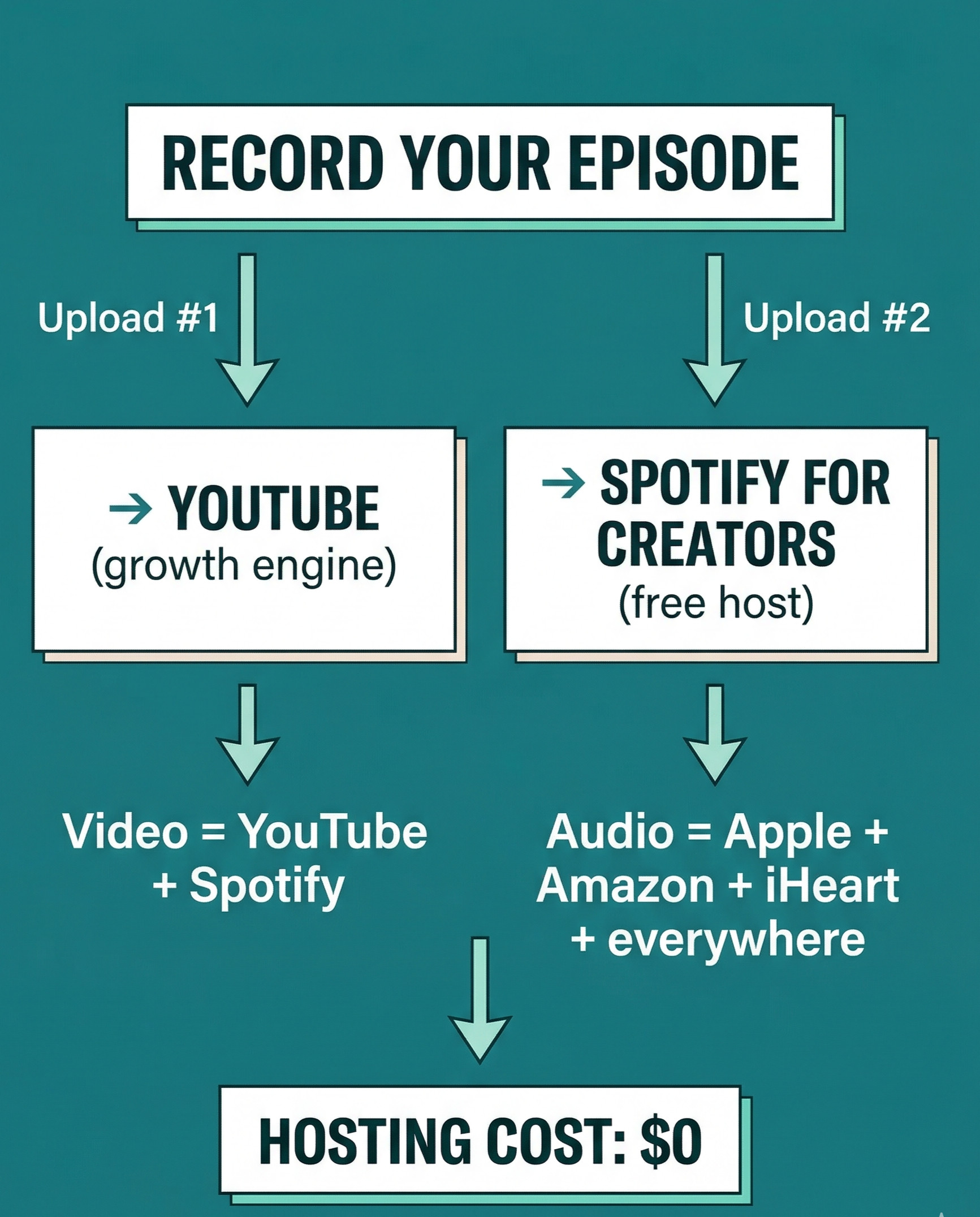
This is where you upload your video podcast directly. This is where you grow. This is where people find you.
Optimize your titles, descriptions, and thumbnails for search. Post Shorts from your episodes. Engage in comments. Let YouTube's algorithm do what it does.
Upload the video to Spotify if that fits your workflow. Enable the audio RSS feed and submit it to other podcast directories. Those directories need their own setup; enabling RSS alone does not list your show everywhere.
That's it. Two uploads.
- Video on YouTube and Spotify
- Audio on Apple Podcasts, Amazon, iHeart, and dozens more
- Hosting cost: $0
If you already have a show and you're already paying for a hosting provider -- should you switch to one of Apple's four HLS partners just to get video on Apple Podcasts?
My answer: probably not yet.
If your current host works well, compare the benefit of Apple video for your actual audience against the work and risk of moving your feed.
Focus your video energy on YouTube, where it drives growth. Keep your audio distributed everywhere through your current host. As more providers add HLS support, you'll be able to add Apple video without switching anything.
If your host supports the Apple video workflow you need, check its setup instructions and fees before enabling it.
Apple adding video to Apple Podcasts is not the story. The story is what it signals.
Video gives audiences another way to find and experience a show. Audio remains useful for people who listen while driving, walking, or doing other things.
When you say the word podcast now, you should be picturing a show. Like a TV talk show. Available on multiple platforms. With a camera. With video. With the opportunity for anyone brave enough to get started to be on major platforms and grow an audience.
When Stephen and I started in this industry back in 2019, podcasting was thought of as an audio-only medium. We took a stand and said video podcasting was the future. We said that creators who wanted to grow their shows needed to produce a video podcast for YouTube. People thought we were crazy.
Fast forward to 2026. The Diary of a CEO. Mel Robbins. Creators who were smart enough to go video-first are having massive success on YouTube with huge audiences.
Everything we've been saying for six years is now undeniable. Video is the standard. And the platforms are finally building for it.
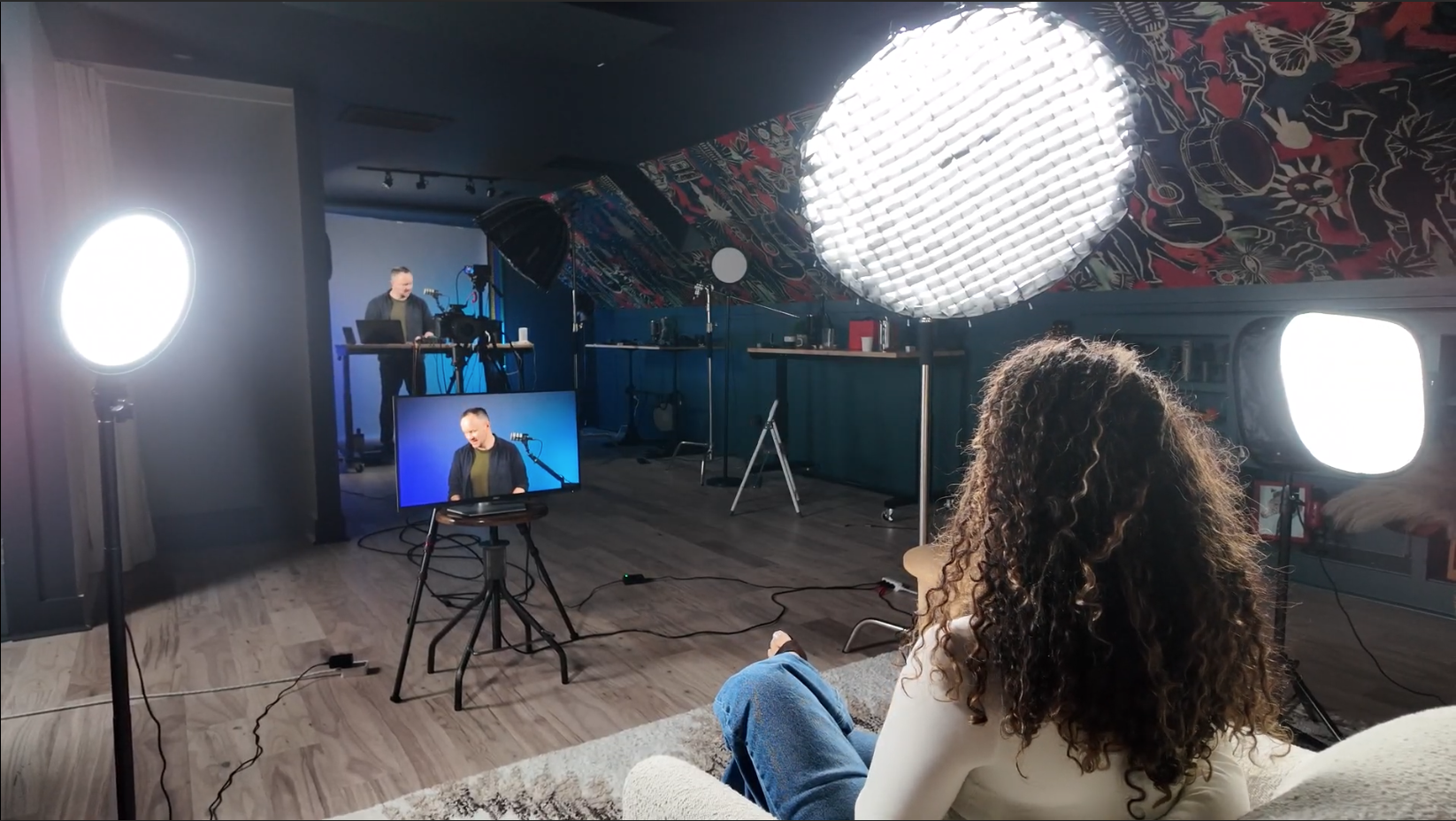
Here's the biggest mistake I see creators make. They jump straight into gear, camera comparisons, and studio setup -- before they even know what their show is.
They don't have a name. They don't have a pitch. They don't know who they're talking to. And that's backwards. Because when you have a clear blueprint for your show -- your name, your pitch, your format, your audience, your production plan -- every other decision gets easier.
You know what gear to buy because you know your format. You know how to set up your studio because you know your show. You can pitch sponsors and book guests before you record a single episode -- because you have something real to show them.
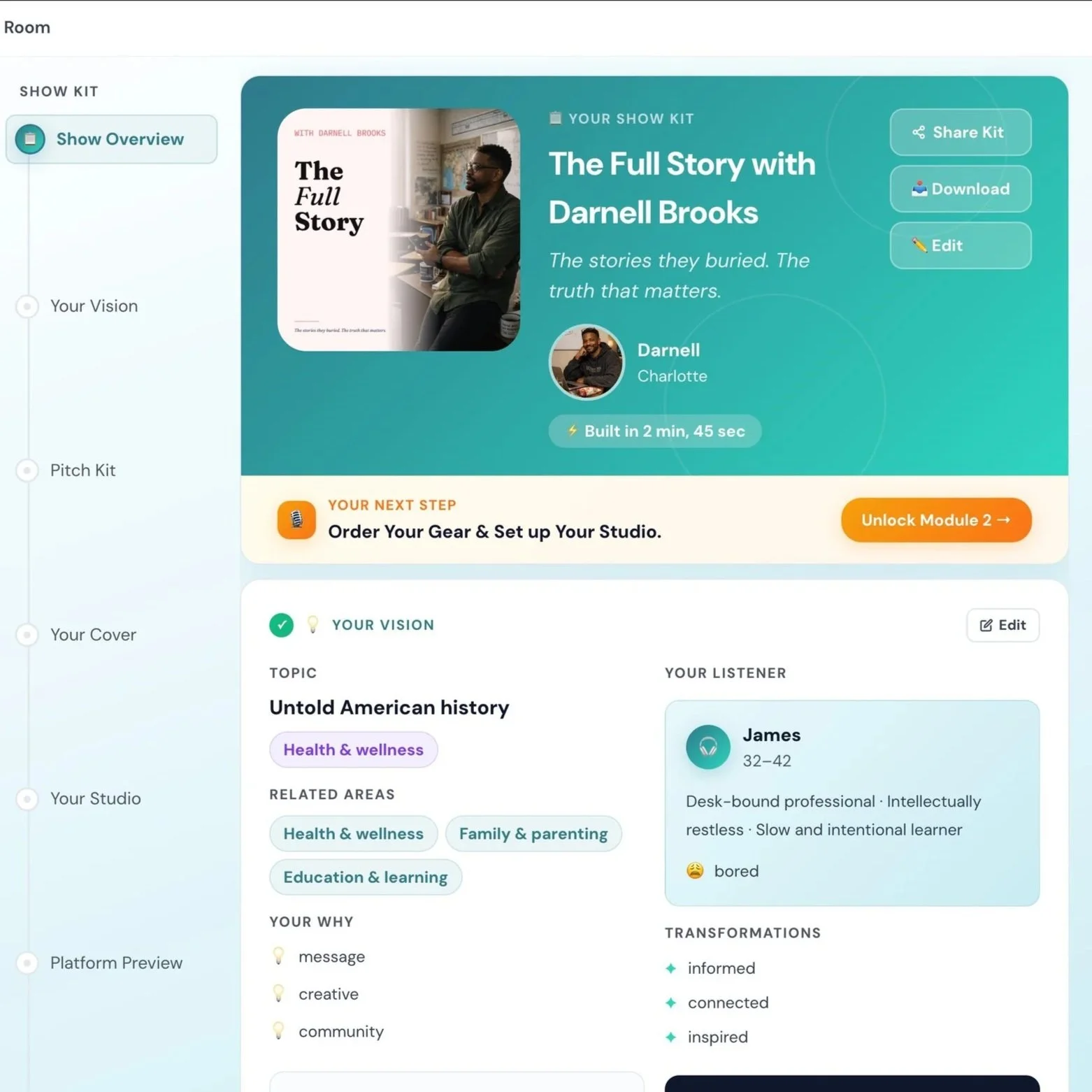
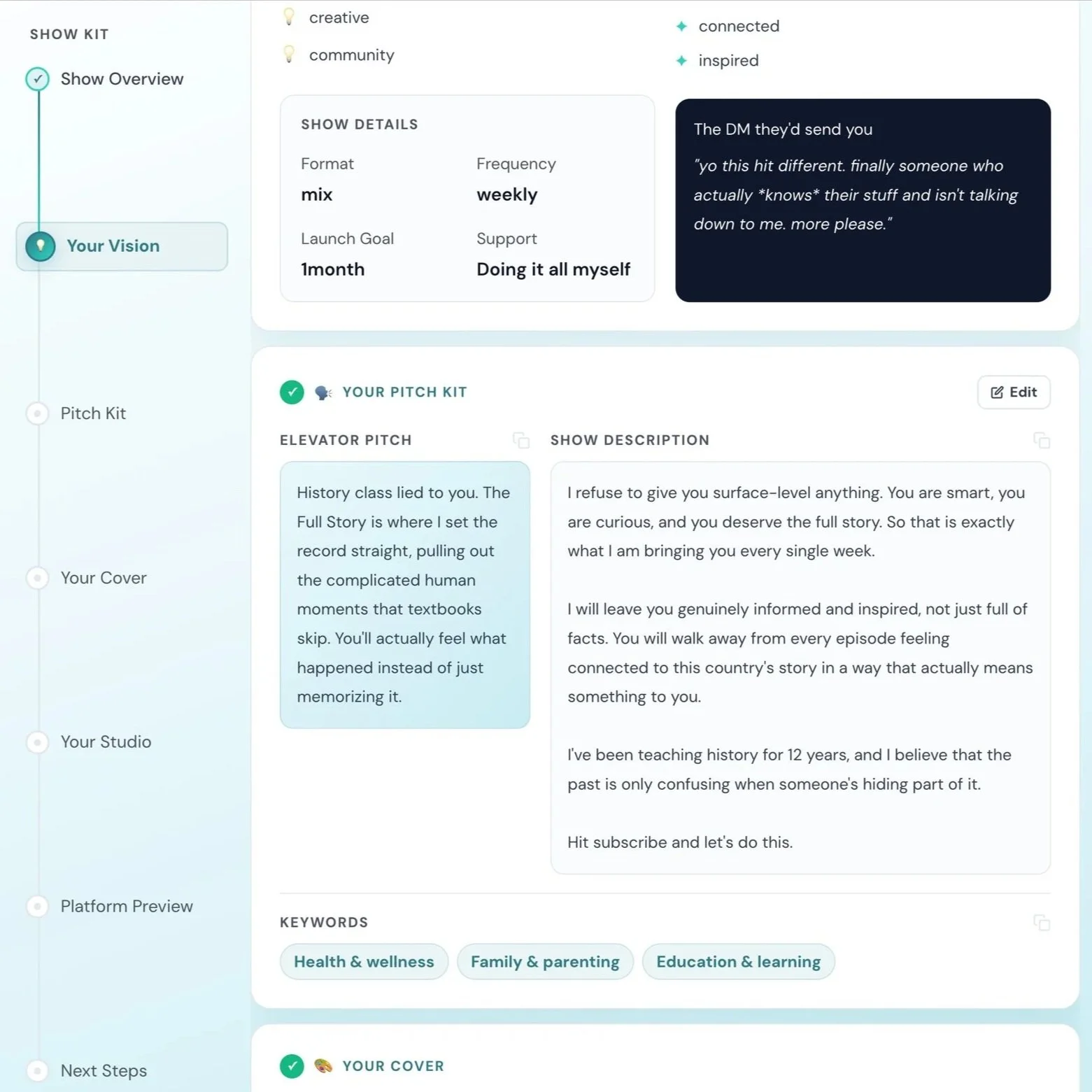
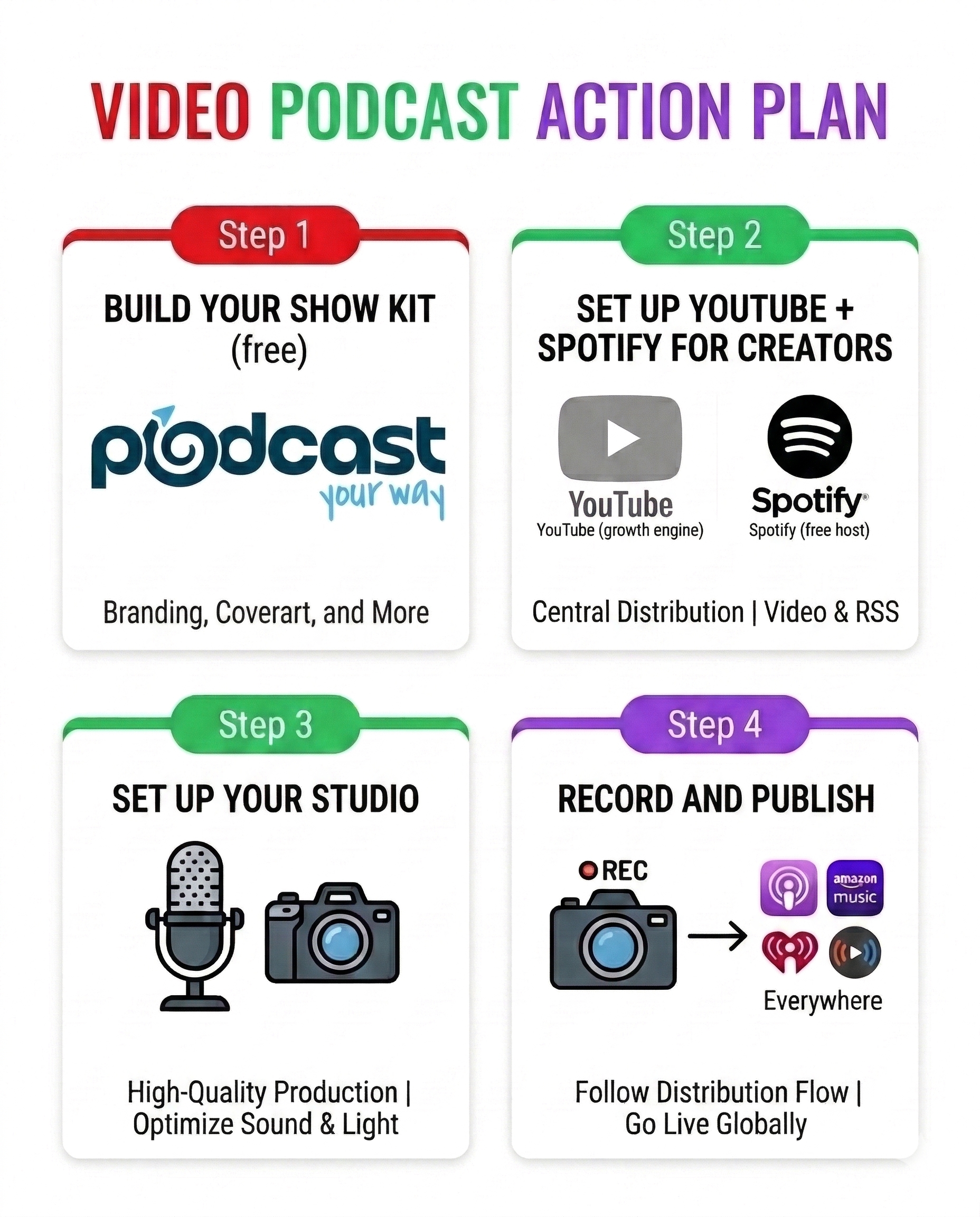
Here's your action plan:
Explore Podcast YourWay Producer for the next step with your show.
Create your channel and hosting account, then complete the separate distribution steps for each platform.
Plan the lighting, camera, microphone, and recording process together. <a href="/blog/how-to-start-a-video-podcast-in-2026">Our studio-to-distribution guide</a> walks through those choices.
There has never been a better time to start a video podcast. The tools are free. The platforms are ready. And you don't have to figure it all out alone.
Explore Podcast YourWay Producer for the next step with your show.