Gear & guides
Everyone says their 4K webcam is the best. We made them prove it.
Some links in this story are affiliate links. If you buy through them, we may earn a commission at no extra cost to you.
The six rounds weight detail and noise more heavily than price or app convenience.
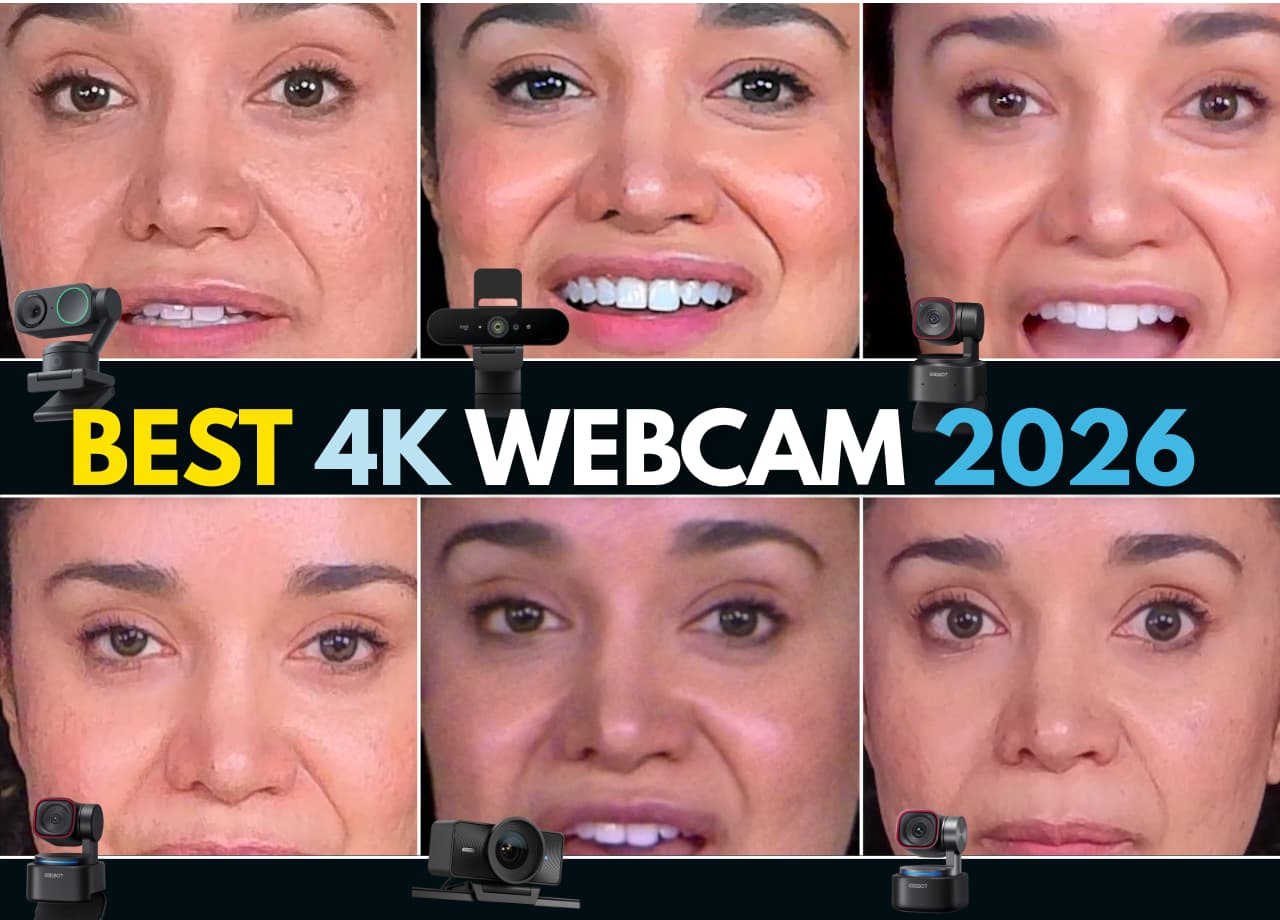
The blind viewing test is separate from the magnified pixel comparisons.
OBSBOT sponsored the original video; the findings below describe our setup and our scoring, not a universal ranking.
| Test | Weight | What we looked for |
|---|---|---|
| Price | 3 points | Cost during the shoot |
| App experience | 3 points | Control and ease of use |
| Extra features | 4 points | Useful tools for a show |
| Detail | 8 points | Clarity under magnification |
| Noise | 8 points | Artifacts in dark areas |
| Blind preference | 4 points | Veronica’s viewing choice |
If you've been going back and forth trying to figure out which 4K webcam is actually worth it for your video podcast setup, you're not alone. The recommendations are everywhere, they contradict each other, and half of them were filmed with the exact camera being reviewed (convenient, right?).
So we did something different. We took six of the most popular 4K webcams on the market, built a weighted scoring system with 30 total points across six rounds, and made them compete head-to-head. Same lighting. Same background. Same subject. No opinions until the numbers were in.
And then, just to keep us honest, we ran a blind test where Veronica picked her favorites without knowing which camera was which.
The results? One webcam dominated. One surprised us. And one that costs more than most of the others... finished last.
Here's everything we found.
We chose these six specifically because they represent the range of what a new video podcaster or content creator is most likely to be considering in 2026. Every one of them shoots 4K, and they range from budget-friendly to premium.
OBSBOT Tiny 2 Lite, ~$159 PTZ with motorized gimbal · 1/2" CMOS sensor
Logitech BRIO 4K, ~$130 No PTZ (digital pan/zoom only)
Elgato Facecam 4K, ~$180 No PTZ · Sony sensor
Insta360 Link 2, a 4K webcam with a two-axis gimbal. See the current listing for price and included accessories.
OBSBOT Tiny 3 Lite, ~$199 PTZ with motorized gimbal · 1/2" CMOS sensor
OBSBOT Tiny 3, ~$349 PTZ with motorized gimbal · 1/1.28" CMOS sensor (the big one)
Quick note: Yes, OBSBOT sponsored this video. But you'll see every test, every magnified comparison, and every raw score. The numbers decided, not the sponsorship.
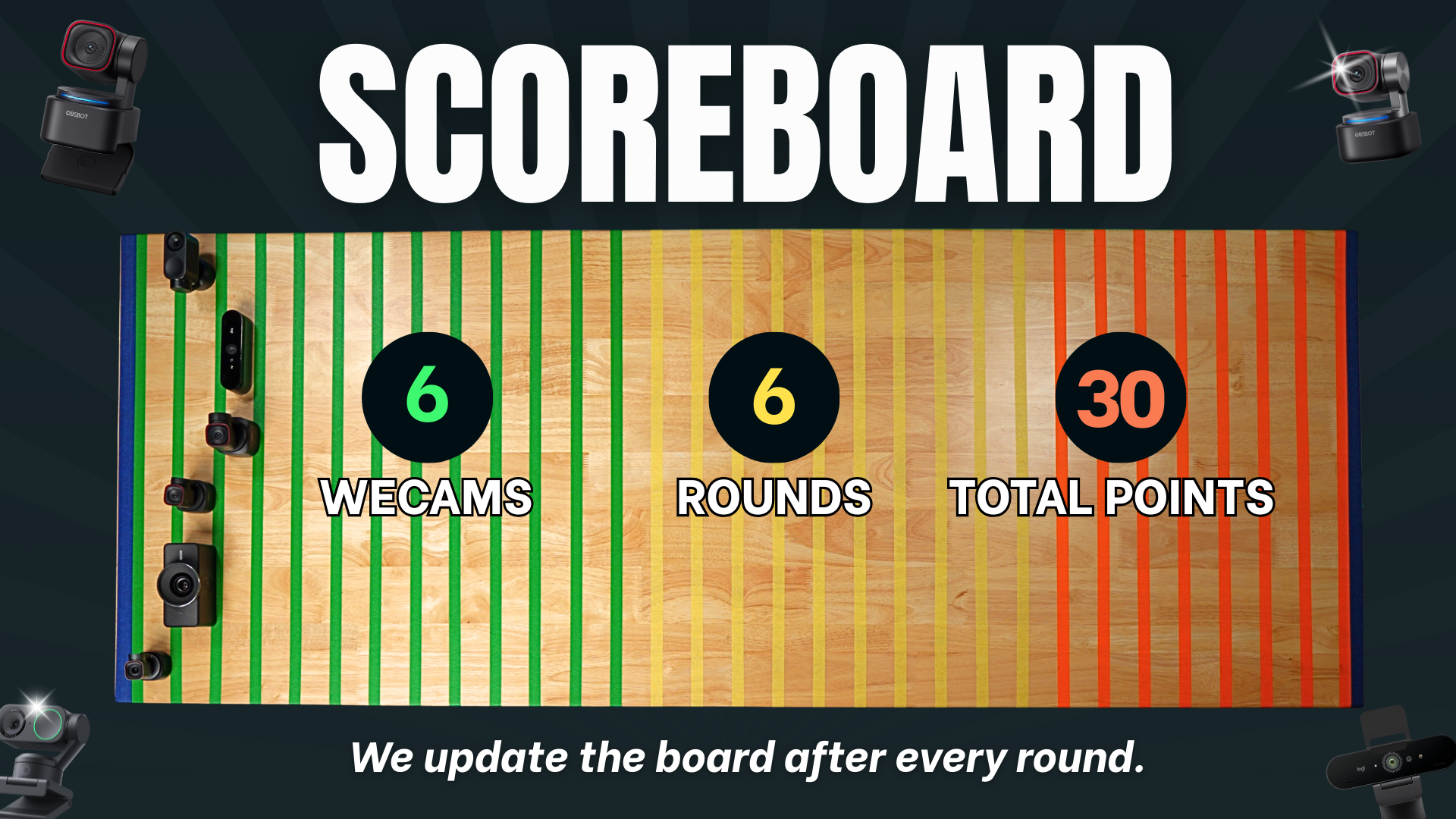
We built a weighted scoreboard with 30 total points spread across six rounds. Not every round is weighted equally, and that's intentional.
The early rounds (price, ease of use) are worth fewer points because they're important but not deal-breakers. The image quality rounds, detail, clarity, noise, are where things get serious because that's what your audience actually sees when they watch your show on a TV screen, tablet, or monitor.
Here's the breakdown:
Round 1 · Price → 3 points
Round 2 · Ease of Use & Companion Apps → 3 points
Round 3 · AI & Extra Features → 4 points
Round 4 · Detail & Clarity (the punch-in test) → 8 points
Round 5 · Noise & Artifacts → 8 points
Round 6 · The Blind Test (Veronica's pick) → 4 points
Total possible: 30 points
Every camera started at zero. By the end, there was nowhere to hide.
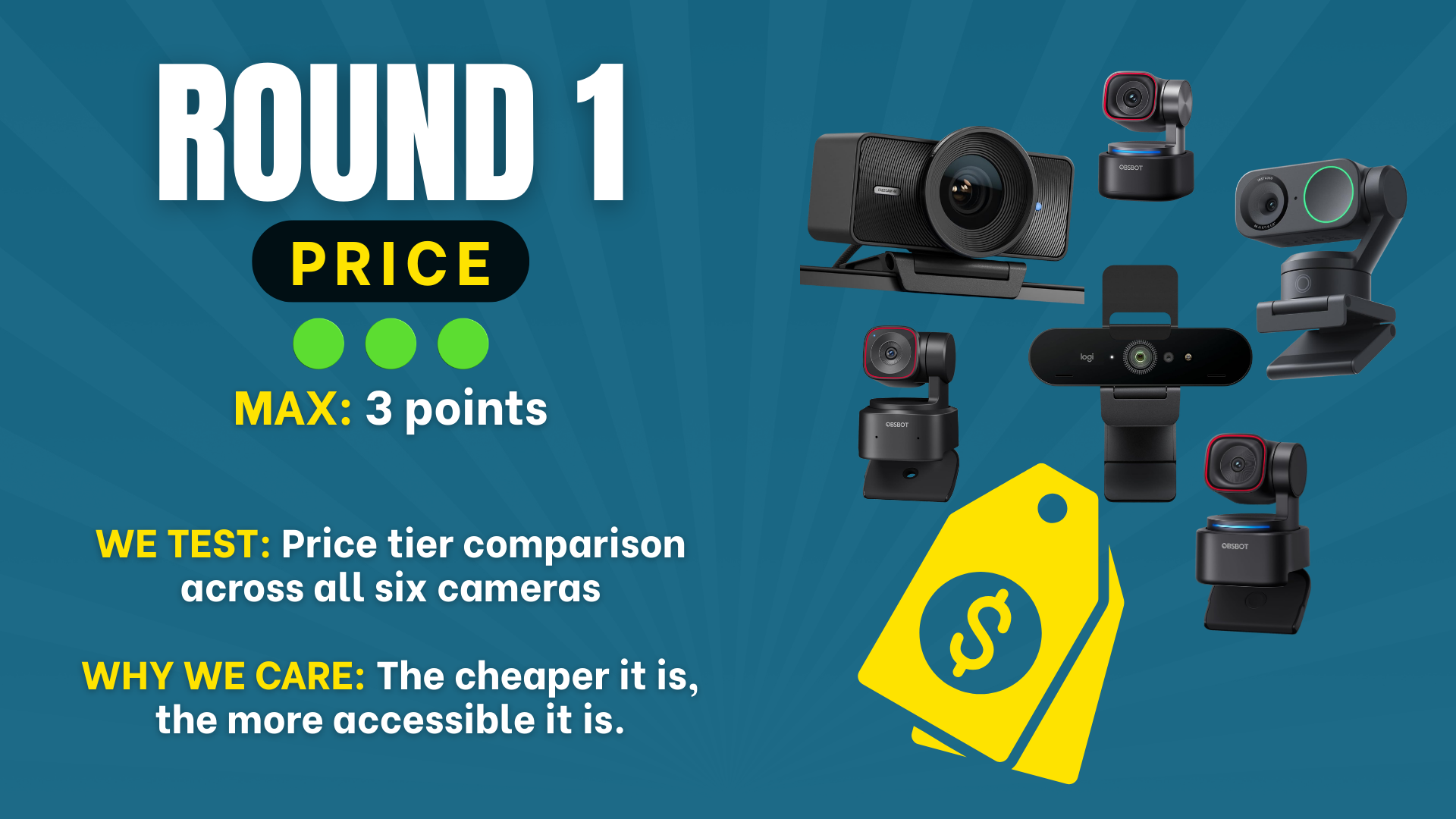
The rule: Lower price gets more points. That's it. No opinions, no image quality, just numbers.
Now, Veronica almost didn't want to include this round. Her argument? Price is subjective. Some people attach quality to cost, and a higher price tag actually makes them more likely to buy. (She's not wrong, expensive things can absolutely be terrible.)
But here's the thing: one of the biggest appeals of webcams for new creators is that they're an affordable entry point into video content. For someone building their first podcast studio on a budget of $150–$200, price matters.
Here's how the six cameras stack up by price, cheapest to most expensive:
#1 (cheapest) · Logitech BRIO 4K · ~$130 The OG. Been on the market since 2023 and the price has come down. → Check price on Amazon
#2 · OBSBOT Tiny 2 Lite · ~$159 Impressive for a PTZ camera with AI tracking at this price, features the Logitech doesn't have. → Check price on Amazon
#3 · Elgato Facecam 4K · ~$180 Mid-pack pricing, but as you'll see... price doesn't tell the whole story here. → Check price on Amazon
#4 · OBSBOT Tiny 3 Lite · ~$199 The newest generation at a mid-range price point. → Check price on Amazon
#5 · Insta360 Link 2 · ~$200 Just a dollar more than the Tiny 3 Lite, these two are practically tied on price. → Check price on Amazon
#6 (most expensive) · OBSBOT Tiny 3 · ~$349 Nearly the price of the cheapest two cameras combined. It better be worth it. → Check price on Amazon
The middle of the pack is tight, four of the six cameras live between $159 and $200. Don't let this round make your decision. There are five more rounds coming, and the price leader doesn't win this competition.
Key takeaway from Round 1: The budget-friendly cameras scored higher here, but this round is only worth 3 points. It's a warm-up. And as you'll see, some of the cheapest cameras finish dead last overall.
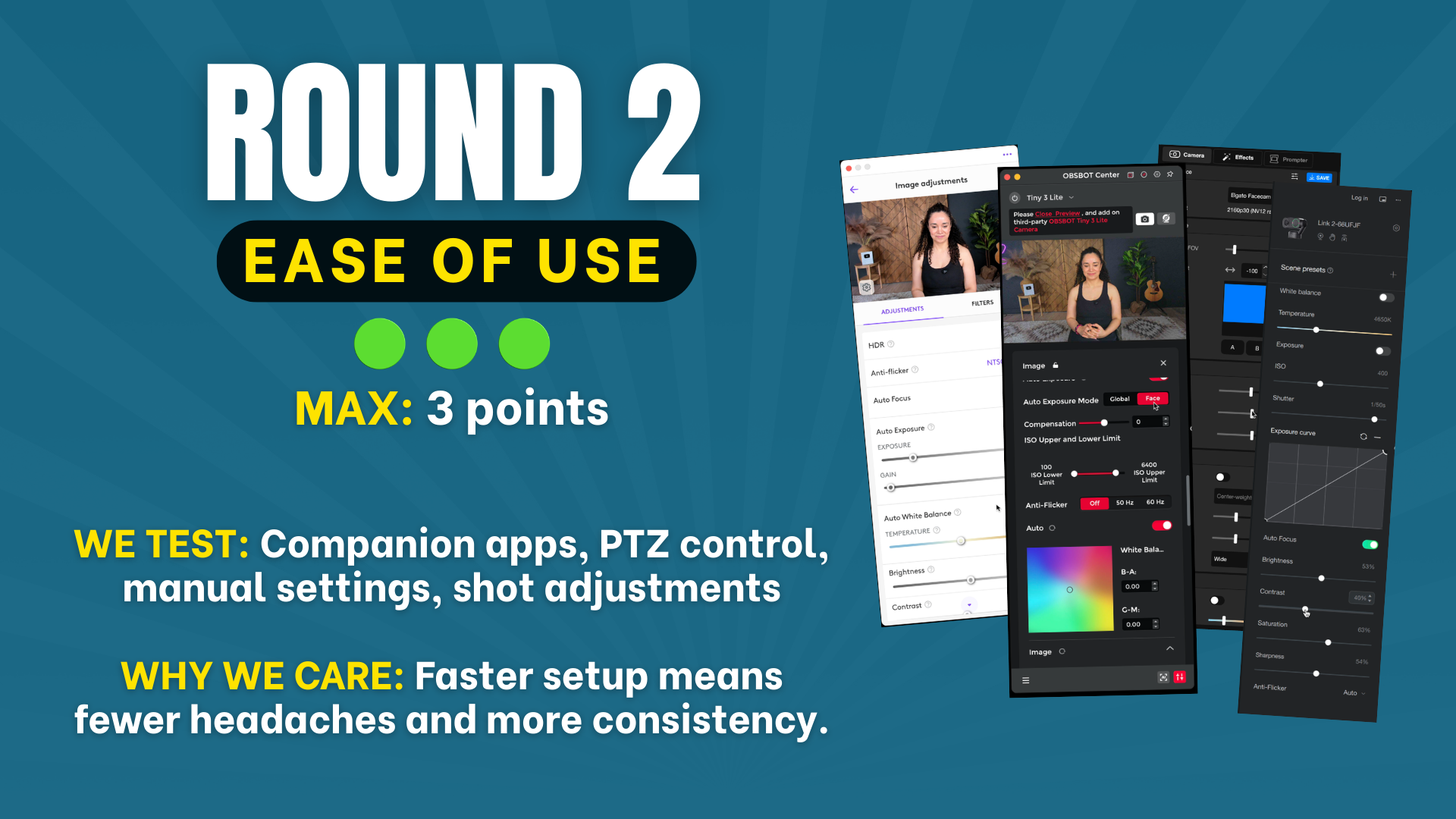
What we tested: Can you plug it in, open the companion app, get out of auto mode, lock your shot, and start recording without wanting to throw the thing out a window?
Every one of these webcams ships with the ability to work right out of the box in auto mode. But for video podcasting, auto mode isn't good enough. You need to be able to control your exposure, white balance, and framing so your shot looks consistent from episode to episode.
That means we're really evaluating the companion apps.
Insta360 Link 2, 3 points. The app is intuitive, has a big preview screen, and you can actually record directly from the app without needing additional software. It's a PTZ camera with real physical movement, and taking it in and out of auto focus is straightforward.
All three OBSBOT cameras earned 3 points in our app test. We liked being able to adjust framing from OBSBOT Center. The gimbal pans and tilts mechanically; zoom is digital, so tighter crops can reduce detail.
Logitech BRIO 4K, 2 points. The Logi Tune app works fine, and Veronica actually loved how few settings there are (less overwhelm). But the preview screen is tiny, Stephen had to sync it to OBS just to get a usable preview. It has a digital pan/zoom feature through the field of view adjustment, which is helpful, but it's not a true PTZ camera.
Elgato Facecam 4K, 1 point. This was the disappointment of the round. The app is confusing, especially in how it connects with the Elgato Prompter ecosystem. In Stephen's experience, it glitches frequently. Not very intuitive, not very user-friendly.
Key takeaway from Round 2: If you value plug-and-play simplicity, the OBSBOT and Insta360 apps are the smoothest. The Elgato's companion software needs work.
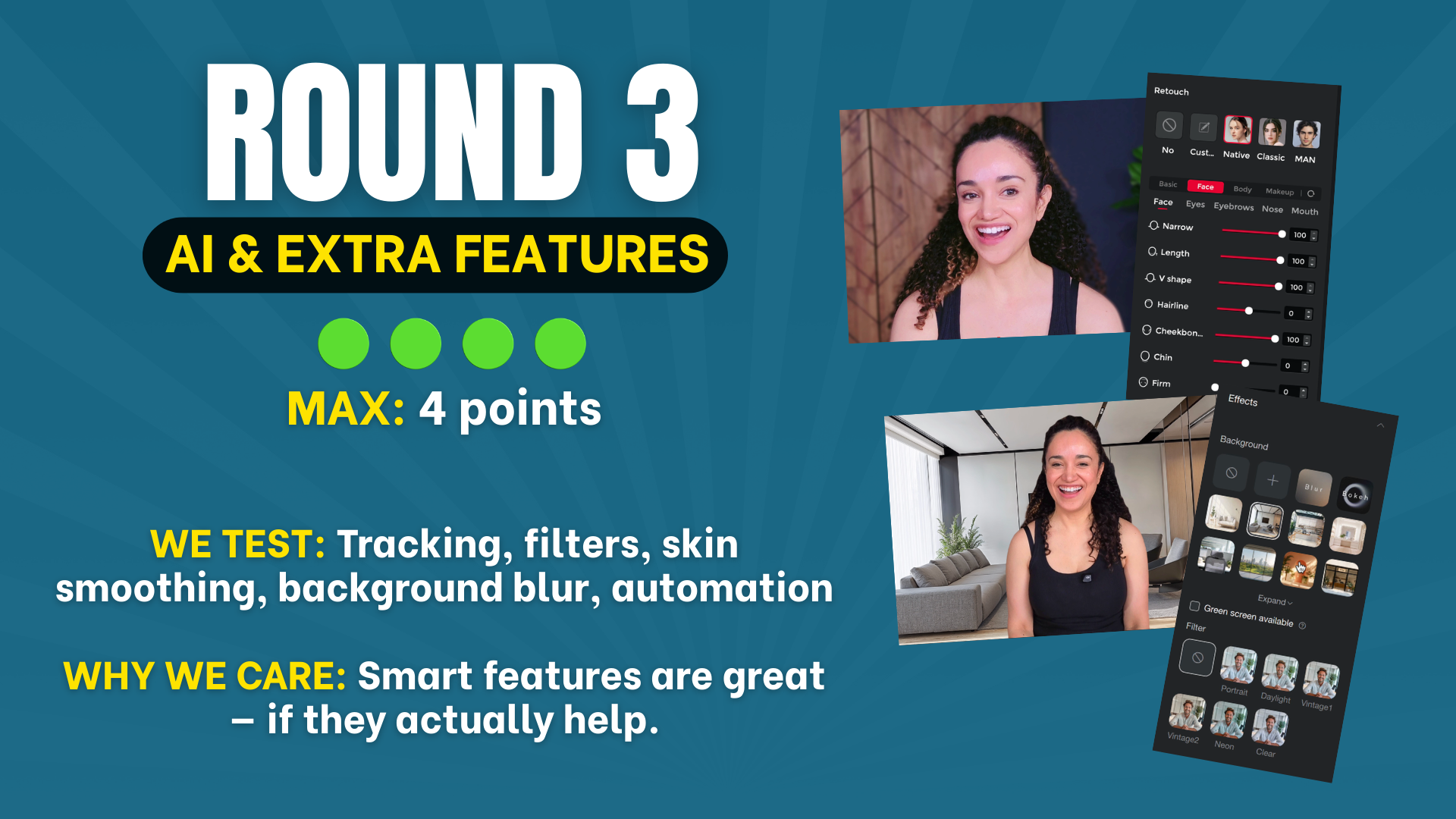
What we tested: AI tracking, background blur, skin smoothing, beauty filters, digital makeup, everything brands love to advertise. But we scored with one rule: if it's actually useful for podcasting, it counts. If it's gimmicky or breaks the image, it doesn't.
This round is weighted a bit heavier (4 points), but here's the nuance: for video podcasting specifically, less is often more. We encourage creators to eventually work with editors, and your editor is going to want control over these things in post-production.
That said, some of these features, like AI tracking and subtle skin smoothing, can genuinely improve your workflow and your confidence on camera.
This is where things get fun. If your show format involves standing, moving to a whiteboard, or just turning your head a lot, AI tracking keeps you in the frame without manually adjusting the camera.
The Insta360 Link 2 has solid tracking with group and single modes. It physically moves to follow you, which is impressive.
The OBSBOT cameras take it a step further. The tracking is faster, more responsive, and you can adjust the speed (slow, medium, fast). Veronica fell in love with this feature, she plans to record her podcast standing and walking around, and the OBSBOT tracking makes that actually viable with a webcam.
The Logitech BRIO and Elgato Facecam have no AI tracking at all. Static cameras only.
Every app has some version of filters and beauty modes, but the quality varies wildly.
The OBSBOT cameras offer the most detailed controls: skin smoothing, tone adjustment, slimming, beauty filters with adjustable intensity, and even facial restructuring (which gets gimmicky fast, but a subtle touch of smoothing can genuinely boost your on-camera confidence).
The Insta360 Link 2 has digital makeup and beautify modes that look nice when used subtly. Cranked up, they look fake. But at a light touch? Surprisingly good.
The Logitech BRIO filters were... not great. Stephen described one as the "third-degree burn filter." Not useful for anything but a comedy bit.
The Elgato Facecam filters are equally bad, and there's no tracking at all. One point.
We tested background blur on the cameras that offer it, and our honest take: it looks bad on most of them if you have hair or anything that moves. The edges get weird and artifacts appear. The Insta360 handled it best when dialed in subtly, but generally, if you want background blur, you're better off doing it in post or using your recording software's built-in blur.
OBSBOT Tiny 3 → ★★★★ (4 out of 4)
OBSBOT Tiny 3 Lite → ★★★★ (4 out of 4)
OBSBOT Tiny 2 Lite → ★★★★ (4 out of 4)
Insta360 Link 2 → ★★★☆ (3 out of 4)
Logitech BRIO 4K → ★☆☆☆ (1 out of 4)
Elgato Facecam 4K → ★☆☆☆ (1 out of 4)
Key takeaway from Round 3: If AI features matter to you (and they might, especially for solo creators who don't want to fuss with manual adjustments), the OBSBOT cameras and Insta360 are in a different league than the Logitech and Elgato.
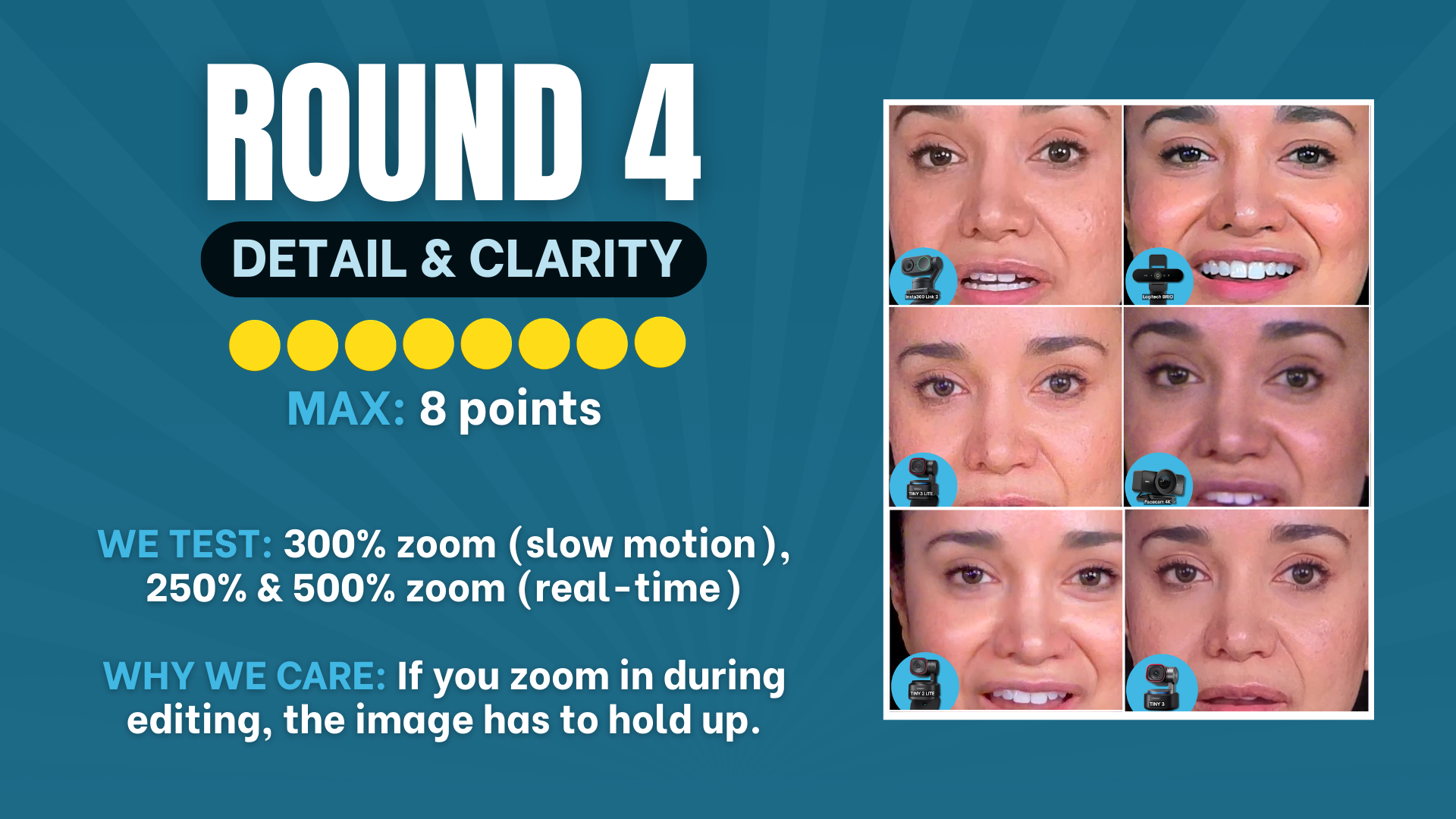
This is where it gets real. Eight points on the line, the heaviest-weighted round along with Round 5.
Here's why this matters: when you (or your editor) crop for vertical clips, cut between speakers, or punch in for emphasis, the image has to hold up. If the detail turns to mush, your content looks amateur, especially when viewers are watching on a TV or large monitor.
We zoomed into each camera's footage at the same levels:
300% in slow motion, to evaluate fine detail like hair texture, skin detail, and edge sharpness
250% at normal speed, to see how the image holds during movement
500% at normal speed, the ultimate stress test
Veronica hadn't seen any of these results before we sat down to review them. Her reactions were genuine.
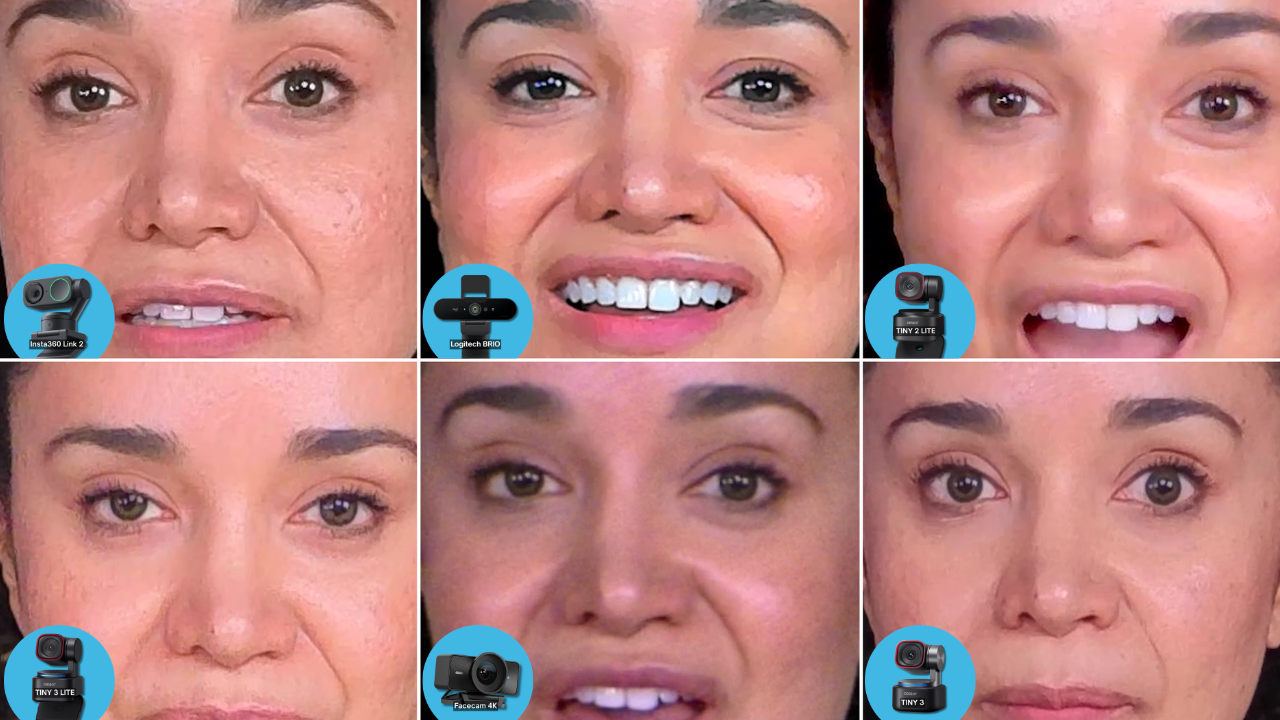
At 300% (slow motion):
The OBSBOT Tiny 2 Lite surprised us here. It actually looked sharper than the Tiny 3 Lite at this zoom level, with better detail retention. The Insta360 Link 2 showed noticeable noise. The Logitech BRIO wasn't bad, but the Elgato Facecam was clearly the weakest, you could see visible pixelation.
At 500% (the stress test):
This is where the OBSBOT Tiny 3 absolutely separated itself from the pack. At 500% digital zoom, you could see individual eyelashes, the texture of lips, the color of Veronica's eyes, the lines in her eyebrows. Stephen compared it to what you'd expect from a professional Sony camera, and for a webcam, that's wild.
The OBSBOT Tiny 2 Lite also held up impressively at 500%. Eye detail, eyebrow definition, for its price point, it was a genuine surprise.
The Elgato Facecam at 500% was essentially unwatchable. Heavy pixelation, color squares, almost no color separation. Stephen compared it to TV from the 1990s.
Give a webcam enough controlled light to keep gain and motion blur in check. Avoid overexposing your face, and test the result before adding more light.
OBSBOT Tiny 3 → ★★★★★★★★ (8 out of 8), Perfect score
OBSBOT Tiny 2 Lite → ★★★★★★☆☆ (6 out of 8), The surprise of the test
OBSBOT Tiny 3 Lite → ★★★★★☆☆☆ (5 out of 8)
Insta360 Link 2 → ★★★★☆☆☆☆ (4 out of 8)
Logitech BRIO 4K → ★★★☆☆☆☆☆ (3 out of 8)
Elgato Facecam 4K → ★☆☆☆☆☆☆☆ (1 out of 8), Essentially unwatchable at 500%
Key takeaway from Round 4: The OBSBOT Tiny 3 is in a class of its own for image detail. The Tiny 2 Lite punches way above its price point. The Elgato Facecam struggles badly under magnification.
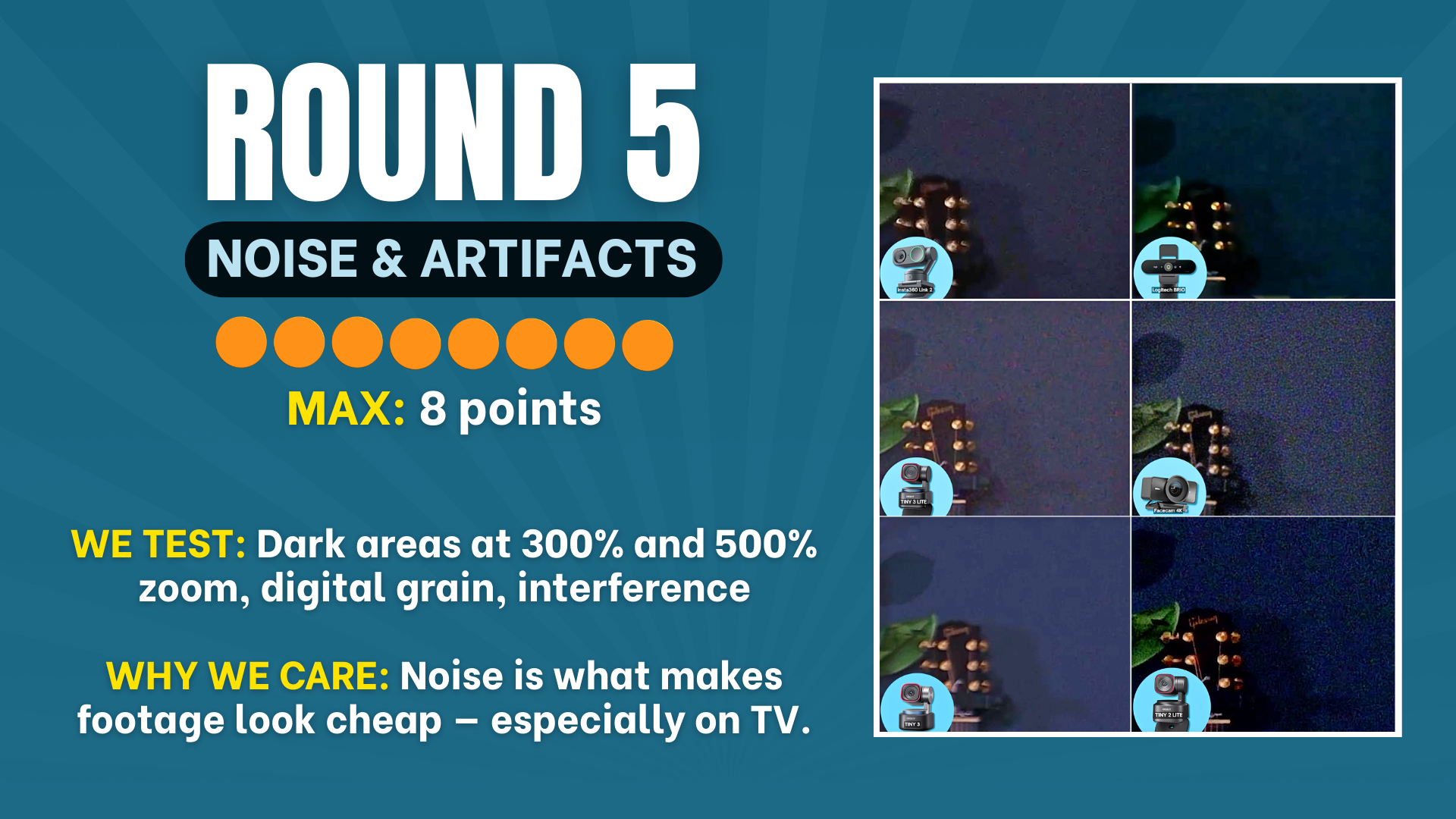
Another 8-point round. This one is brutal.
Webcams love to fall apart in the dark parts of a frame. Digital grain, color speckling, compression artifacts, especially during movement. This matters more than people think because noise is what makes footage look cheap, especially on a TV or big monitor.
We zoomed into the darker areas of each camera's frame at 300% and 500%, watching for digital grain, color speckling, and compression artifacts. We also looked at a 250% zoom of the full image to evaluate noise on both the subject's face and the background elements.
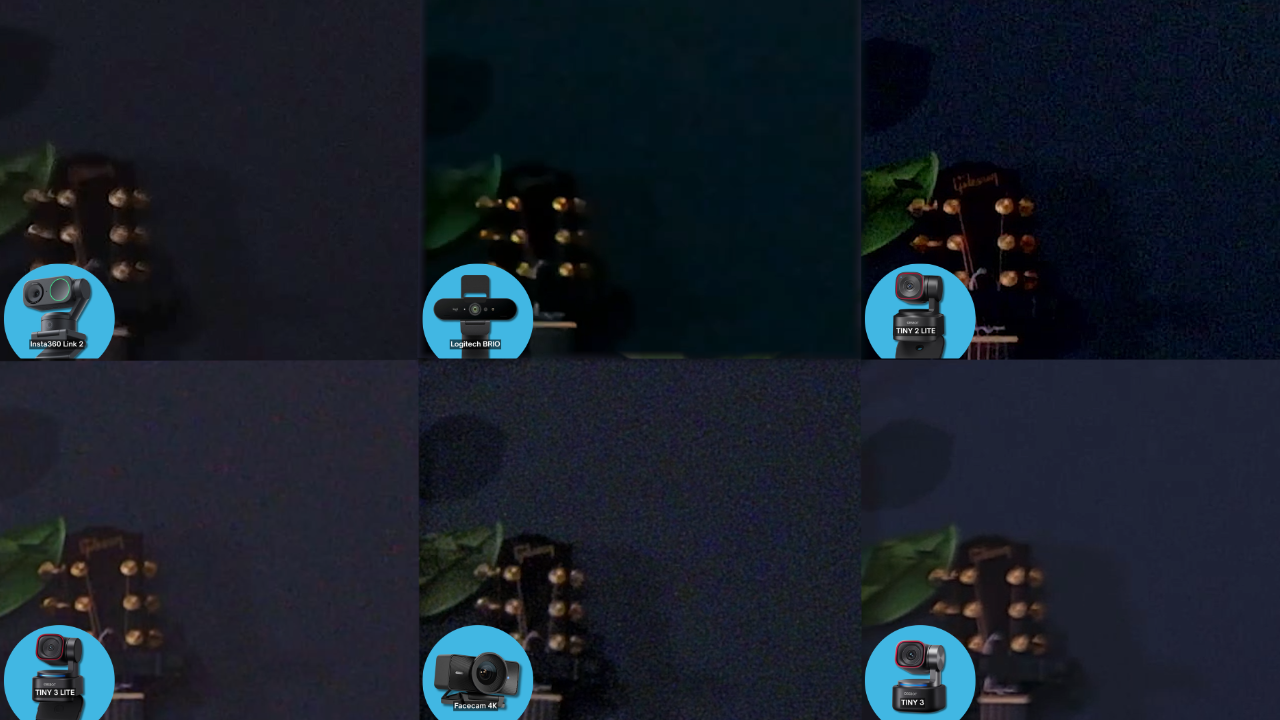
The OBSBOT Tiny 3 was the cleanest by a significant margin. Where other cameras showed moving particles, color speckles, and distracting grain in the dark areas, the Tiny 3 was remarkably clean. Even zoomed to 500% in the darkest corner of the shot, barely anything was visible. On a TV screen, you'd never notice it.
The Logitech BRIO surprised us as the runner-up. It has very high contrast, which makes the dark areas very dark, but the trade-off is that the noise is less visible and less distracting. The Logitech has somehow softened the noise in a way that, yes, kills some detail, but isn't distracting to your viewer. And ultimately, you don't want your audience noticing noise instead of listening to your content.
The Elgato Facecam was the worst. The noise had a strange wave-like pattern with every color of the rainbow visible in what should be solid dark areas. This likely contributes to the overall lack of color differentiation in the Facecam's image.
The Insta360 and OBSBOT Tiny 2 Lite were middle-of-the-pack, with noticeable noise in the dark areas and some moving particles around hair and facial features.
The OBSBOT Tiny 3 Lite showed slow-moving noise patterns and some scattered noise across the full image. Better than the Elgato, but not as clean as the Tiny 3 or even the Logitech.
OBSBOT Tiny 3 → ★★★★★★★★ (8 out of 8), Remarkably clean
Logitech BRIO 4K → ★★★★★☆☆☆ (5 out of 8), Surprise runner-up
OBSBOT Tiny 2 Lite → ★★★★☆☆☆☆ (4 out of 8)
Insta360 Link 2 → ★★★★☆☆☆☆ (4 out of 8)
OBSBOT Tiny 3 Lite → ★★★☆☆☆☆☆ (3 out of 8)
Elgato Facecam 4K → ★☆☆☆☆☆☆☆ (1 out of 8), Rainbow noise pattern
As Veronica put it: sometimes you do get what you pay for. And with the Tiny 3 being the most expensive camera in the lineup, she was right this time.
Key takeaway from Round 5: Noise is the silent killer of footage quality. The OBSBOT Tiny 3 handles it best by far, and the Logitech BRIO's high-contrast approach unexpectedly keeps noise from being distracting.
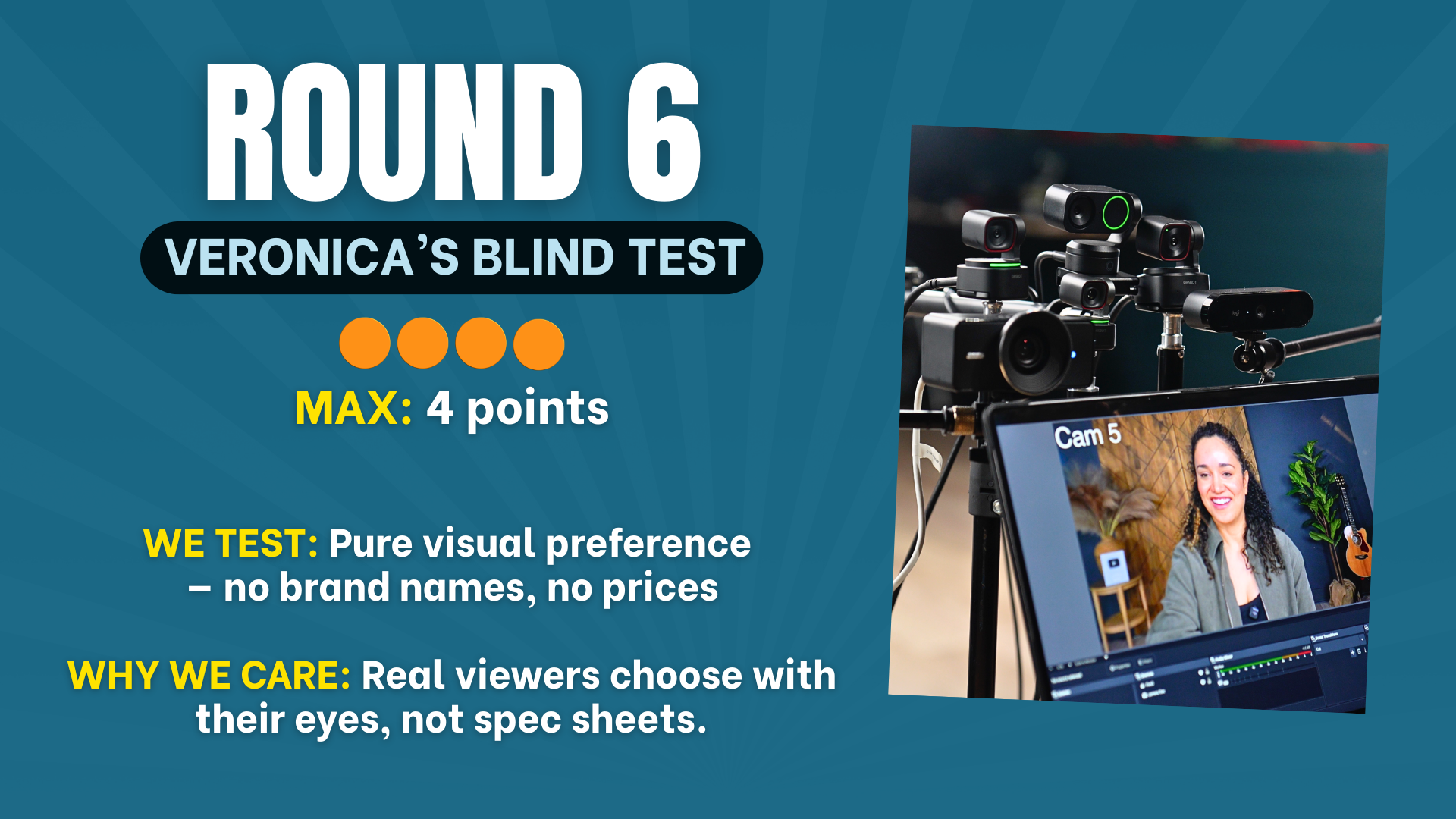
Same background. Same lighting. Same framing. No brand names. No price info.
This was actually the first thing we filmed when we set up our six-camera testing rig. Stephen spent hours getting all six cameras dialed in to their best possible settings, then set them up as numbered feeds in OBS without any identifying information.
Veronica went through them one by one, spent a solid amount of time comparing, and ranked them purely on how they made her look on screen.
Her reasoning was simple and relatable: "You want to look at your camera and be like, I look amazing. You want that confidence, not just in yourself, but in your whole set, your backdrop, the detail."
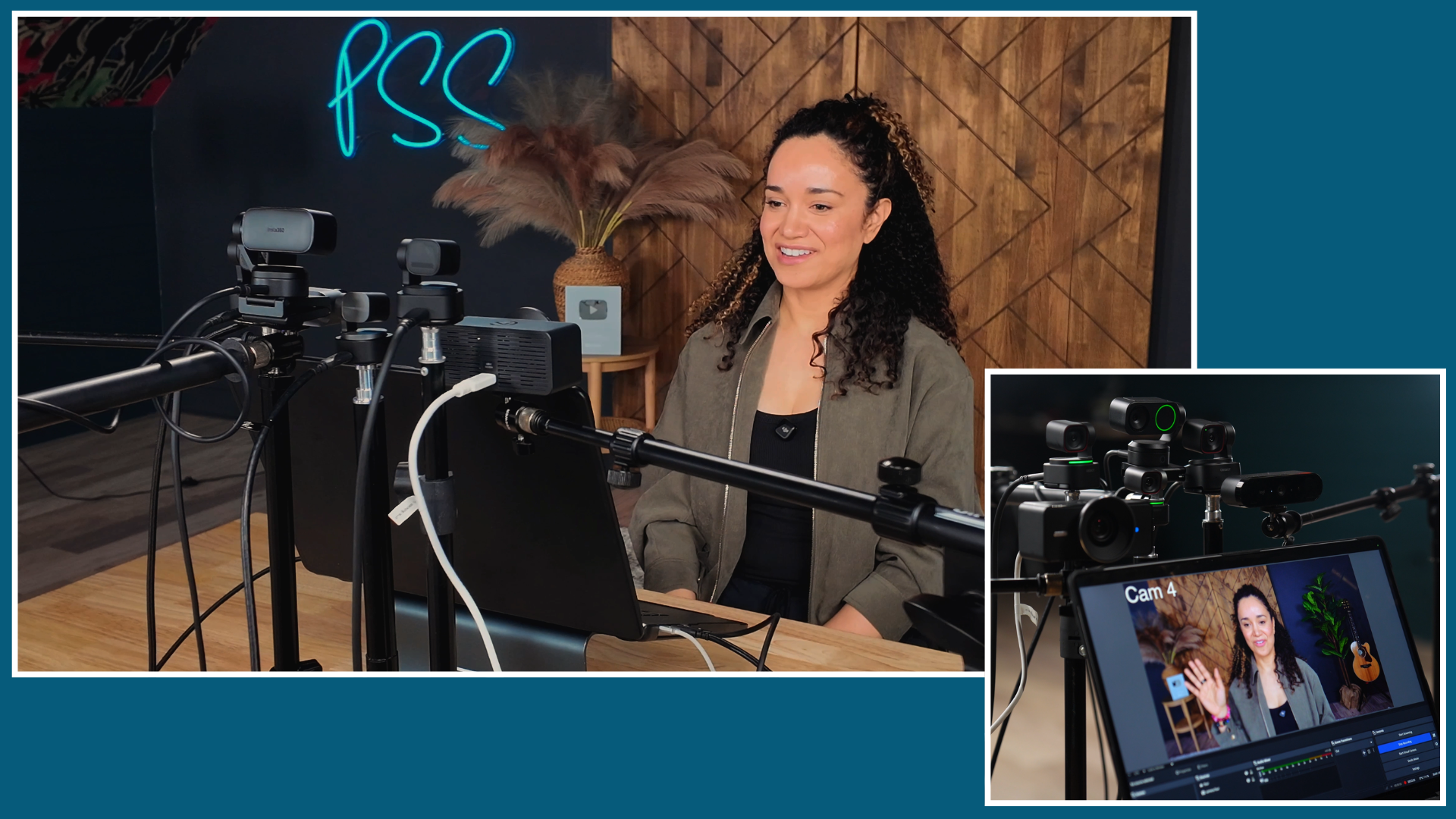
Camera 6 → revealed as the OBSBOT Tiny 3, "Beautiful. Gorgeous. It's worth the extra hundred bucks."
Camera 4 → revealed as the OBSBOT Tiny 3 Lite, Rich colors, good definition
Camera 2 → revealed as the Logitech BRIO 4K, "Really nice on the skin, softening the complexion. Rich colors."
Camera 3 → revealed as the OBSBOT Tiny 2 Lite, Good image, similar price range to her top picks
Camera 1 → revealed as the Insta360 Link 2, Noticed noise, but liked the detail. "I look like I have a filter on me."
Camera 5 → revealed as the Elgato Facecam 4K, "Why am I so swollen and greasy?" Absolute last place.
The interesting takeaway: Veronica chose the Tiny 3 Lite over the Tiny 2 Lite in the blind test, even though the Tiny 2 Lite technically performed better in the microscope-level detail tests. This reinforces that raw technical quality and perceived visual quality aren't always the same thing, at normal viewing distance, the Tiny 3 Lite looked better to a real person's eyes.
OBSBOT Tiny 3 → ★★★★ (4 out of 4), "Beautiful. Gorgeous."
OBSBOT Tiny 3 Lite → ★★★☆ (3 out of 4), Rich colors, great definition
Logitech BRIO 4K → ★★★☆ (3 out of 4), "Really nice on the skin"
OBSBOT Tiny 2 Lite → ★★☆☆ (2 out of 4)
Insta360 Link 2 → ★★☆☆ (2 out of 4), "I look like I have a filter on me"
Elgato Facecam 4K → ★☆☆☆ (1 out of 4), "Why am I so swollen and greasy?"
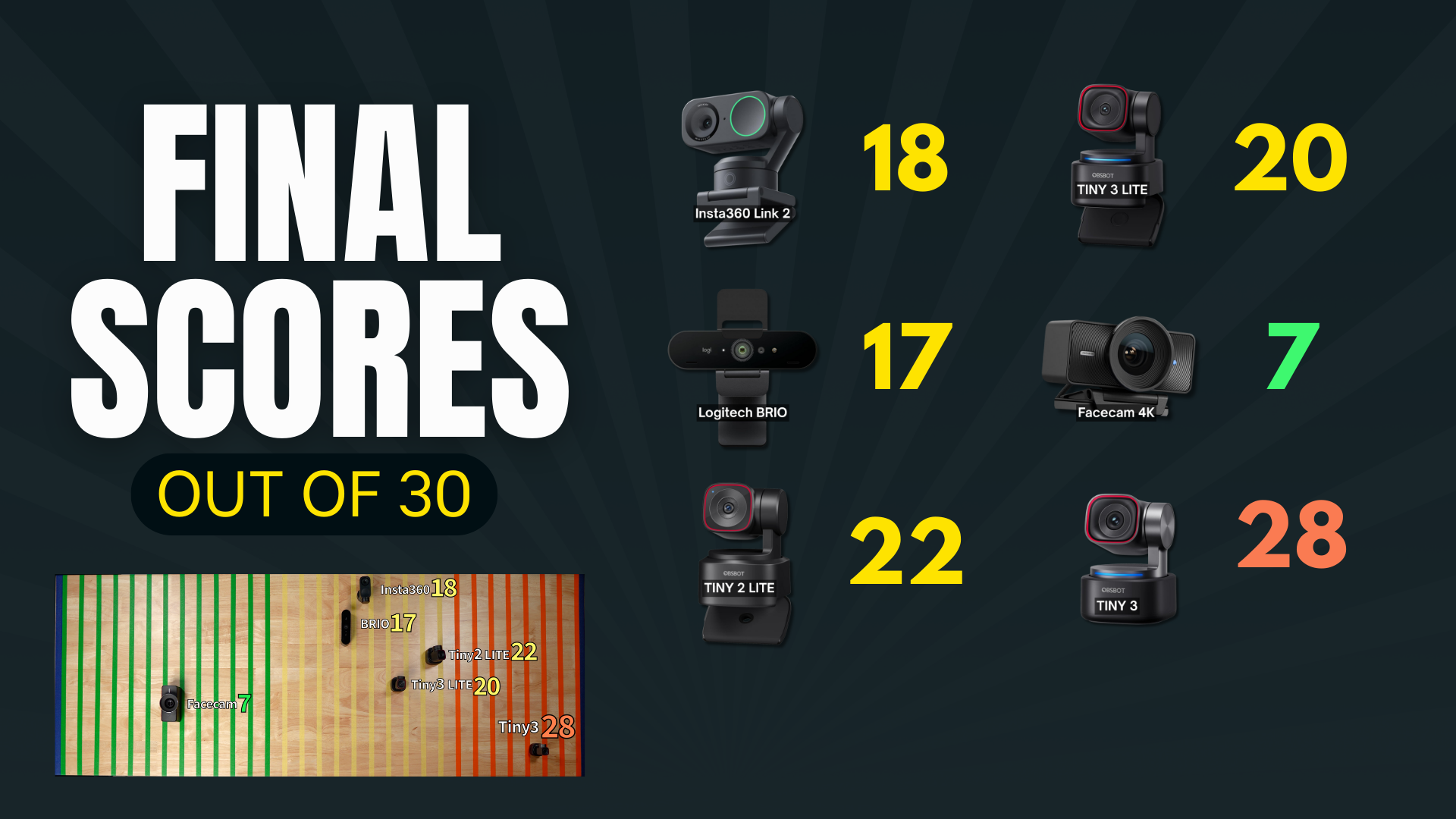
After six rounds and 30 total possible points, here are the final standings:
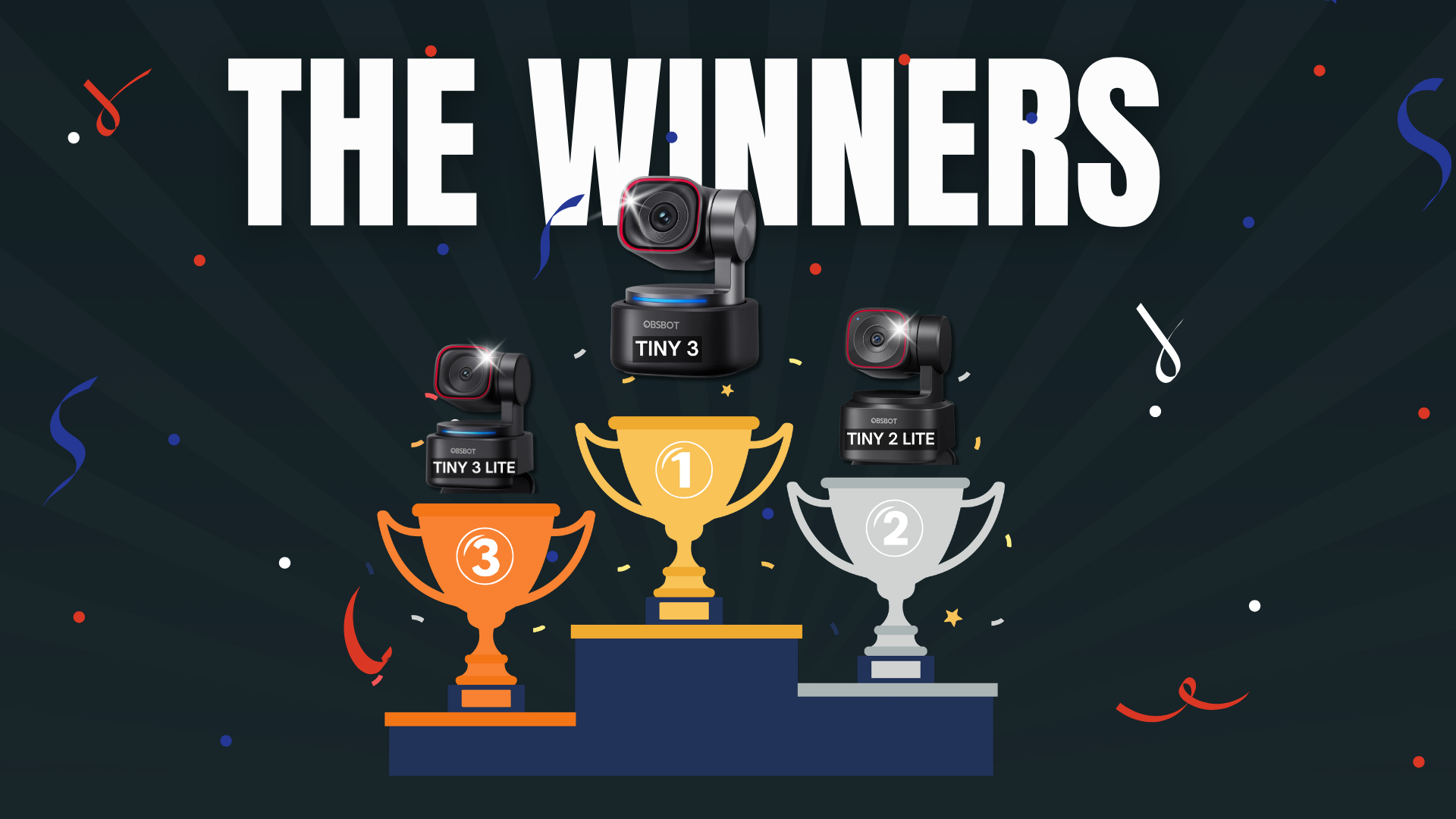
🥇 1st Place, OBSBOT Tiny 3 The undisputed champion. Dominated detail, noise, and the blind test.
🥈 2nd Place, OBSBOT Tiny 2 Lite The budget killer. Outperformed cameras that cost more at every turn.
🥉 3rd Place, OBSBOT Tiny 3 Lite The newest generation earns its spot on the podium.
4th Place, Insta360 Link 2 A solid camera with great features, just couldn't keep up across all six rounds.
5th Place, Logitech BRIO 4K The affordable veteran. Surprised us in noise handling but fell short everywhere else.
6th Place, Elgato Facecam 4K Last place in almost every round. At $180, that's tough to justify.
OBSBOT took the entire podium. The Tiny 3 was the clear winner, but the Tiny 2 Lite and Tiny 3 Lite both proved themselves as serious contenders at lower price points.
The Insta360 Link 2 is a solid camera with great features, and the Logitech BRIO has some surprising strengths (especially in the noise department), but neither could match the OBSBOT lineup across all six rounds.
The Elgato Facecam 4K finished last in almost every round. It's not the cheapest camera in the bunch, which makes its underperformance even more surprising.
Here's our honest take based on what we learned:
The Tiny 3 was our favorite in this test, particularly for detail and noise. Compare the footage at the size your audience will actually watch.
The Tiny 2 Lite surprised us in the detail test and offered useful app control. Check its exact feature set rather than assuming every OBSBOT model has identical functions.
The latest generation with improved design, the shared OBSBOT Center app, strong AI tracking, and Veronica's #2 pick in the blind test. A great middle ground if you want newer features without going to $349.
The Insta360 is a genuinely good camera with one of the most intuitive apps we tested. The auto-exposure and color reproduction are impressive, and the 3-axis gimbal tracking is smooth. If you've been eyeing this one, it's still a solid choice, it just didn't win this particular competition.
The "grandma" of this lineup (Veronica's affectionate nickname because she's had hers since 2023). The Logitech BRIO is the most affordable camera we tested, and it does some things well, particularly its noise handling and skin-softening quality. No PTZ, limited features, but it works. If simplicity is your priority and you don't need bells and whistles, it'll get the job done.
We don't like talking negatively about products, but the data speaks for itself. The Facecam finished last in nearly every round, the companion app was the least intuitive, and the image quality under magnification was significantly behind every other camera we tested. At its price point, there are better options.
Regardless of which camera you choose, these tips will help you get the most out of it:
Use enough soft light for a clean exposure. More light helps only until highlights clip or the setup becomes uncomfortable.
Get out of auto mode. Every camera ships in auto, and for video podcasting, that's not good enough. Take 10 minutes to set your white balance, exposure, and focus manually using your camera's companion app. Your shot will look consistent from episode to episode.
Lower your contrast slightly. High contrast can exaggerate noise and pixelation. Pulling it back a bit can give you a cleaner image, especially in webcam footage.
Use subtle beauty features (if available). A light touch of skin smoothing can boost your confidence on camera without looking fake. Just keep it at 15–20%, any more and it starts to look artificial.
Think about what your viewers actually see. People watch podcasts on TVs, tablets, and monitors now. The days of tiny phone screens being the only destination are over. That's why detail and noise performance matter more than ever.
The OBSBOT Tiny 3 won with the highest total score across all six rounds. It dominated the detail, noise, and blind test rounds.
Yes, especially if you plan to crop for vertical content, use punch-in edits, or have viewers watching on TV screens. 4K gives you and your editor more flexibility without losing quality.
If you sit in the same spot every episode and don't move much, you can get by without it. But PTZ cameras let you adjust your framing digitally without touching the camera, and AI tracking opens up entirely new show formats (standing, moving, using a whiteboard). Once you have it, you won't want to go back.
A mirrorless camera is another option. Some support USB streaming; others use HDMI capture. Add the lens, power, audio, and capture needs of the exact model before comparing the total setup.
Absolutely. Every camera we tested works with Zoom, Teams, Google Meet, Riverside, OBS, and every other major platform.
The Tiny 2 Lite was our value pick at the prices paid for this test. Check current pricing and the features you need.
We filmed every test, every comparison, and every argument (there were a few). Watch the complete head-to-head showdown here:
Explore Podcast YourWay Producer for the next step with your show.
We built Podcast YourWay for creators who are done researching and ready to start. Your show is ready when you are.
This video was sponsored by OBSBOT. All testing, scoring, and opinions are our own, you saw every test.