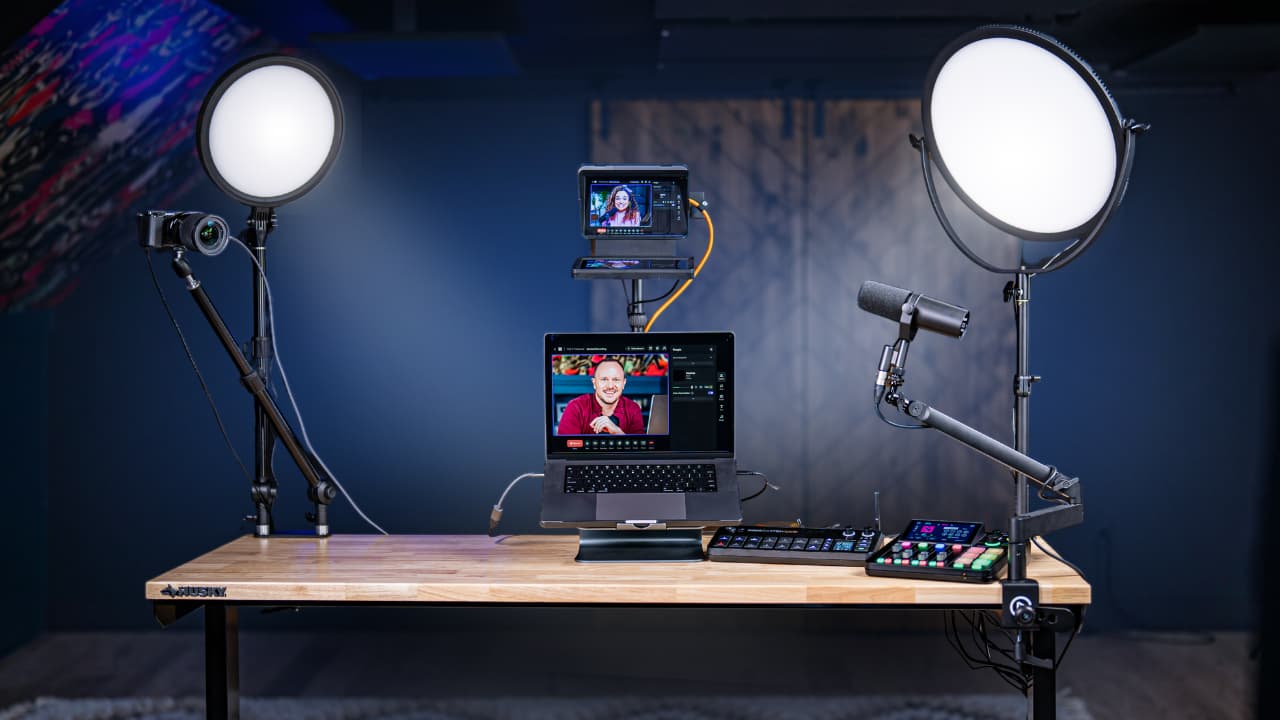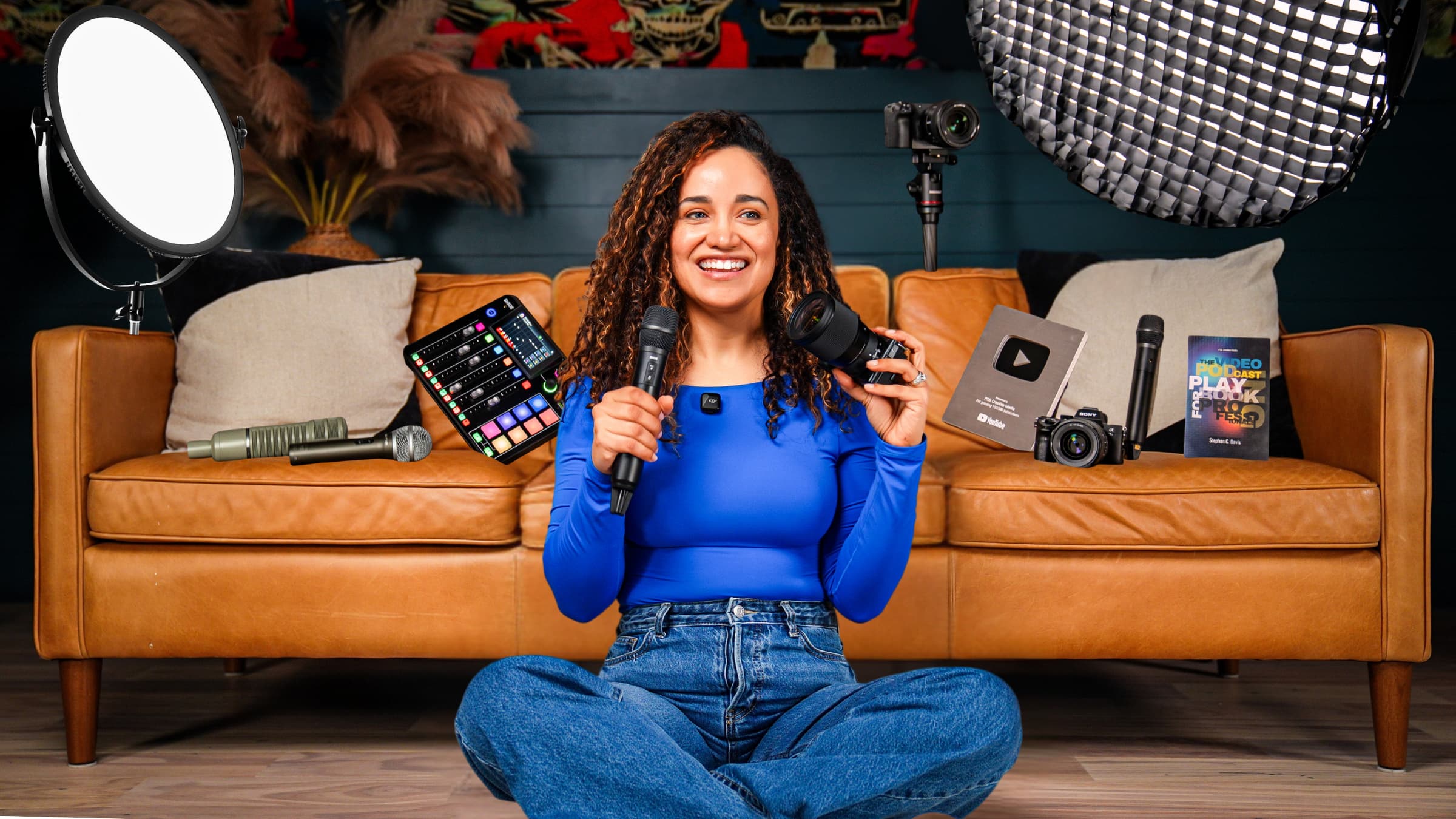
Studio builds
Your audience only sees what's inside your camera frame, which means you don't need a massive studio. You need one clean slice of wall and the right system.
Some links in this story are affiliate links. If you buy through them, we may earn a commission at no extra cost to you.
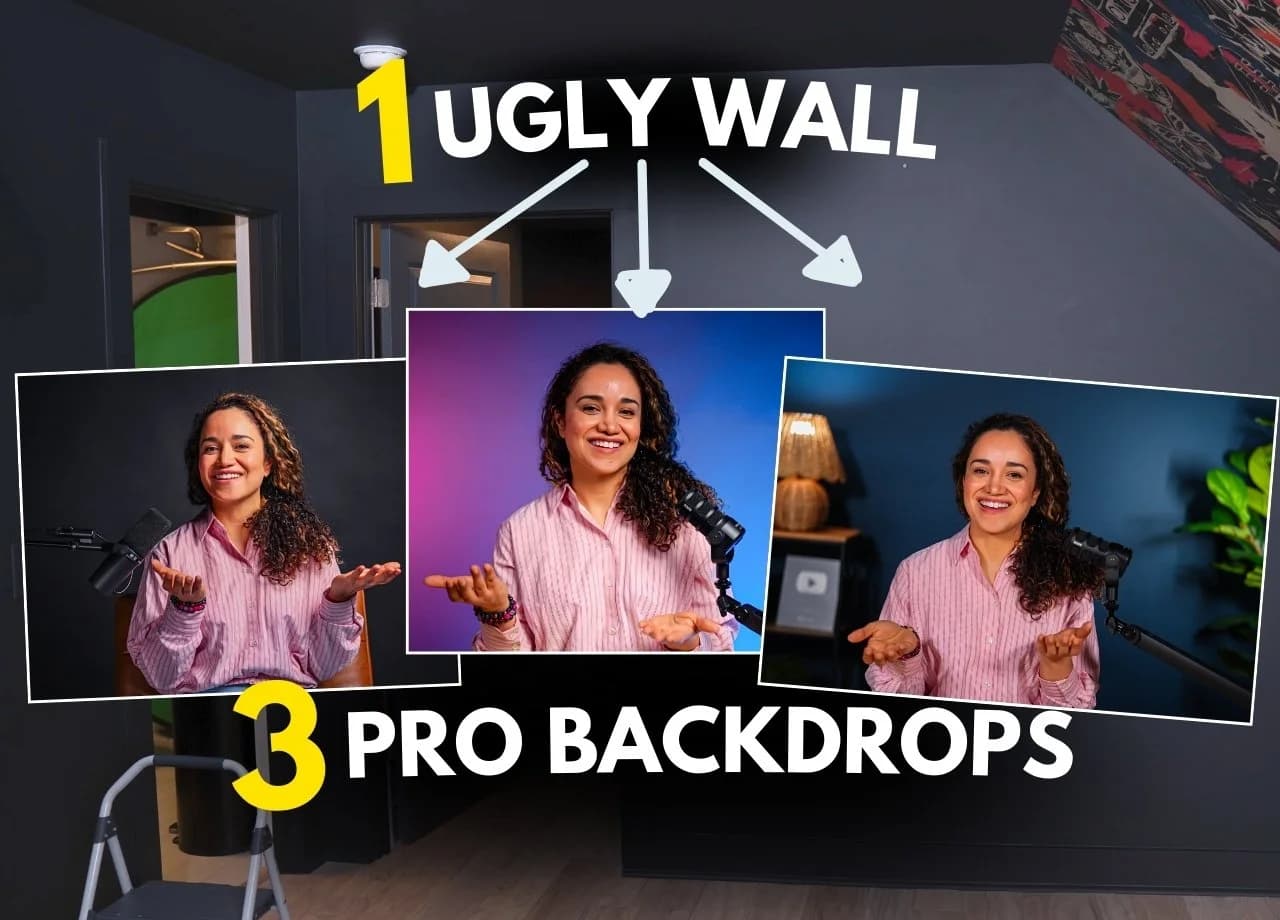
Color paper and simple props create an approachable desk setup.
Black paper and a controlled soft key light bring an intimate interview mood.
Gray paper gives colored accent lights a neutral canvas; keep the key light off the background.
| Look | Backdrop | Light to prioritize |
|---|---|---|
| Friendly desk | Brand-color paper | Soft key + fill |
| Intimate interview | Black paper | Directional key + controlled shadows |
| Tech gradient | Gray paper | Separate colored background lights |
Watch the full video: https://youtu.be/lotEcndJBVw
When you look at video podcasts on YouTube, it can feel like everyone has an insane studio: multiple cameras, beautiful lighting, clean branded backdrops… everything looks cinematic.
And then you look at your house and think:
“My show will never look like that. I don’t have the space.”
Here’s the truth: your audience only sees what’s inside your camera frame.
The rest of the room can be a total disaster zone. (No shame. We’ve all been there.)
So in this post, we’ll show you exactly how we took a small, awkward wall (with a door we didn’t want on camera), surrounded by chaos, and turned it into three clean, professional, cinematic podcast backgrounds you can build in a weekend, even in a tiny space.
And yes: I’m also going to make this super “add to cart” friendly with straightforward gear lists and simple options.
If your camera can’t see it, it doesn’t exist.
That means you don’t need a huge studio, you need a clean slice of space that looks intentional.
The fastest way to do that (especially when you’ve got doors, closets, weird wall angles, or clutter) is:
✅ Photography backdrop paper + a roll-down system
It stays out of the way when you’re living your life… and rolls down when it’s time to record. Boom.
This is the foundation. Once this is installed, you can create totally different looks by swapping paper color + lighting + a few props.
Photography paper (choose 1–3 colors):
Important: Metal Tube for Wall Mount System
When you unbox your brackets and paper rolls, you might realize you’re missing a very vital component:
You need a metal tube inside the paper roll so it doesn’t collapse, droop, and get all sad.
We made the mistake of trying hardware store pipes first, too heavy. Save yourself the pain and just grab the correct tube linked above.
We’ll keep this practical and real, because installing this system is easy once you know the gotchas.
We ordered rolls that were a little too big for our wall, which meant:
taping the roll ends
trimming the paper
trimming the tubes
Doable… but it adds time and frustration. If your wall is slanted or tight, measure twice.
Choose brackets, fasteners, and a support surface rated for the combined load. Follow the mounting-system manufacturer’s instructions; overhead installations and uncertain wall construction deserve a qualified installer.
Use the specified fastener pattern and compatible mounting hardware. A screw hole count alone does not establish a safe load rating.
Your brackets need to be spaced correctly for:
the paper roll width
the tube length
If those measurements are off, you’ll feel it immediately when you try to hang the roll.
This is not hard, but it is a process:
measure
mount
test fit
adjust
If you slow down and get your measurements right, it becomes “quick and painless” instead of “late-night hardware store trip with a grumpy child.” 😅
Backdrop color: Ultramarine (or any brand color)
Vibe: approachable, bright, clean, “YouTubey but still pro”
Best for: podcasts, tutorials, coaching, solo shows, interviews at a desk
Roll down your color backdrop. Then add a few simple props to give the shot depth:
bookshelf
faux plants
awards/accolades
your book (if you’ve written one)
anything that tells your story
Leave a clean “hero space” in the center for you.
The secret sauce here is two small panel lights placed slightly above eye level, angled down:
Key light: slightly left of camera
Fill light: slightly right of camera
Boom, you look clean and professional.
Then add a tube light to make the background objects pop (plants, shelf, etc.).
If you’re using a mirrorless camera, this is a beautiful combo:
Sony A7 IV (full frame)
Budget option: use an OBSBOT webcam and keep it on auto. It still looks great for beginners.
Neewer BR13 Round Panel (get 2 if you can)
Alternative budget option: Affordable Tube Light Pack
Pro camera: Sony Camera + 50mm Lens
Budget camera: Obsbot Webcam
Pro classic: Shure SM7B
Backdrop color: Black
Vibe: cinematic, moody, intimate
Best for: deep conversation, storytelling, “important truth” episodes, dramatic solo shows
This is the setup where people join your livestream and go, “Wait… what… how does your show look like THAT?”
For this look, we step up to a COB light (more directional, more powerful, more professional).
Use a COB light with a parabolic softbox aimed at the subject.
You can go one-light dramatic (Rembrandt style), or add a small fill to soften shadows.
That’s where the BR13 comes back in clutch: one BR13 on the shadow side gives you control without ruining the mood.
Want the full “Netflix-style Rembrandt” breakdown?
Here’s the video we mentioned:
My favorite variation is honestly:
black paper
one podcast mic
a leather chair
That’s it. It’s so intimate. So cool. Come on.
Optional props if you want more “studio life”:
laptop
plant
guitar (yes, we did it, because… yummy)
Amaran Studio Light (COB)
Optional fill: Neewer BR13 Round Panel
Pro camera: Sony Camera + 50mm Lens
Budget camera: Obsbot Webcam
Backdrop color: Light gray / fashion gray
Vibe: modern, techy, “clean studio”
Best for: tutorials, product demos, gaming/streaming vibes, standing content
The gray backdrop is a cheat code because it lets you do color gradients with lights.
Use colored lights aimed at the backdrop (not at your face)
Put one color on one side, another color on the other side
Keep your key light directional so it doesn’t wash out the gradient
Ideal: two tube lights (super controllable, easy to hide, phone-controlled).
If you only have one tube light, pair it with an RGB panel light and angle it carefully.
We did a playful pink + teal vibe, and it looks so good.
Option A (simple + budget-friendly):
2× BR13 for key/fill
Tube light(s) for background color
Option B (more pro, better gradients):
COB + softbox as key (less spill on backdrop)
Tube light(s) / RGB panel for color
Budget key: Neewer BR13 Round Panel
Pro key: Amaran Studio Light + Parabolic Softbox
Great RGB option: Neewer RGB Round Panel
Other panel options:
RGB COB option (if you want full control): Amaran Studio Light RGB
Tube pack alternative: Affordable Tube Light Pack
Pro camera: Sony Camera + 50mm Lens
Budget camera: Obsbot Webcam
Wide angle makes your background look smaller and messier.
This is the trick:
camera farther away
tighter focal length (like 50mm)
That makes the paper fill the frame and hides the edges.
A 50mm behaves more like ~75–80mm, so you may need to:
move the camera farther back, or
try something like 35mm depending on your room
If you can, pull your chair/desk forward so you’re not right up against the paper.
It helps with depth and keeps shadows under control.
Move the camera back
Zoom in / tighten focal length
Re-center the paper and your framing
Use a more directional key light (COB + softbox helps a lot)
Move your color lights closer to the backdrop
Angle color lights so they hit paper, not your subject
Make sure you have the correct internal tube:
Add one small accent light on a plant/object
Or create a subtle hotspot behind the subject with the softbox (super cinematic)
If you want the full breakdown from budget panels to pro COB lights, here’s the crash course we mentioned:
The best home video podcast background uses a photography backdrop paper on a roller wall mounting system. This setup lets you roll the backdrop down when recording and out of the way when you're done, making it ideal for small spaces. The three most versatile paper colors for podcasting are ultramarine blue for a bright, on-brand look, black for a cinematic, moody feel, and gray for a modern tech gradient style.
The most affordable way to get a professional podcast background is a paper roll backdrop in a single color paired with two small LED panel lights, one key light slightly left of camera and one fill light slightly right. This combination costs under $200 and eliminates the messy background problem entirely without requiring a dedicated studio space.
The three best backdrop paper colors for podcasting are ultramarine blue for a friendly, approachable look that works well for tutorials and interviews, black for a cinematic documentary feel that elevates conversation-based shows, and gray for a modern tech aesthetic that lets you add color gradients using tube lights or RGB panels. Your best color depends on your show's tone and branding.
To create a color gradient backdrop for your podcast, use a gray paper backdrop and aim two colored tube lights or RGB panel lights at the paper from each side. Keep your key light directional so it doesn't wash out the gradient. Use one color on the left side of the paper and a contrasting color on the right, a pink-and-teal combination is particularly effective for a modern tech aesthetic.
A 50mm lens is the best choice for a small podcast studio because it allows you to back the camera up and zoom in enough to fill the frame with your backdrop paper without showing the edges of the roll. Wide-angle lenses make small rooms look messier and smaller. If you are shooting with a crop-sensor camera, a 35mm lens may work better, depending on how far back you can position the camera.
To install a backdrop roller wall mounting system, mount the brackets into wall studs where possible, using all four screw holes per bracket. If studs are not available, use heavy-duty drywall anchors rated for the weight of the roll. Insert the correct metal tube inside the paper roll before hanging, without it the roll will sag and collapse. Space the brackets to match both the paper roll width and the tube length exactly before committing to your mounting positions.
Yes, a small room is not a limitation for a professional podcast background because your audience only sees what is inside your camera frame. A roller backdrop system combined with the right camera distance and focal length can make even a narrow wall look like a full studio setup. The key is backing up your camera, using a shorter focal length like 50mm, and positioning yourself at a distance from the paper to create natural depth.
A black podcast backdrop looks best when paired with a COB studio light and a parabolic softbox aimed at your subject. This creates a directional cinematic look with controlled shadows. Adding a small LED panel light on the shadow side softens the contrast without losing the moody atmosphere. This is the same lighting approach used in documentary and narrative interview productions.
Backdrop paper droops or collapses when the paper roll lacks a metal support tube inserted through its center. The tube is a separate component from the roller wall mounting bracket system and is often not included with the brackets. Without it the paper roll cannot support its own weight. Insert the correct diameter metal tube through the roll before hanging it on the brackets.