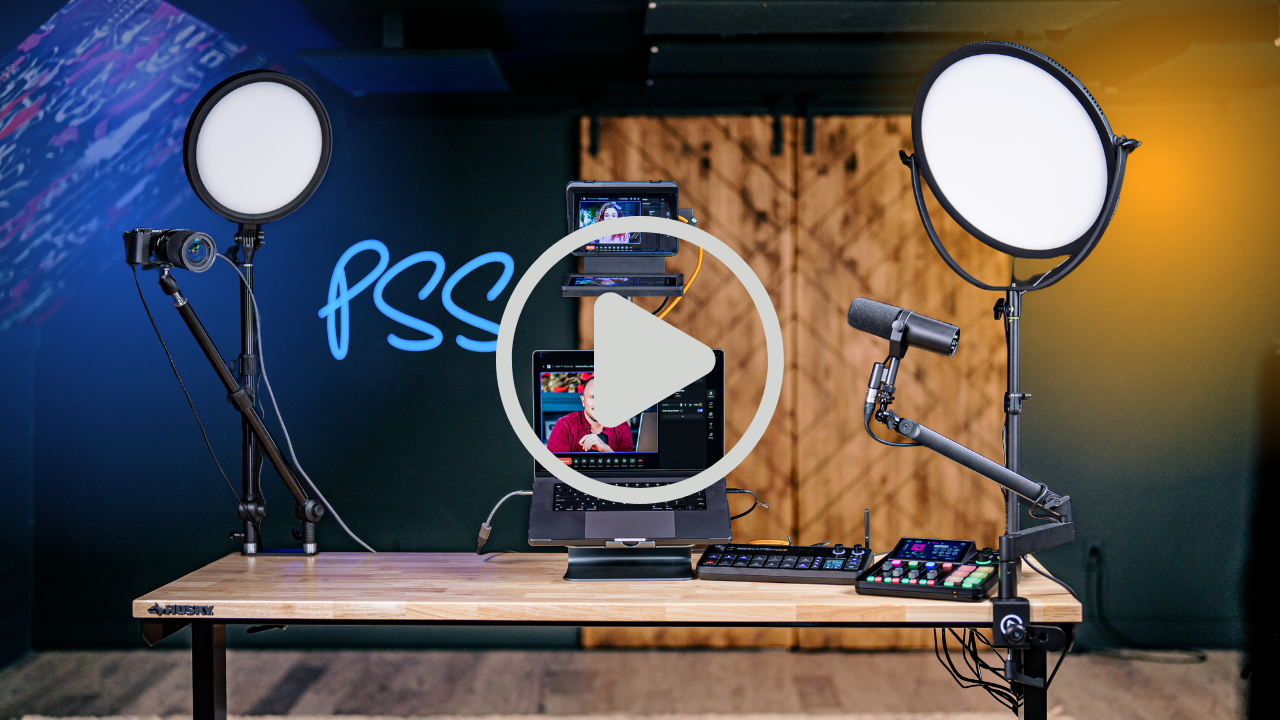
Studio builds
Build a mobile podcast and YouTube studio with one plug. We show you 3 setups: budget, premium, and Pro Max creator-ready.
Some links in this story are affiliate links. If you buy through them, we may earn a commission at no extra cost to you.
Check the desk’s load capacity and stability with everything mounted.
Plan camera, mic, light, and prompter positions before routing the cables.
Lock the casters and test the complete setup before recording.
| Version | Camera approach | Workflow |
|---|---|---|
| Straightforward | Webcam or compatible phone | Direct computer recording |
| Creator | Dedicated camera and lens | More control over the image |
| Studio | Multiple devices and switching | Plan operator, recording, and editing together |
Find all the links to the equipment we use below. As an Amazon Associate, PSS Creative Media earns from qualifying purchases made through the links provided on this website. This means we may receive a small commission at no additional cost to you if you choose to purchase through these links. Your support helps keep the content coming. Thank you!
Veronica did it again.
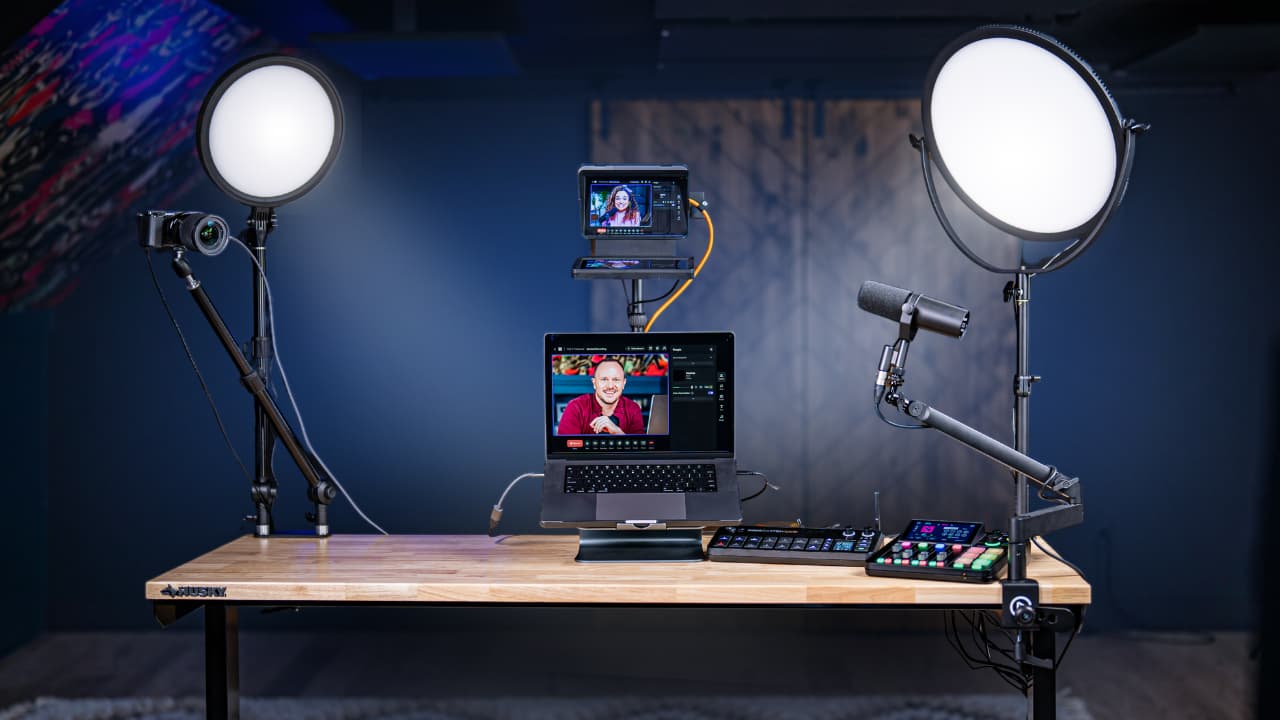
She came to me with another impossible task: our client needs a content creation desk with everything mounted. Mic, camera, lights, even a teleprompter. But here's the curveball. It has to be on wheels, height adjustable, able to roll from room to room, and work with just one plug.
Now, building something like this for a client is one thing.
Building something that actually impresses my wife?
That's the real challenge.
But I pulled it off. Three times. Let me show you how to build a rolling podcast studio desk setup that works for:
Recording podcasts
Shooting YouTube videos
Looking sharp on Zoom
Livestreaming with multi-camera setups
You'll get a breakdown of three desk setups:
Budget
Premium
Pro Max Creator + Streamer
Let’s roll.
Before anything else, you need a desk that can handle all this gear without collapsing mid-livestream.
My pick:
62" Adjustable Height Husky Workbench (from Home Depot)
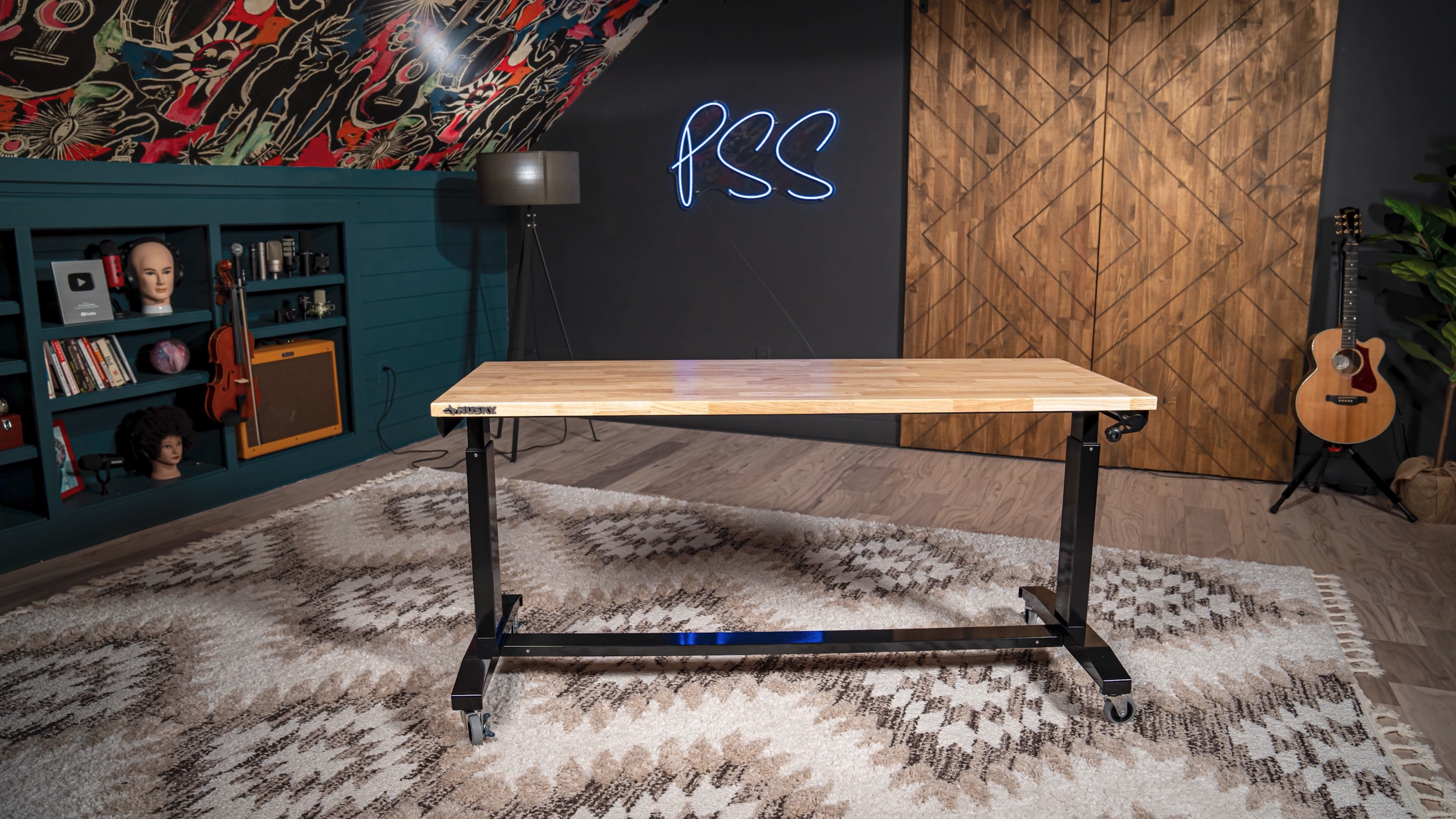
1.2 inch thick wood top
Attractive finish that looks great on camera
Adjustable height up to 42 inches
Smooth rolling casters
Supports up to 300 pounds
We use two of these in our studio. They're awesome.
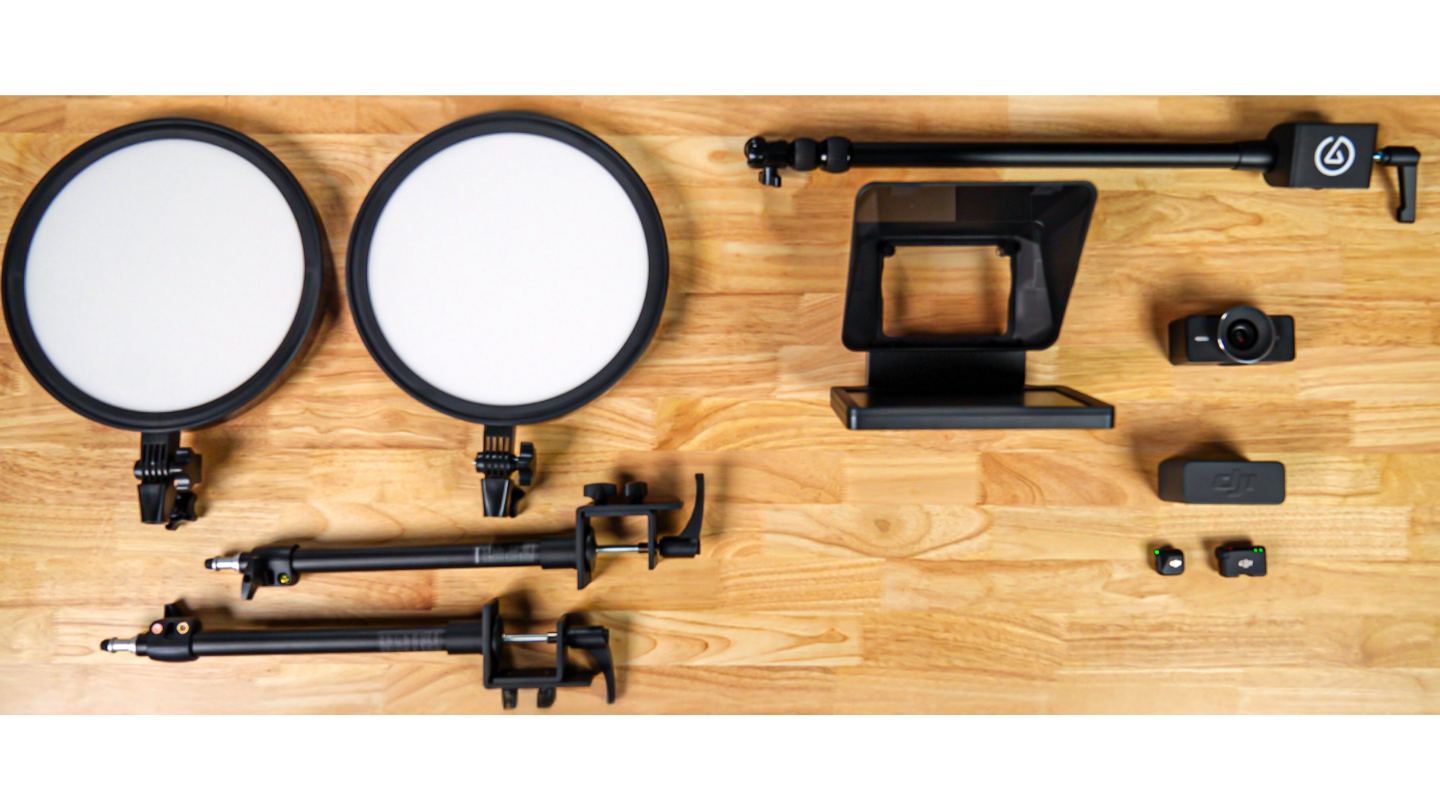
Records in crisp 4K
No mic built-in, which improves video quality
Controlled via Elgato Camera Hub
Alternative: Use your iPhone with Continuity Camera. If you already have it, it's free.
Hands-free
Clean sound
Plugs into USB-C or your camera
Swap the floor stands for: 2x Neewer Desk Mount C-Clamps – $30
These panel lights are better than ring lights. Soft, even lighting. No harsh spotlight.
Functions as a second monitor
Lets you make eye contact while reading notes or scripts
Essential for interviews and polished solo videos
Mount it with:
Elgato Wave Mic Arm LP (low-profile boom arm)
Cable Tip:
Use stick-on Velcro cable clips under the desk. Clean, flexible, and still lets the desk move.
Why this setup works:
Single cable setup
Looks great
Portable and practical for home or office use
(2) Neewer BR13 Lights: https://geni.us/Ww5XDM
DJI Wireless Mici: https://geni.us/MZFJs
ElGato Webcam: https://geni.us/ygeQBzF
Neewer Desk Mount: https://geni.us/2eHQx
Teleprompter: https://geni.us/9DxVs
Boomarm: https://geni.us/YOoM
Velcro Cable Straps: https://geni.us/8NO6k
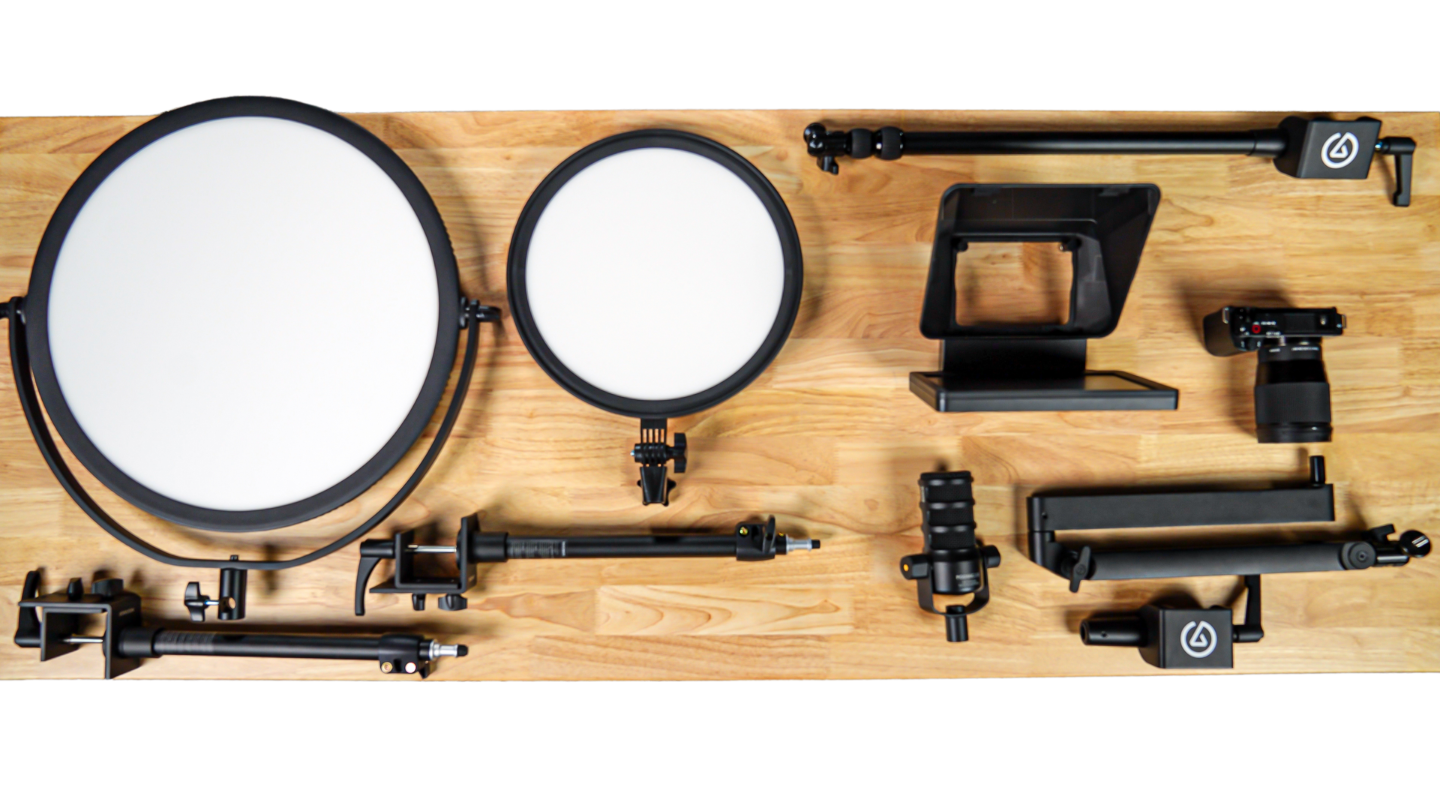
Bi-color adjustable warmth and coolness
Soft, even lighting without needing a softbox
Bright enough to be your key light
Use the same Neewer desk mount clamps.
Just make sure to tighten them properly. These lights weigh 7 to 8 pounds.
Swappable lenses
Beautiful soft depth of field
Perfect for close-range setups with a wide angle
USB and XLR combo
Out-of-the-box processing (noise reduction, compression, EQ)
Sleek, pro look and feel
Use the same low-profile Elgato boom arm.
Still using the Elgato Prompter, but this time mount it with Elgato Master Mount L. Now you attach the prompter to the lens itself using the included adapter ring. Zero light leaks, ultra clean.
(1) Neewer NL 360 Round Panel: https://geni.us/2Rrn73
(2) Neewer BR13 Lights: https://geni.us/Ww5XDM
Sony ZV e10: https://geni.us/c8QUESI
16 mm Lens: https://geni.us/epIabh
Boomarm: https://geni.us/YOoM
Rode USB Podmic:https://geni.us/2OzjQO
Teleprompter: https://geni.us/9DxVs
Cam Link 4k:https://geni.us/BJzpop
ElGato Desk Mount: https://geni.us/EaA7X6
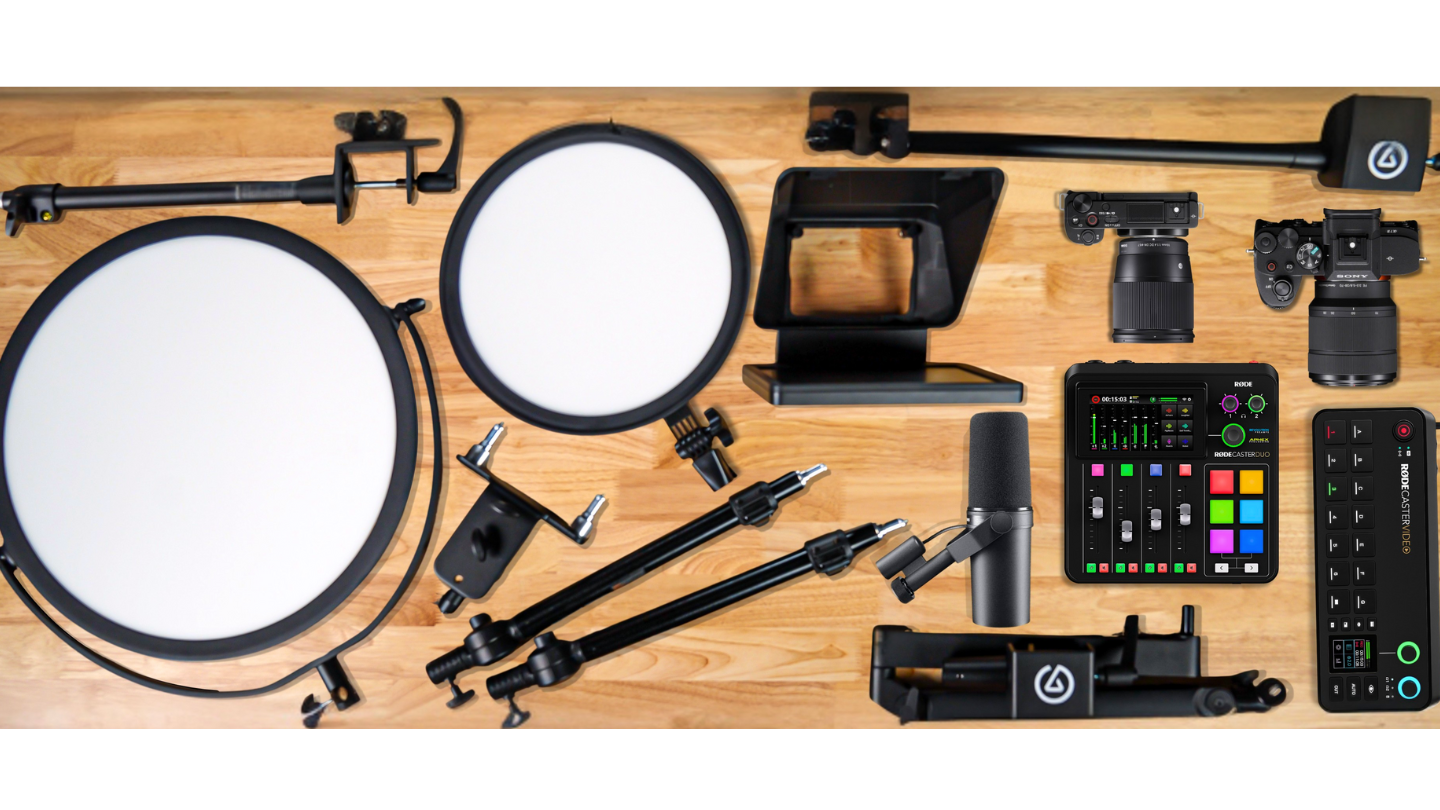
Keep the BR13 and NL360 panel lights.
Mount the NL360 with:
Supports up to 33 pounds upright
Dual arms mean you can mount a light and a camera from one base
The podcaster classic
Smooth, radio-ready sound
Full broadcast studio in a box
Built-in presets for the SM7B
Livestreaming, sound pads, effects, all built in
Sony ZV-E10 – side or overhead angle
Sony A7 IV + 35mm G Master lens – main camera
Next-level quality with shallow depth of field and cinematic sharpness.
Switch between cameras with a click
Records multiple inputs
Shows up as a webcam in Zoom, Riverside, OBS
Mount the main camera on the Elgato Master Mount L with the prompter on the lens.
Use the dual-arm mount to add your ZV-E10 for second angles.
You’ve just built a rolling command center for solo shows, guest interviews, livestreams, and anything else you can dream up.
(1) Neewer NL 360 Round Panel: https://geni.us/2Rrn73
(2) Neewer BR13 Lights: https://geni.us/Ww5XDM
Neewer Dual Rotatable Tabletop Mount Stand: https://geni.us/0KDFAu4
Shure SM7B:https://geni.us/GawIEAB
ElGato Desk Mount: https://geni.us/EaA7X6
RODECaster Duo: https://geni.us/bmPtd
RODECaster Video: https://geni.us/B8jH4u
Sony ZV e10: https://geni.us/c8QUESI
16 mm Lens: https://geni.us/epIabh
ElGato Desk Mount: https://geni.us/EaA7X6
Sony A7iv https://geni.us/mXbn
Sony 35 mm Lens: https://geni.us/rhQLgnr
Record video podcasts
Do live Zoom interviews and keep eye contact
Stream with pro-level switching
Film courses or talking-head YouTube content
Turn any room into a production space
All with a single plug. And it rolls.
Veronica and I design and build podcast and video studios for a living.
We’ll help you get the right gear, set it up, train you or your team, and handle all the content strategy, editing, and distribution too.