Studio builds
Three cameras, a living room, and a livestream that did not go to plan. What worked, what failed, and what we learned.
Some links in this story are affiliate links. If you buy through them, we may earn a commission at no extra cost to you.
One camera for the host, one overhead for the board, one wide shot for the room.
Check the streaming account and the go-live process separately from the gear.
Keep camera originals when possible so the edit can rescue imperfect live switches.
We built a three-camera live stream in our living room for my show, Yap Your Way. The gear worked. The audio worked. The switcher worked. We still went live three hours late. Here is the full setup, what actually broke, and the gear list.
The cameras worked. The audio worked. The switcher worked. We went live three hours late anyway.
I had markers, glue, sticky notes, and a giant podcast growth board. I wanted to sit on the rug and build it live, the way a '90s kid builds a poster project at 11 PM on a Sunday. That was the plan for my show, Yap Your Way. Casual. Handmade. Real.
Then my cute little craft project turned into a NASA launch.
The gear was never the problem. I will show you exactly what was, plus the full three-camera living room setup, and the gear list a lot of you asked for.
I did not want Yap Your Way to feel like a webinar. I wanted it to feel like a '90s kid craft project. Markers. Glue. Little cutout pieces. A giant board I build on the floor while I talk, sticky note by sticky note, showing how somebody goes from zero subscribers to their first 1,000 real people.
So yes, it was strategic. It was also a way for me to have fun. I love this stuff.
Here is where my husband comes in.
I told Stephen about the poster board idea. His first reaction was "oh, brother." Then the wheels started turning, and he got excited. Maybe a little too excited. Somewhere in there he decided the board needed to be more legible, more readable, a better experience for the audience. His words. In his defense, he says he was not trying to take over.
He took over.
He will tell you he made it more legible. I will tell you the whole point was handmade and a little imperfect. We are both right, which is exactly why it became a marriage test. And fine, the board did look better. I said what I said.
Stephen actually built the multicam rig the night before, past midnight. He knew if it waited until morning we were in trouble. He flipped the lights off with one of my favorite things he has ever said on camera. The man you are talking to right now is not the same man you will be talking to in the morning.
Now the part you came for. We did not want just one shot of me and one shot of the board. We wanted three.
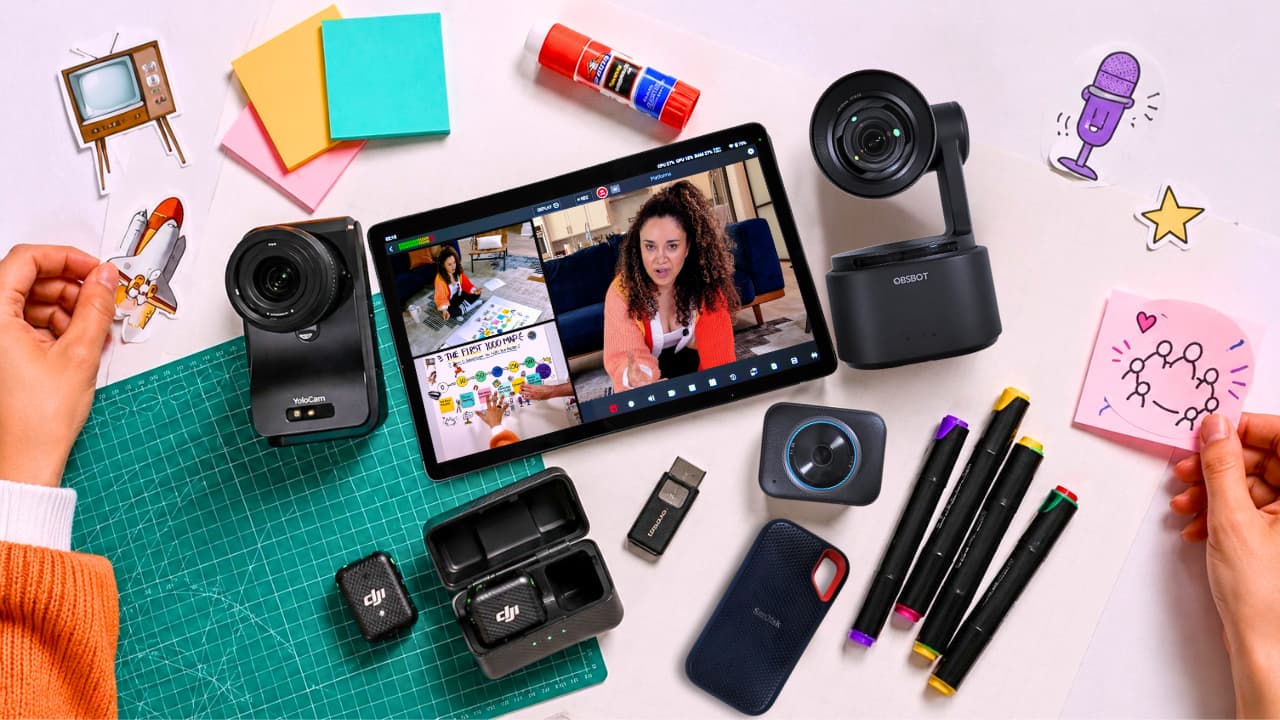
The OBSBOT Tail 2 was the main host shot. Me on the rug, talking straight to the audience, with subtle AI tracking that followed me as I moved.
The YoloCam S7 was the above shot, looking straight down on the board. This was the most important camera of the three. If the audience could not read the board, the whole concept fell apart. It looked great. You could see every sticky note as I added it.
The YoloCam S3 was the high wide angle. It showed me and the board together, so the stream did not feel like it was just cutting between a face and a piece of paper. It put you in the room. That third shot also gives us a third angle in the edit, which makes it easy to hide jump cuts and trim the slow parts without anybody noticing.
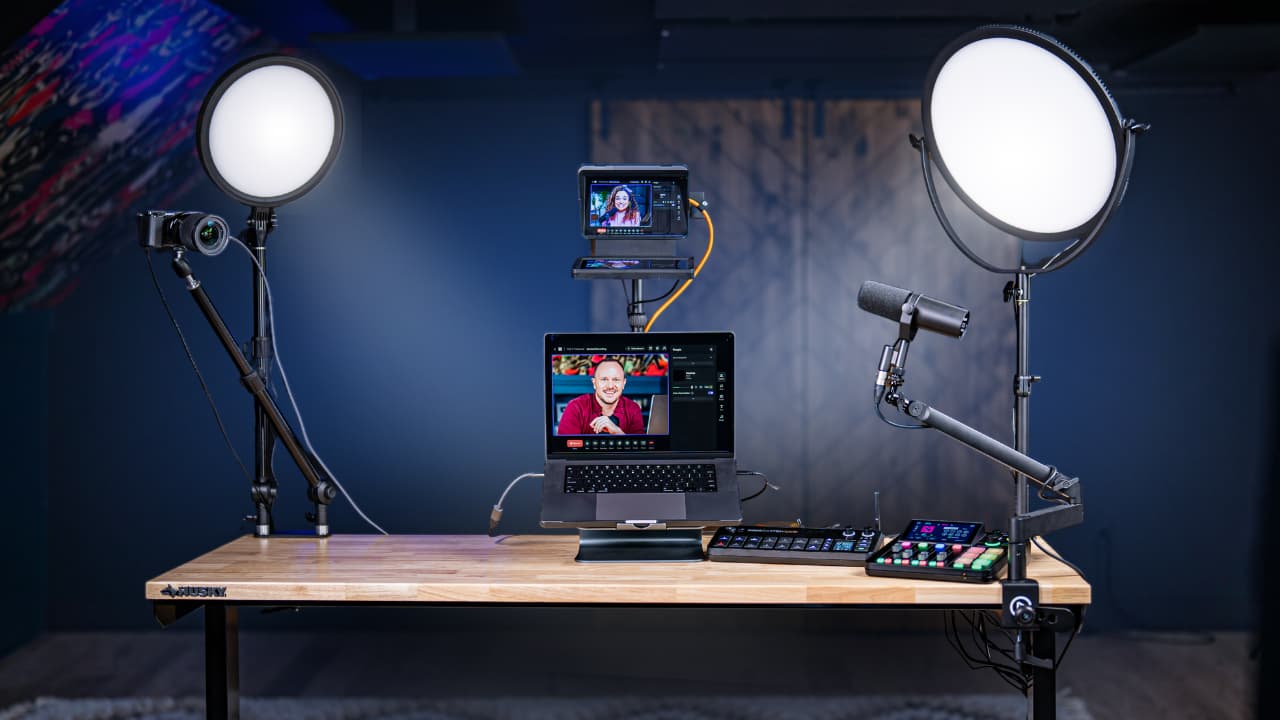
The brain of all of it was the YoloBox Extreme. Our command center. Switcher, recorder, and live stream machine in one box.
The living room was ready. The cameras were ready. The live room was not.
I am talking about the live events room I built myself inside our platform, Podcast YourWay. We got locked out of it. The gear was fine. We could not even go live. We could not connect to our audience. That was the real wall.
So while Stephen did emergency programming on the side of the couch, I waited. When Stephen gets stressed, he gets snappy. He gets tosco. The platform and the programming are his lane. The vision and the show are mine. So I let him work.
I did have one instinct, and I almost said it out loud. Just go live on YouTube and upload to Podcast YourWay afterward. That instinct turned out to be close to the workflow we landed on.
The bug taught us something. Our live room was set to kick the stream live at 11:00 AM sharp, ready or not. That is a lot of pressure, and a lot can go wrong in that window. This was the proof.
So we rebuilt it. Now there is a go live button. We press it when we are ready. The timer starts, and the stream goes out to YouTube on our command, not the clock's. Small thing. It changed everything.
For this shoot, keeping both the switched program and separate camera recordings gave us two ways to edit.
The first is the program file. Every camera combined into one, with the live camera switching printed right onto the file. Whatever shot we cut to live is what is in the file. For a lot of creators, that is perfect. The switching is already done.
The separate camera files gave Stephen flexibility to color-correct each angle and rebuild the switching in the edit. ISO recording formats and channel limits depend on the recorder, inputs, firmware, and settings, so check your exact configuration before a shoot.
Then he dropped all the ISO files into a nested multicam sequence in Premiere and switched the cameras again, this time in the edit, frame by frame. Better decisions than any of us can make live while gluing little pieces of paper to a board.
So we did not just get a live stream. We got a YouTube video, Shorts, and clips, and a workflow we can run every single week. Go live once. Repurpose everywhere. That is the whole reason I love multicam video podcasting. It is the best of every world.
This started as a cute idea. Me, the floor, markers, and a board, teaching podcasters how to get their first 1,000 subscribers. It turned into a three-camera live stream, a platform bug, a go live button, and a reminder that every live show needs a fallback plan.
Casual does not mean unplanned. If you want to feel relaxed on your live stream, you need a system underneath you. The relaxed part is earned.
The live show should not be your test environment. Test the gear. Test the platform. Test the host path, the way you will actually run the show. Test the viewer path, the way your audience will actually watch. And finish the craft by 10:45.
We went live three hours late. The board looked better than I planned. The live room is stronger now. And it was one of the best looking live streams we have ever done. I will give Stephen that one.
Everything we used is below. These are affiliate links, so grabbing something through them supports the channel at no extra cost to you. Thank you for that.
YoloBox Extreme (the brain, switcher, and recorder)
OBSBOT Tail 2 (main host shot, AI tracking)
YoloCam S7 (the all-important overhead board shot)
YoloCam S3 (the high wide angle that puts you in the room)
Neewer lights (the panels we light every setup with)
For help with equipment, room design, and a workflow your team can run confidently, <a href="/one-on-one-support">tell us about your studio</a>. Private studio projects begin at $5,000.